
NoFeed
Remove algorithmic distraction by hiding feeds and providing cross-site search
As of June 2026, NoFeed has 4 users and a 5.00/5 rating from 1 reviews in the Productivity category.
Usersup 33.3 percent+33.3%
4
4
Ratingno change0%
5.00
1 reviews
Reviewsno change0%
1
Version
0.2.0
Manifest V3
History
3 snapshotsTracking since Apr 20, 2026.
View as table
| Date | Users | Rating | Reviews | Version |
|---|---|---|---|---|
| Apr 20, 2026 | 3 | 5.00 | 1 | 0.2.0 |
| May 5, 2026 | 3 | 5.00 | 1 | 0.2.0 |
| Jun 9, 2026 | 3 | 5.00 | 1 | 0.2.0 |
| Now | 4 | 5.00 | 1 | 0.2.0 |
Permissions & access
- Permissions
- storageactiveTab
- Host access
- https://www.youtube.com/*, https://x.com/*, https://twitter.com/*, https://www.bilibili.com/*, https://www.xiaohongshu.com/*, https://www.baidu.com/*
Screenshots


About
=== Why install NoFeed? ===
When you land on a platform’s front page, their algorithm is optimised to keep them profitable, not you productive. By removing the “infinite scroll” trap and replacing it with friction‑free search, NoFeed turns those platforms into the research tools you originally meant to use.

=== Key Features & Highlights ===
✅ One‑Click Feed Blocker
Choose block specific sites; the home feed is instantly hidden until you turn it back on—perfect for study sessions or deep work.
✅ Built‑In Cross‑Site Search
Type your query once in the popup and open results directly on X, YouTube, Bilibili, baidu or Xiaohongshu—no detours, no distractions.
✅ Lightweight & Private
No third‑party tracking! Runs only when the popup is open and never sends your keystrokes off‑device.

=== Quick Start ===
1. Install NoFeed.
2. Pin the extension icon.
3. Toggle feeds you’d like to block.
4. Start typing in the popup to search any supported platform—hit ↵ to jump straight to results.

That’s it! Reclaim your focus and transform social‑video sites into powerful research tools with NoFeed. 🚀
Technical
- Version
- 0.2.0
- Manifest
- V3
- Size
- 103KiB
- Min Chrome
- 88
- Languages
- 2
- Featured
- No
Metadata
- ID
- hcmgaogaljkipehgegdmnebkjabaeahb
- Developer ID
- uecce2ee5cd970e26360a5a9fa384419b
- Developer Email
- [email protected]
- Created
- Jul 22, 2025
- Last Updated (Store)
- Jul 29, 2025
- Last Scraped
- Jun 9, 2026
- Website
- —
- Support URL
- —
Similar extensions
Alternatives to NoFeed, ranked by description similarity.

Feed Blocker
Block distracting feed flows on websites like Zhihu, Bilibili, Xiaohongshu, and Weibo
11

UnFeed – Remove YouTube Recommended, Shorts & Distractions
Precision YouTube distraction control. Remove recommendations, Shorts, autoplay, comments and more. Built for focus.
5
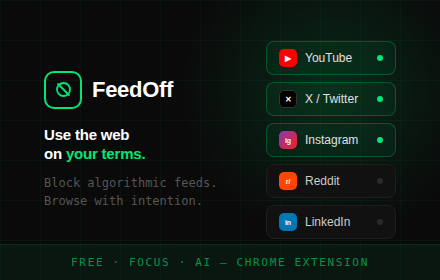
FeedOff
Block algorithmic feeds on YouTube, X, Instagram, Reddit & LinkedIn. Use the web on your terms.
4
★ 5.0

CleanFeed
A cross-platform browser extension to clean your social media feeds.
1

FocusFeed: Streamlined Social Browsing
Introducing FocusFeed - your essential companion for a distraction-free social media experience. This extension is designed to…
2

Sponsored Ads Blocker
Blocks 'Sponsored' ads in results and feeds. When extension ON, sponsored ads are hidden, when OFF, sponsored items show .
45
★ 5.0

RSS Feed Finder
Instantly discover and copy RSS and Atom feeds from any webpage.
209

NewsFeed Eradicator
Hides the LinkedIn, YouTube, TikTok, Instagram, and Facebook home feed so you can focus.
11
★ 4.5
Data sourced from the Chrome Web Store · last verified Jun 9, 2026.