
Web to MCP: Import any website components to Cursor or Claude Code
A Chrome extension that captures website components and sends them to AI coding assistants like Cursor, Claude Code, Codex, etc
As of June 2026, Web to MCP: Import any website components to Cursor or Claude Code has 4,000 users and a 3.73/5 rating from 11 reviews in the Developer Tools category.
Usersup 33.3 percent+33.3%
4.0K
4,000
Ratingdown 4.4 percent−4.4%
3.73
11 reviews
Reviewsup 10.0 percent+10.0%
11
Version
0.0.6
Manifest V3
90-day change · In the last 90 days this extension gained 1.0K users.
History
3 snapshotsTracking since Apr 20, 2026.
View as table
| Date | Users | Rating | Reviews | Version |
|---|---|---|---|---|
| Apr 20, 2026 | 3.0K | 3.90 | 10 | 0.0.6 |
| May 5, 2026 | 4.0K | 3.90 | 10 | 0.0.6 |
| May 28, 2026 | 4.0K | 3.90 | 10 | 0.0.6 |
| Now | 4.0K | 3.73 | 11 | 0.0.6 |
Permissions & access
- Permissions
- activeTab
- Host access
- https://web-to-mcp.com/*
Screenshots


About
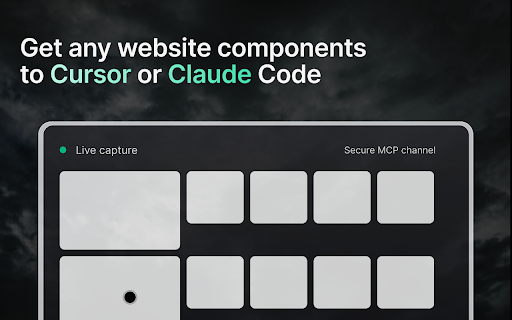
Capture website components visually and turn them into ready-to-use code and prompts for your AI coding assistant. With Web To MCP, you can highlight any part of a live webpage, generate clean output, and send it directly into tools like Cursor or Claude Code through MCP integration.
Web To MCP extension removes the guesswork from design-to-code workflows, giving developers and teams a faster way to build accurate front-end interfaces with real context from the web.


Key features
Capture components visually with a simple hover and click
Generate instant code and prompts that can be used directly in your editor
Seamless integration with Cursor and Claude Code through MCP
Preserve pixel-perfect references for accurate design-to-code handoff
Save hours of manual effort by automating repetitive front-end tasks
Lightweight and secure Chrome extension built for speed


How it works
Install the Web To MCP Chrome extension from the Chrome Web Store.
Enable the extension in your browser.
Visit any website and hover over an element to highlight it.
Click to capture the component and generate the code and prompt.
Copy and paste directly into Cursor or Claude Code to start building.


Why developers choose Web To MCP
AI-powered workflow: Give your coding assistant clear context with visual and code inputs.
Faster front-end development: Reduce design-to-code delivery time by up to 10x.
Better accuracy: Stop relying on vague descriptions and pass real UI components instead.
Works with your stack: Optimized for modern AI IDEs like Cursor and Claude Code.
Improves collaboration: Designers, developers, and AI tools stay aligned with shared visual references.


Use cases
Quickly capture navigation bars, buttons, or layouts from live sites
Speed up prototyping with real-world design elements
Train AI coding assistants with exact visuals for better results
Eliminate rework in front-end development by reducing miscommunication
Automate repetitive coding tasks and focus on shipping features


Requirements
Google Chrome browser
Cursor or Claude Code with MCP configured
Technical
- Version
- 0.0.6
- Manifest
- V3
- Size
- 2.64MiB
- Min Chrome
- 88
- Languages
- 1
- Featured
- No
Metadata
- ID
- hbnhkfkblpgjlfonnikijlofeiabolmi
- Developer ID
- uf5f6dcc02b021eac7728dc1380f3bf50
- Developer Email
- [email protected]
- Created
- Aug 6, 2025
- Last Updated (Store)
- Sep 25, 2025
- Last Scraped
- Jun 8, 2026
- Website
- web-to-mcp.com
- Support URL
- —
- Privacy Policy
- https://web-to-mcp.com/privacy
Similar extensions
Alternatives to Web to MCP: Import any website components to Cursor or Claude Code, ranked by description similarity.

Kapture MCP Browser Automation
Remote browser automation via MCP - DevTools Extension
9.0K
★ 5.0

MCP Pointer
Point to DOM elements for your agentic coding tools
582

Agent Logger
Connect your browser to AI coding assistants - capture elements, screenshots, and errors for Claude Code and more
4

UI Assist
AI-powered UI assistant that helps create and edit user interfaces through glutamate UIassist MCP server
25
★ 5.0

DOM Lens
Grab any element on any website and give it to AI coding agents
—
★ 5.0

Real Browser MCP
Let AI agents control your real browser - your tabs, your sessions, your logins
246
★ 5.0

Browser Agent Extension
AI Agent browser control extension - MCP + WebSocket
82

ChromeDebug MCP Assistant FREE
AI-powered browser debugging with visual element selection and screen recording for developers
16
Data sourced from the Chrome Web Store · last verified Jun 8, 2026.