
Symbol Collector - Easily Save and Manage Symbols
With the Symbol Collector Chrome extension, effortlessly collect and manage a wide range of symbols
As of May 2026, Symbol Collector - Easily Save and Manage Symbols has 9 users in the Productivity category.
Usersdown 10.0 percent−10.0%
9
9
Ratingno change0%
—
— reviews
Reviewsno change0%
—
Version
1.0
Manifest V3
History
2 snapshotsTracking since Apr 29, 2026.
View as table
| Date | Users | Rating | Reviews | Version |
|---|---|---|---|---|
| Apr 29, 2026 | 10 | — | — | 1.0 |
| May 25, 2026 | 11 | — | — | 1.0 |
| Now | 9 | — | — | 1.0 |
Permissions & access
- Permissions
- None declared
- Host access
- None declared
Screenshots


About
Extension Name: Symbol Collector
Description:
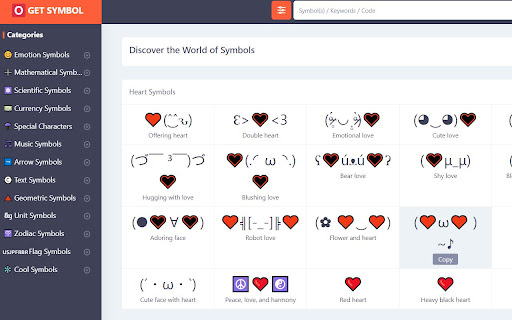
Symbol Collector  is a simple and user-friendly Chrome extension that allows you to quickly find and collect various symbols for your needs. Whether you’re looking for mathematical symbols, emoticons, currency signs, or any other special characters, Symbol Helper makes it easy to access them all in one place.

Features:

Quick Search: Instantly search for any symbol using keywords or symbol codes.
Easy Copy: Click on any symbol to automatically copy it to your clipboard for easy pasting.
Direct Access: Quickly navigate to the getsymbol.net website for more symbols and information.
User-Friendly Interface: Clean and intuitive design for a smooth user experience.
How to Use:

Install the Extension: Add Symbol Helper to your Chrome browser.
Open the Popup: Click on the extension icon in your browser toolbar to open the popup.
Search for Symbols: Use the search bar to find specific symbols by typing in keywords or codes.
Copy Symbols: Click on any symbol to copy it to your clipboard.
Visit getsymbol.net: Use the extension to directly visit the getsymbol.net website for a wider selection of symbols.
Permissions:
This extension requires permission to open new tabs to provide direct access to symbol resources.

Support:
For support or feedback, please visit getsymbol.net or contact us through our website.
Technical
- Version
- 1.0
- Manifest
- V3
- Size
- 219KiB
- Min Chrome
- 88
- Languages
- 1
- Featured
- No
Metadata
- ID
- hbbdhlkknpdmgohicndapinabdnjmfjd
- Developer ID
- u6841067aac11596dc48b8900a17adfcd
- Developer Email
- [email protected]
- Created
- Aug 26, 2024
- Last Updated (Store)
- Aug 27, 2024
- Last Scraped
- May 25, 2026
- Website
- https://www.getsymbol.net/
- Support URL
- —
- Privacy Policy
- https://www.getsymbol.net/get-symbol/privacy
Similar extensions
Alternatives to Symbol Collector - Easily Save and Manage Symbols, ranked by description similarity.

Symbol Finder - Copy & Paste Symbols
Search and copy any symbol instantly – math, arrows, currency, bullet points and more.
37
★ 5.0

Symbol & Emoji Picker
Copy and paste unique symbols and categorized emojis with an enhanced selection.
28
★ 5.0

Text Symbols
Use Text Symbols: Easily copy and paste text symbols & Unicode characters! Perfect for cool text, emojis and unique designs
106
★ 5.0

SymbolHub - Copy & Paste Symbols
Quick access to 3900+ Unicode symbols, arrows, emojis & special characters. Search, copy, and insert directly into any text field.
12

Emoji & Symbols Copy and Paste + Lenny Face
Copy and paste 9500+ emojis, symbols & lenny faces ( ͡° ͜ʖ ͡°) in 1 click. The only extension with all 3 types!
22
★ 5.0

Symbol Finder
Easily find & copy any HTML5 symbol(s) from your browser toolbar popup UI.
1.0K
★ 4.5

Special Characters / Punctuation Marks
Easily copy special characters to your clipboard with this Chrome extension.
726
★ 3.8

EmojiClick - Emoji Keyboard
A simple emoji keyboard for Chrome.
82
★ 5.0
Data sourced from the Chrome Web Store · last verified May 25, 2026.