
Holmes
Chrome Bookmark Search Extension
As of June 2026, Holmes has 10,000 users and a 4.45/5 rating from 160 reviews in the Productivity category.
Usersno change0%
10.0K
10,000
Ratingno change0%
4.45
160 reviews
Reviewsno change0%
160
Version
3.4.0
Manifest V3
Permissions & access
- Permissions
- bookmarksstoragefavicon
- Host access
- None declared
Screenshots
About
Got bunch of bookmarks in Chrome? Never find the bookmark you're looking for?

Holmes is here to search for your bookmarks!

Omnibox integration is back!
You users missed Watson so bad so we thought to bring him back! And he is faster than ever!

As always, you find him from url bar. Just type * and press tab and you're ready to search!

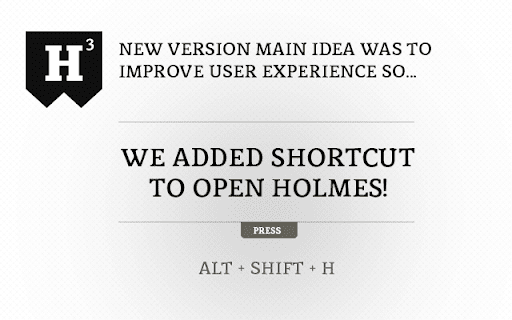
Holmes also activates by keyboard shortcut! Press Alt+Shift+H and you're ready to go! You can always change the shortcut for your liking. Go to Chrome Menu > Tools > Extensions. Scroll down to bottom, press "Keyboard shortcuts" link and add custom shortcut to Holmes!

** NEW in version 3 **

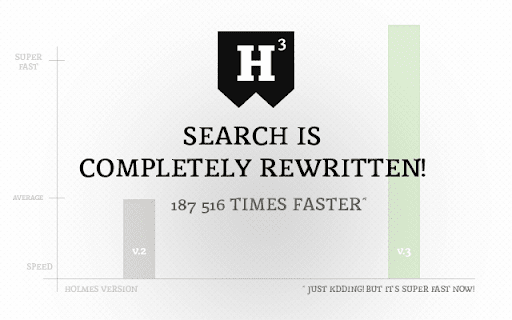
* Completely rewritten search engine
* Shortcut Alt+Shift+H added!
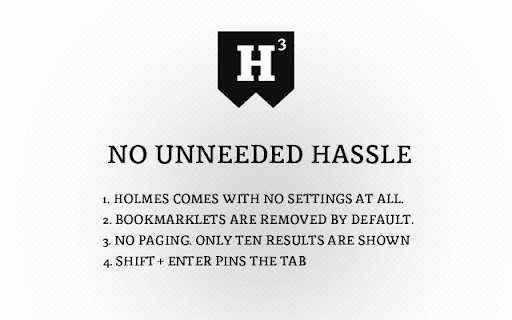
* 10 results are shown
* No settings
* Bookmarklets are removed by default
* Much cleaner, hassle free look

** Version info **
v.3.4

* Upgraded to manifest v3

v.3.3.0

* Holmes now autofocus input field by default

v.3.2.1

* "NEW" label bug fixed


v.3.2

* Fuzzy search implemented both Holmes and Watson - big thanks to krisk's Fuse library -> https://github.com/krisk/Fuse

v.3.1.7

* Fixed omnibox bug when only one result opens bookmark in Google search
* Fixed Holmes input autofocus

v.3.1.6

* Holmes website link added to extension

v.3.1.5

* Default shortcut wasn't working! Now it does!
* Added guide to change default shortcut. See top of this text for more info.

v.3.1.4

* When bookmark was added or removed Holmes didn't recognize the changes. Now fixed.

v.3.1.3

* Minor bug tackled

v.3.1

* Omnibox integration rewrited from ground up!

v.3.0

* Completely rewritten search engine
* Shortcut Alt+Shift+H added!
* Only 10 results are shown
* No settings
* Bookmarklets are removed by default
* No omnibox integration anymore
* Much cleaner, hassle free look


v.2.2.2

*Blog link removed from the start.

v.2.2.1

*FIXED a bug from clicking bullet page navigation. Now it works properly.

v.2.2

Welcome message changed.

v.2.1.1

Compatibility update for the upcoming browser versions

v.2.1

*NEW Showing info when Holmes is upgraded to higher version
*NEW Logo updated...again :)
* Minor UI changes.

v.2.0

*NEW - Watson, the Omnibox search integration
   - Type asterisk(*) and press tab in url bar
*NEW - Logo typography change

v.1.2

* NEW - Added keyword "new:".
* Smallest icon redesign
* Minor fixes.

v. 1.1

* NEW - Options added. Toggle from seach field right corner.
* Remove bookmarklets from search (bookmarks that starts with 'javascript:').
* Save last state. Continue from last point.

* UI improvements. Maven Pro from Google Fonts are loaded as main font.
* Matched search string is higlighted in results as red.
* History search is depracated. Chrome has so nice history search so this is not a needed feature. Let's focus on bookmarks!


v.1.0.1
* Ctrl+D is deprecated. Preventing Windows users to create bookmark by pressing the combination.

v.1.0
* Initial release
Technical
- Version
- 3.4.0
- Manifest
- V3
- Size
- 563KiB
- Min Chrome
- 88
- Languages
- 1
- Featured
- No
Metadata
- ID
- gokficnebmomagijbakglkcmhdbchbhn
- Developer ID
- u02a80c6bd4dd00bf7ae3cf44338980fc
- Developer Email
- [email protected]
- Created
- Jul 3, 2011
- Last Updated (Store)
- Oct 11, 2025
- Last Scraped
- Jun 6, 2026
- Website
- http://www.blackfish.fi/
- Support URL
- —
- Privacy Policy
- —
Similar extensions
Alternatives to Holmes, ranked by description similarity.

Bookmarks Quick Search
Search bookmarks quickly and easily, with a search popup, which can be opened by a click on the extension logo (or by cmd+E/ctrl+W).
20.0K
★ 4.6

Trufflepiggy - Quick Search
The all-in-one search tool: select and search. Find on multiple websites at once. Easy anonymous setup. Cross-browser sync.
2.0K
★ 4.3

Google Search Keyboard Shortcuts
Adds keyboard shortcuts/hotkeys back to Google search results
9.0K
★ 4.6

Quick Find for Google Chrome™
Port of Firefox Quick Find features + awesome new ones. Search results in one location. Navigate to links in just a few keystrokes.
4.0K
★ 4.1

Context Menu Search
Use the right-click menu to search for selected text in different search engines
100.0K
★ 4.5

Search It All
Search across multiple search engines with one click - no retyping needed
936
★ 3.9

BookmarkLens
Lightning-fast search across bookmarks and history with pinned shortcuts, omnibox, and a beautiful MUI UI.
5

Trufflepiggy - Context Search
The context search for all of us: quick, easy & fully customizable. Perfect for translations, price comparisons, image searches,…
1.0K
★ 4.5
Data sourced from the Chrome Web Store · last verified Jun 6, 2026.