Say, Pi: Hands-Free AI Voice Chat
Hands-free voice chat with ChatGPT, Claude & Pi. No button press needed. Voice typing everywhere.
As of June 2026, Say, Pi: Hands-Free AI Voice Chat has 1,000 users and a 4.79/5 rating from 34 reviews in the Productivity category.
Usersno change0%
1.0K
1,000
Ratingdown 1.8 percent−1.8%
4.79
34 reviews
Reviewsup 3.0 percent+3.0%
34
Version
1.10.7
Manifest V3
History
2 snapshotsTracking since Apr 16, 2026.
View as table
| Date | Users | Rating | Reviews | Version |
|---|---|---|---|---|
| Apr 16, 2026 | 1.0K | 4.88 | 33 | 1.10.7 |
| Jun 1, 2026 | 1.0K | 4.88 | 33 | 1.10.7 |
| Now | 1.0K | 4.79 | 34 | 1.10.7 |
Permissions & access
- Permissions
- storagecookiestabscontextMenusalarmsoffscreenaudioidentity
- Host access
- https://api.saypi.ai/*, https://www.saypi.ai/*
Screenshots

About
Say, Pi turns your conversations with ChatGPT, Pi, and Claude into smooth, voice‑driven experiences, and brings high‑quality voice typing to any website.
Just tap the call button, speak like you would to a person, and get lifelike spoken replies. Plus, dictate text into any input field across the web with the same accuracy you love.
Perfect for multitasking, accessibility, or anyone who thinks better out loud.


NEW IN v1.10.0 — “Say, Pi for ChatGPT” (Save Standard Voice)
- Bring back the feel of ChatGPT’s Standard Voice Mode (SVM) with a patient, predictable, hands‑free experience.
- Drop‑in on chatgpt.com: a call button appears in the ChatGPT composer; start/stop just like SVM.
- Automatic Read Aloud: when enabled, we press ChatGPT’s native “read aloud” once per response—no double audio.
- Designed for the #SaveStandardVoice moment: warmth, presence, and dependable pacing.

FREE PLAN – TRY INSTANTLY, NO ACCOUNT NEEDED
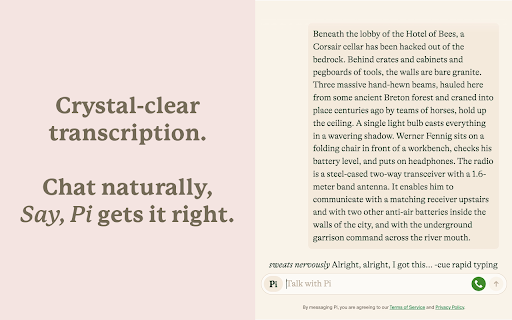
- Voice Chat with AI: Talk to ChatGPT, Pi, and Claude with Whisper‑powered voice recognition that knows when you're done speaking.
- Universal Voice Typing: Dictate into any text field or email on any website – just right-click and select "Start dictation with Say, Pi."
- Accurate & Fast: Enjoy high-accuracy speech-to-text, even with accents and background noise.
- Hear Natural Voices: Warm, lifelike replies in supported modes.
- Flexible Layouts: Use full-screen immersive mode or standard chat view.
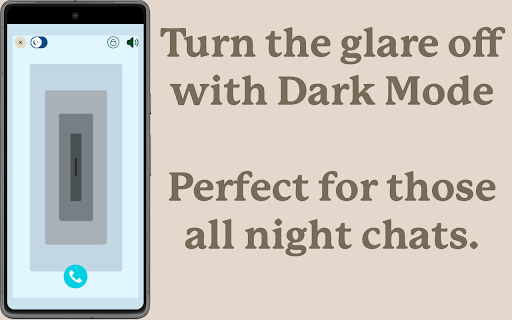
- Dark Mode Support: Eye-friendly design that blends in with Pi's interface.
- Works Everywhere: Mac, Windows, Linux, Android, iOS – all covered.


SAY, PI PREMIUM – UNLOCK THE FULL EXPERIENCE
Your voice, your language, your AI – across all your devices and websites.
- ChatGPT, Claude & Pi Support: Seamless switching between top AI assistants.
- Universal Dictation: Professional-grade voice typing for emails, documents, and forms anywhere on the web.
- Lifelike Replies in 32+ Languages: Powered by ElevenLabs, crafted to sound natural in your language.
- Bigger Usage Limits: More talking time, more listening time, more dictation.
- One Account, Everywhere: Premium follows you across platforms and browsers.

See pricing at: https://saypi.ai/pricing


WHY THOUSANDS LOVE SAY, PI
- Boost Your Workflow: Take notes, write emails, ideate, or draft while keeping your hands free.
- Speak Any Language: Multilingual support with smooth mid-conversation switching.
- Built for Accessibility: Designed with inclusivity in mind – great for users with motor or visual challenges.
- Rated ★ 4.9/5 by 2,000+ Users: Trusted by a growing global community.
- Privacy First: Your voice data is secure and never misused. See our policy at: https://saypi.ai/legal/privacy


GET STARTED IN SECONDS
1. Install the extension.
2. For AI chat: Open chatgpt.com, pi.ai, or claude.ai and click the call button.
3. For voice typing: From any text field, press the floating "Say, Pi" icon or right-click and select "Start dictation with Say, Pi."
4. Speak naturally. That's it.


Start talking to AI and typing with your voice the natural way—install Say, Pi and experience the future of conversation and productivity.
Technical
- Version
- 1.10.7
- Manifest
- V3
- Size
- 17.72MiB
- Min Chrome
- 88
- Languages
- 32
- Featured
- Yes
Metadata
- ID
- glhhgglpalmjjkoiigojligncepccdei
- Developer ID
- u66d89b7db8843ee0f309fb4244ddee09
- Developer Email
- [email protected]
- Created
- Nov 22, 2023
- Last Updated (Store)
- Jan 5, 2026
- Last Scraped
- Jun 9, 2026
- Website
- saypi.ai
- Support URL
- https://www.saypi.ai/docs
- Privacy Policy
- https://www.saypi.ai/legal/privacy
Similar extensions
Alternatives to Say, Pi: Hands-Free AI Voice Chat, ranked by description similarity.

TalkScribe AI - New Gen Speech-to-Text (STT)
Voice dictation with stable microphone connection. Speak to type on any webpage.
116
★ 4.9

Voice Everything
Use dictation for instant voice typing, AI quick access, searching and more. Speech to actions in real time.
141
★ 3.0

Voice Chat Assistant - Add AI voice chat to ChatGPT web
Speak your messages and hear responses in near real-time. Say 'over' to send, pause anytime.
29

Free ChatGPT Voice Dictation - TalkScribe AI Lite
Completely Free Professional Voice typing extension for ChatGPT. Speak naturally and chat hands-free. Simple, fast!
40
★ 5.0

OratioAI - Speech to Text & AI Voice Chat
Type anywhere using your voice with OratioAI. Converse with ChatGPT using dictation.
3

SpeechCircle
Speak your prompts! Adds voice input via a microphone button to ChatGPT, Perplexity, Claude and more, for fast speech-to-text.
1

AICHE - Voice Typing & Dictation | AI Speech to Text
AI voice typing & speech to text for any website. Dictate naturally, get polished text instantly. Works everywhere.
12

Voice for GPT
Auto-reads ChatGPT replies out loud in real time.
6
★ 5.0
Data sourced from the Chrome Web Store · last verified Jun 9, 2026.