Look Busy
Fool people into thinking you're hard at work with this user-friendly extension!
As of June 2026, Look Busy has 971 users and a 3.00/5 rating from 4 reviews in the fun category.
Usersup 68.0 percent+68.0%
971
971
Ratingno change0%
3.00
4 reviews
Reviewsno change0%
4
Version
1.0.3
Manifest V3
History
3 snapshotsTracking since Apr 1, 2026.
View as table
| Date | Users | Rating | Reviews | Version |
|---|---|---|---|---|
| Apr 1, 2026 | 578 | 3.00 | 4 | 1.0.3 |
| May 3, 2026 | 574 | 3.00 | 4 | 1.0.3 |
| Jun 2, 2026 | 624 | 3.00 | 4 | 1.0.3 |
| Now | 971 | 3.00 | 4 | 1.0.3 |
Permissions & access
- Permissions
- storage
- Host access
- None declared
Screenshots
About
Have you ever needed to be able to quickly escape a website you are on and convince others that you are busy working on something when you really aren't?
If so, Look Busy is the extension for you!

There are just a few simple steps:
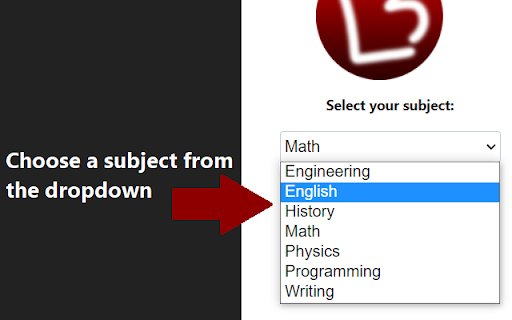
1. Select the subject that you want to look like you are working on from the dropdown.
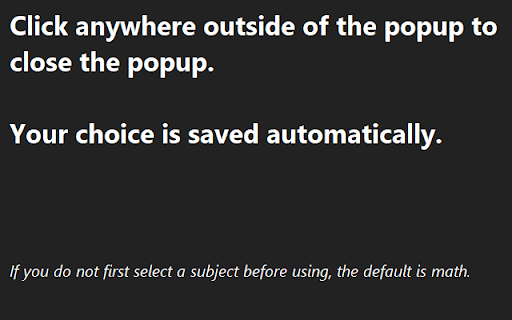
2. Click anywhere outside of the popup window to close it (your choice is automatically saved).
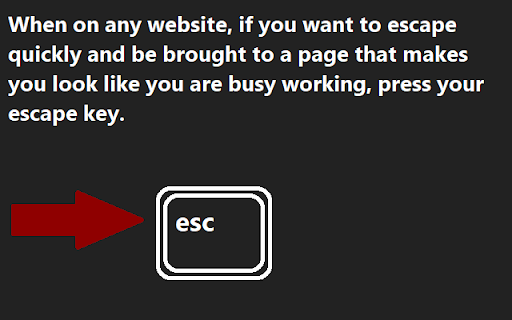
3. When you need to quickly escape a webpage, press your Escape key and you will be brought to a random webpage related to the subject that you chose*.
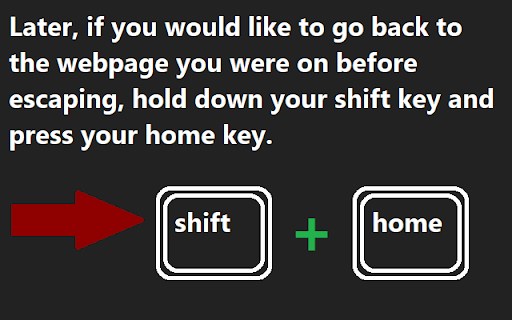
4. Later, if you would like to return to the webpage that you were on before you escaped, hold down your Shift key and press your Home key**.

* Webpages will usually be a Stack Exchange related to the subject or a Stack Overflow if the subject is programming. On rare occasions you may be brought to the front page of Wikipedia (this only occurs if for some reason Look Busy cannot determine what subject you have selected).
** Some smaller keyboards do not have Home keys. A solution for this may be coming in a future update - stay tuned!

⚠ IMPORTANT ⚠
==============
Look Busy overrides the use of your escape key when active. There are many times when browsing the web when you would like to use your escape key for some other reason. In order to deactivate Look Busy, visit chrome://extensions/ and click the toggle on Look Busy to turn it on/off.

To learn more about the extension and see the privacy policy, visit:
https://liberated-programmer.github.io/look-busy.html
Technical
- Version
- 1.0.3
- Manifest
- V3
- Size
- 30.3KiB
- Min Chrome
- 88
- Languages
- 1
- Featured
- Yes
Metadata
- ID
- glddhfhphankkmmpbmjebcmcigiekhio
- Developer ID
- u9f833e302b32904fb599c22d38eaabff
- Developer Email
- [email protected]
- Created
- Aug 13, 2022
- Last Updated (Store)
- May 27, 2024
- Last Scraped
- Jun 2, 2026
- Website
- —
- Support URL
- —
- Privacy Policy
- https://liberated-programmer.github.io/look-busy.html
Similar extensions
Alternatives to Look Busy, ranked by description similarity.

Panic Button
Panic Button is a browser extension that allows you to quickly close all tabs and clear your browsing history.(last 24 hours) :)
6.0K
★ 3.9

Emergency Button
Closes all tabs and opens Google Classroom.
38
★ 5.0

i-control
An extension to controll the scrolling on a webpage with your eyes. Still in beta.
19
★ 5.0

Web Cursors
Don't feel alone on the internet anymore and add realtime features to any websites and pages
71
★ 5.0

Hide-and-Seek Game
A fun hide-and-seek game for your web browser.
19

Dumb Stats
Monitor fun statistics about your web activity with Dumb Stats.
270
★ 4.9

La Fortuna
Spice up your browsing! Some websites feature challenges where you can find good fortune. Get excited as you surf the web.
3
★ 5.0

FFW Pathetic Reminder
Reminds you when you are being P A T H E T I C
7
★ 5.0
Data sourced from the Chrome Web Store · last verified Jun 2, 2026.