
Qlik Sense Shortcut Actions (QSSA)
Automates Export, Duplicate and Reload actions via keyboard shortcuts.
As of June 2026, Qlik Sense Shortcut Actions (QSSA) has 17 users in the Developer Tools category.
Usersup 30.8 percent+30.8%
17
17
Ratingno change0%
—
— reviews
Reviewsno change0%
—
Version
1.0
Manifest V3
History
2 snapshotsTracking since May 3, 2026.
View as table
| Date | Users | Rating | Reviews | Version |
|---|---|---|---|---|
| May 3, 2026 | 13 | — | — | 1.0 |
| Jun 2, 2026 | 14 | — | — | 1.0 |
| Now | 17 | — | — | 1.0 |
Permissions & access
- Permissions
- activeTab
- Host access
- None declared
Screenshots

About
Description:
Qlik Sense Shortcut Actions is a powerful browser extension designed to enhance your productivity while working with the Qlik Sense QMC interface. With this extension, you can streamline repetitive tasks by using custom keyboard shortcuts to perform common actions such as exporting, duplicating, and reloading apps.

By automating these actions, this tool eliminates the need for time-consuming manual navigation and clicks, allowing users to focus on what matters most—analyzing and managing data.

Features:
Keyboard Shortcuts:

Use customizable shortcuts to trigger specific actions directly on the Qlik Sense QMC interface:
Alt+Shift+E: Export the selected app.
Alt+Shift+D: Duplicate the selected app.
Alt+Shift+R: Reload the selected app.
Seamless Integration:

The extension integrates directly with the Qlik Sense QMC application and enhances the existing functionality without disrupting your workflow.
User-Friendly Design:

No additional setup is required. Once installed, the extension works out of the box and listens for shortcuts while you're on the Qlik Sense QMC app management page.
Efficient Workflow:

Save time and clicks by automating frequently used actions, especially useful for power users and administrators handling multiple applications.
How It Works:
Navigate to the Qlik Sense QMC apps page.
Use the defined keyboard shortcuts to perform actions without searching through menus.
The extension interacts with the app's UI to find and click the relevant buttons, mimicking user actions seamlessly.
Privacy & Permissions:
The extension only requests the permissions required to function, ensuring your data and browsing activities remain secure. It operates exclusively on Qlik Sense QMC pages (*://*/qmc/apps*) and does not collect or store any personal information.

Why Choose This Extension?
If you're a Qlik Sense administrator or a frequent user of the QMC, Qlik Sense Shortcut Actions is an essential tool to boost your efficiency. Simplify complex workflows and spend more time focusing on data insights rather than repetitive tasks. Whether you're managing a few apps or an entire suite, this extension is here to make your life easier.
Technical
- Version
- 1.0
- Manifest
- V3
- Size
- 4.82KiB
- Min Chrome
- 88
- Languages
- 1
- Featured
- No
Metadata
- ID
- gkmlgelfmklkpoejigembmklhnbdfiha
- Developer ID
- u5f421c817cbaa08cf222d75cce9a43ed
- Developer Email
- [email protected]
- Created
- Nov 19, 2024
- Last Updated (Store)
- Nov 19, 2024
- Last Scraped
- Jun 2, 2026
- Website
- —
- Support URL
- —
Similar extensions
Alternatives to Qlik Sense Shortcut Actions (QSSA), ranked by description similarity.

QS Metadata Explorer
QS Metadata Explorer is a free and open Chrome extension designed to support Qlik Sense developers, analysts, and administrators in…
232
★ 5.0

Export Qlik Sense QMC tables as CSV
Extension to export Qlik QMC tables to CSV
851
★ 5.0

Odoo Quick Access
Smartly manage Odoo 17, 18 and 19 shortcuts with auto-detection.
23
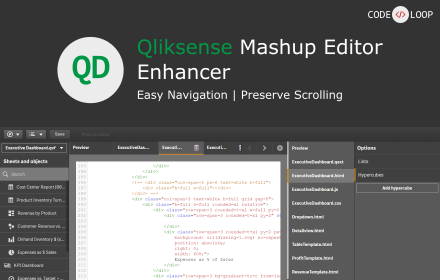
Qliksense Mashup Editor Enhancer
Enhances the Qliksense mashup editor functionalities for better coding experience
39

Quick Extension Manager by @ffgcvs
Quickly toggle other extensions on and off with a beautiful dark interface. Enable all, disable all, search, and filter by status.
15
★ 5.0

AEM Developer Companion
Streamline AEM workflows with instant WCM mode toggling and quick navigation to consoles via context menus and shortcuts.
7

ToolBox
All shortcuts in one place
4

SFDC Agentforce Kit
Quick shortcuts to Salesforce Agentforce: Einstein, Agents, Assets, Testing, Data Cloud, Prompt Builder
49
★ 5.0
Data sourced from the Chrome Web Store · last verified Jun 2, 2026.