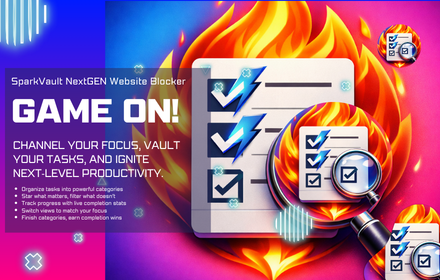
SparkVault NextGEN Advanced To-Do List
An advanced category-based to-do list manager with priorities, progress tracking, and theme switching.
As of June 2026, SparkVault NextGEN Advanced To-Do List has — users in the Workflow & Planning category.
Usersno change0%
—
—
Ratingno change0%
—
— reviews
Reviewsno change0%
—
Version
1.0.1
Manifest V3
History
5 snapshotsTracking since Apr 16, 2026.
View as table
| Date | Users | Rating | Reviews | Version |
|---|---|---|---|---|
| Apr 16, 2026 | — | — | — | 1.0.1 |
| Apr 27, 2026 | — | — | — | 1.0.1 |
| May 15, 2026 | — | — | — | 1.0.1 |
| May 24, 2026 | 1 | — | — | 1.0.1 |
| Jun 3, 2026 | 2 | — | — | 1.0.1 |
| Now | — | — | — | 1.0.1 |
Permissions & access
- Permissions
- None declared
- Host access
- None declared
Screenshots


About
SparkVault NextGEN Advanced To-Do List is a modern and highly versatile browser extension designed to elevate task management and personal productivity directly within your browser environment. Tailored for users who seek a streamlined and customizable experience, SparkVault transforms the traditional to-do list into an advanced productivity tool that seamlessly integrates into your daily workflow. Whether you're a student balancing assignments, a professional managing complex projects, or anyone aiming for heightened organization, this extension offers an intuitive, efficient, and visually appealing platform to plan, prioritize, and track your tasks without ever leaving your browsing session.

At the heart of SparkVault lies a user-friendly dashboard that opens conveniently in a popup window or a full browser tab, providing quick access to all essential task management features. The clean, well-organized layout enables effortless navigation and task handling, allowing users to create, edit, and delete tasks with ease. Tasks can be grouped into customizable categories such as Work, Personal, Errands, Projects, and more, supporting granular organization suited to diverse needs. Each task can be assigned a priority—high, medium, or low—helping users focus on the most critical activities at a glance. The extension further aids productivity by offering progress tracking functionalities, where tasks can be marked as started, in progress, or completed, giving a clear visual overview of your accomplishments and pending duties.

One of the standout attributes of SparkVault is its dynamic theme manager, which elevates user comfort and personalization. Users can instantly switch between a variety of color themes including Neon, Dark, Light, among others, allowing the workspace to match individual preferences or adapt to different lighting conditions. This not only enhances usability but also reduces eye strain during prolonged usage, especially in low-light environments. The extension remembers your theme choices, adjusting interface elements such as icons and tooltips accordingly to maintain visual coherence across your sessions.

Security and privacy are paramount with SparkVault. All your data—tasks, categories, progress updates, and theme preferences—are stored locally on your device, ensuring that your information remains private and is never transmitted to external servers. There’s no need for account creation or sign-ins, aligning with a strict privacy-first philosophy. This local storage approach also guarantees fast access and data integrity across sessions, without the risk of loss.

SparkVault NextGEN Advanced To-Do List is engineered to meet the needs of users who require more than a simple checklist. Its advanced categorization, priority tagging, progress visualization, theme customization, and immediate access from the browser toolbar create a comprehensive productivity hub right where you need it. Whether managing daily errands or tracking project milestones, SparkVault supports your organization with features designed to optimize efficiency and clarity, all wrapped in a sleek and adaptable interface.

Key Features:
- Advanced category-based task management enabling sophisticated organization of tasks according to user-defined groups.
- Task priorities with high, medium, and low settings to emphasize and manage workload effectively.
- Progress tracking with clear visual indicators for started, in-progress, and completed tasks, providing real-time insight into your accomplishments.
- Dynamic theme switching offering multiple color themes like Neon, Dark, and Light to customize the interface for comfort and readability.
- Quick access dashboard accessible via popup or new browser tab, facilitating flexible and convenient task handling.
- Local storage of all data including tasks, categories, and user preferences to ensure privacy and data reliability without cloud dependency.
- Intuitive user interface featuring a clean layout, friendly icons, and context-aware tooltips designed for easy navigation and usability.

How It Works:
1. Install SparkVault NextGEN Advanced To-Do List from your browser’s extension store.
2. Click the extension icon to open the dashboard either as a popup window or in a full browser tab for extended view.
3. Create custom categories to organize your tasks according to your personal or professional needs.
4. Add tasks within categories and assign priority levels (high, medium, or low) to highlight their importance.
5. Track your progress by marking tasks as started, in progress, or completed to maintain an overview of your workload.
6. Filter tasks by category or priority to focus on specific sets of tasks and streamline productivity.
7. Switch between available themes at any time to personalize your working environment; your preferences are saved automatically for future sessions.
8. All your tasks, settings, and preferences are stored locally in your browser, ensuring your data remains private, secure, and immediately accessible.

Privacy: - No personal data collected. All tasks, categories, and theme preferences are stored locally and remain private within your browser.
Technical
- Version
- 1.0.1
- Manifest
- V3
- Size
- 10.5MiB
- Min Chrome
- 88
- Languages
- 1
- Featured
- No
Metadata
- ID
- gkhniknhhhhdpbhicpknmdepmeedkajd
- Developer ID
- uda631cef5ddd3689b035602c9b38fe3c
- Developer Email
- [email protected]
- Created
- Feb 8, 2026
- Last Updated (Store)
- Feb 12, 2026
- Last Scraped
- Jun 3, 2026
- Support URL
- —
- Privacy Policy
- —
Similar extensions
Alternatives to SparkVault NextGEN Advanced To-Do List, ranked by description similarity.

SparkVault NextGEN Elite Time Manager
Elite schedule planning with Card/Day/Week/Month/Year views, priority, frequency, history, and time-window completion.
1

SparkVault NextGEN Extensions Manager
Next-generation themed dashboard to search, favorite, and manage your browser extensions.
—

SparkVault NextGEN Advanced Notepad
An advanced notebook-based note manager with searchable notes, priority filtering, starring, and premium SparkVault NextGEN UI.
—

SparkVault InfinityX Project Manager
Advanced project and task management dashboard with timelines, history, and rich theming.
5

SparkVault NextGEN Elite Extensions Manager
Elite-level extension control with fast enable/disable, permission visibility, and smart management tools.
1
★ 5.0

SparkVault NextGEN Downloads Manager
Intelligent, theme-powered control for every download in your vault.
1

SparkVault NextGEN Bookmarks Manager
Hyper-organized, theme-powered bookmarking for power users, with direct Chrome bookmarks management.
2

SparkVault NextGEN Elite Tab Group Manager
Elite-level control for browser tab groups with smart layouts, themes, and auto-launch magic.
3
Data sourced from the Chrome Web Store · last verified Jun 3, 2026.