
Monarch Money - Annual Budget View
Adds an annual budget view to the Monarch Money budget page
As of June 2026, Monarch Money - Annual Budget View has 52 users and a 4.67/5 rating from 3 reviews in the Productivity category.
Usersup 550.0 percent+550.0%
52
52
Ratingno change0%
4.67
3 reviews
Reviewsno change0%
3
Version
1.1.1
90-day change · In the last 90 days this extension 2 version updates.
History
11 snapshotsTracking since Apr 1, 2026.
View as table
| Date | Users | Rating | Reviews | Version |
|---|---|---|---|---|
| Apr 1, 2026 | 8 | — | — | 1.0.1 |
| Apr 16, 2026 | 9 | — | — | 1.0.1 |
| Apr 22, 2026 | 16 | 4.00 | 1 | 1.0.1 |
| Apr 27, 2026 | 18 | 4.00 | 1 | 1.0.1 |
| May 4, 2026 | 20 | 4.00 | 1 | 1.0.1 |
| May 10, 2026 | 23 | 4.00 | 1 | 1.1.0 |
| May 15, 2026 | 33 | 4.50 | 2 | 1.1.0 |
| May 21, 2026 | 44 | 4.50 | 2 | 1.1.0 |
| May 28, 2026 | 50 | 4.50 | 2 | 1.1.1 |
| Jun 4, 2026 | 51 | 4.67 | 3 | 1.1.1 |
| Jun 9, 2026 | 53 | 4.67 | 3 | 1.1.1 |
| Now | 52 | 4.67 | 3 | 1.1.1 |
Changelog
- May 4, 2026description
Monarch Money - Annual Budget View

This extension adds a **yearly budget view** to the [Monarch Money](https://www.monarchmoney.com/) budget page, allowing you to see your full annual budget performance at a glance.

**Note:** if you see a warning that "this extension is not trusted by Enhanced Safe Browsing" when installing, don't fear. This is due to it being the first extension I've made 🎉

Features

- Toggle Between Views: Switch between the standard monthly budget view and the yearly view using toggle buttons in the budget header.
- Year Navigation: Navigate between years using previous/next arrow controls.
- Annualized Totals: See total Budget, Actual spending, and Remaining budget for each category across all months in the selected year.
- YTD for Current Year: The current year displays year-to-date data; previous years show the full year.
- Organized Categories: Categories are grouped the same way as the standard budget view (Income, Fixed Expenses, Flexible Expenses, Non-Monthly Expenses) and can be sorted by any column.
- Summary Cards: At-a-glance totals for Income, Budgeted, Spent, Remaining, and Savings.
- Persistent State: View mode and selected year reset to defaults when navigating to the budget page, but are preserved on page refresh.
- Dark Mode Support: Automatically detects and adapts to Monarch Money's dark mode.

Usage

1. Navigate to the Budget (Plan) page in Monarch Money.
2. Click the "Yearly" toggle button that appears in the budget header.
3. Use the ← / → arrow buttons to navigate between years.
4. Click "Monthly" to return to the standard monthly view.

How It Works

This script injects a button into the Monarch Money budget page header. When activated, it queries the Monarch Money GraphQL API using your existing authenticated session (no separate login required) to fetch budget and transaction data for the selected year. It then renders a sortable summary table alongside summary stat cards.

No data is sent to any third-party server. All processing happens locally in your browser.
Monarch Money - Annual Budget View

This extension adds a **yearly budget view** to the [Monarch Money](https://www.monarchmoney.com/) budget page, allowing you to see your full annual budget performance at a glance.

**Note:** if you see a warning that "this extension is not trusted by Enhanced Safe Browsing" when installing, don't fear. This is due to it being the first extension I've made 🎉

Features

- Toggle Between Views: Switch between the standard monthly budget view and the yearly view using toggle buttons in the budget header.
- Year Navigation: Navigate between years using previous/next arrow controls.
- Annualized Totals: See total Budget, Actual spending, and Remaining budget for each category across all months in the selected year.
- YTD for Current Year: The current year displays year-to-date data; previous years show the full year.
- Organized Categories: Categories are grouped the same way as the standard budget view (Income, Fixed Expenses, Flexible Expenses, Non-Monthly Expenses) and can be sorted by any column.
- Summary Cards: At-a-glance totals for Income, Budgeted, Spent, Remaining, and Savings.
- Persistent State: View mode and selected year reset to defaults when navigating to the budget page, but are preserved on page refresh.
- Dark Mode Support: Automatically detects and adapts to Monarch Money's dark mode.
- View Settings: A settings modal (accessible via the Settings button in the header) lets you customize the date window for the yearly view.
  - Exclude Current Month: Optionally calculate YTD through the last completed month only.
  - Rolling 12-Month Window: Switch from a calendar-year view to a rolling 12-month window ending today (or end of last month if "Exclude current month" is also on).


Usage

1. Navigate to the Budget (Plan) page in Monarch Money.
2. Click the "Yearly" toggle button that appears in the budget header.
3. Use the ← / → arrow buttons to navigate between years.
4. Click "Monthly" to return to the standard monthly view.
5. Optionally click "Settings" to configure the date window

How It Works

This script injects a button into the Monarch Money budget page header. When activated, it queries the Monarch Money GraphQL API using your existing authenticated session (no separate login required) to fetch budget and transaction data for the selected year. It then renders a sortable summary table alongside summary stat cards.

No data is sent to any third-party server. All processing happens locally in your browser.
Permissions & access
- Permissions
- None declared
- Host access
- None declared
Screenshots


About
Monarch Money - Annual Budget View

This extension adds a **yearly budget view** to the [Monarch Money](https://www.monarchmoney.com/) budget page, allowing you to see your full annual budget performance at a glance.

**Note:** if you see a warning that "this extension is not trusted by Enhanced Safe Browsing" when installing, don't fear. This is due to it being the first extension I've made 🎉

Features

- Toggle Between Views: Switch between the standard monthly budget view and the yearly view using toggle buttons in the budget header.
- Year Navigation: Navigate between years using previous/next arrow controls.
- Annualized Totals: See total Budget, Actual spending, and Remaining budget for each category across all months in the selected year.
- YTD for Current Year: The current year displays year-to-date data; previous years show the full year.
- Organized Categories: Categories are grouped the same way as the standard budget view (Income, Fixed Expenses, Flexible Expenses, Non-Monthly Expenses) and can be sorted by any column.
- Summary Cards: At-a-glance totals for Income, Budgeted, Spent, Remaining, and Savings.
- Persistent State: View mode and selected year reset to defaults when navigating to the budget page, but are preserved on page refresh.
- Dark Mode Support: Automatically detects and adapts to Monarch Money's dark mode.
- View Settings: A settings modal (accessible via the Settings button in the header) lets you customize the date window for the yearly view.
  - Exclude Current Month: Optionally calculate YTD through the last completed month only.
  - Rolling 12-Month Window: Switch from a calendar-year view to a rolling 12-month window ending today (or end of last month if "Exclude current month" is also on).


Usage

1. Navigate to the Budget (Plan) page in Monarch Money.
2. Click the "Yearly" toggle button that appears in the budget header.
3. Use the ← / → arrow buttons to navigate between years.
4. Click "Monthly" to return to the standard monthly view.
5. Optionally click "Settings" to configure the date window

How It Works

This script injects a button into the Monarch Money budget page header. When activated, it queries the Monarch Money GraphQL API using your existing authenticated session (no separate login required) to fetch budget and transaction data for the selected year. It then renders a sortable summary table alongside summary stat cards.

No data is sent to any third-party server. All processing happens locally in your browser.
Technical
- Version
- 1.1.1
- Manifest
- —
- Size
- 36.09KiB
- Min Chrome
- 88
- Languages
- 1
- Featured
- No
Metadata
- ID
- gkgdkckbdpfngnplekddjejiijobajgf
- Developer ID
- u7efd7d73f7687d266ed0c3b3a28797aa
- Developer Email
- [email protected]
- Created
- Mar 13, 2026
- Last Updated (Store)
- May 18, 2026
- Last Scraped
- Jun 9, 2026
- Website
- —
- Support URL
- —
Similar extensions
Alternatives to Monarch Money - Annual Budget View, ranked by description similarity.

Maddy's Monarch Money Extension
Enhances Monarch Money with custom settings and features
112
★ 5.0

budget process : 30/30/30 rule
Budget process Calculate your ideal budget using 30/30/30 rulee
8

Apple Expenses - Purchase Tracker & Exporter
Track and export your Apple purchases with charts. See spending trends, top apps, and export to CSV.
11

P&L History Tracker (Robinhood, Tradier, IBKR & Fidelity)
Track your Robinhood, Tradier, IBKR, and Fidelity options and stock trading P&L with detailed analysis
75
★ 3.0
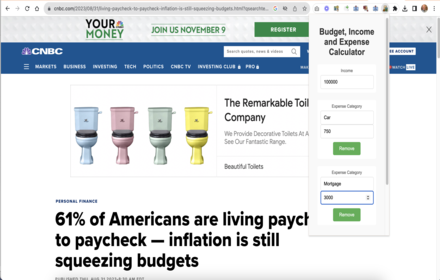
Budget, Income and Expense Calculator
Budget, Income and Expense Calculator Chrome extension.
54

Monarch to ProjectionLab Sync
Sync account balances from Monarch to ProjectionLab in one click.
437
★ 4.0

Chrysalis
Sync Monarch Money balances to ProjectionLab with one click.
217
★ 4.8

Analytics Quick PageViews
Quickly view page views on your site using Adobe Analytics. Lightweight and secure tool for debugging tracking.
36
★ 5.0
Data sourced from the Chrome Web Store · last verified Jun 9, 2026.