
One-Click Audio Compressor
Tames audio levels for Youtube, Disney Plus, and other video services, so you don't have to switch the volume every 5 seconds!
As of June 2026, One-Click Audio Compressor has 3,000 users and a 4.00/5 rating from 36 reviews in the fun category.
Usersno change0%
3.0K
3,000
Ratingup 2.0 percent+2.0%
4.00
36 reviews
Reviewsno change0%
36
Version
0.0.0.3
Manifest V3
History
1 snapshotsTracking since May 3, 2026.
View as table
| Date | Users | Rating | Reviews | Version |
|---|---|---|---|---|
| May 3, 2026 | 3.0K | 3.92 | 36 | 0.0.0.3 |
| Now | 3.0K | 4.00 | 36 | 0.0.0.3 |
Permissions & access
- Permissions
- scriptingactiveTab
- Host access
- None declared
Screenshots

About
Are you tired of turning up the volume so you can hear what people are saying, and then getting your ears blown out by sudden explosions?  Never fear!  The One-Click Audio Compressor is here!  Just one click of a button and you won't have to touch the volume again!

Using it is a snap:

1) Start up your favorite movie or TV show on Youtube, Disney Plus, or another streaming service and press Play.
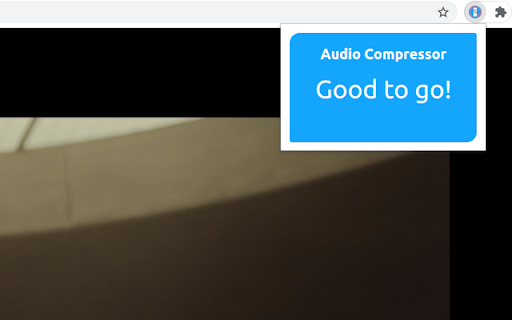
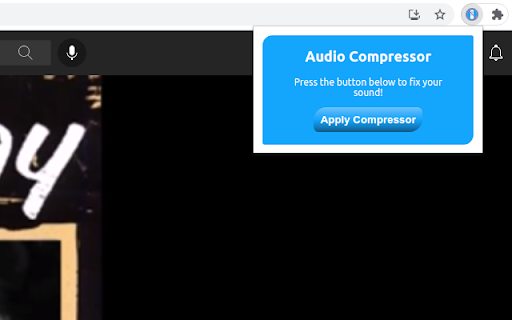
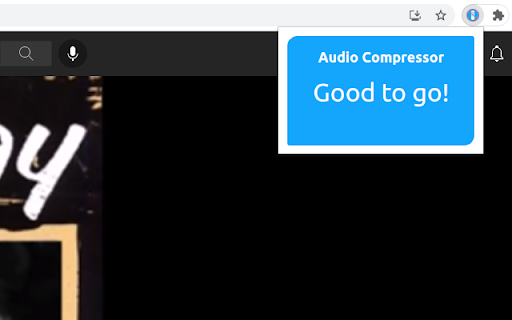
2) Open up the One-Click Audio Compressor extension and press "Apply Compressor"
3) Voilà!  Now all you have to do is set the volume to your liking, and then throw your TV remote away forever!

Alright, I guess you might not want to throw your remote away forever.  It's just so exciting to not have to change the volume every 5 seconds!

I have a confession to make:  I'm incredibly lazy.  I hate doing things more than once.  That's why my room is usually messy.

That is also why I made this extension: so I could set the volume on my favorite shows once, and have it STAY!  Like an obedient little volume!  (Who's a good volume!  That's right, you are!  You are!)

Admit it.  You're just as lazy as I am.  You hate changing the volume more than once.

You're not alone.  There are millions of us.  Lazy.  Lazy and intelligent.  That's why we choose the One-Click Audio Compressor extension.  Because we're geniuses.  Brilliant, lazy couch-potato geniuses, who will never have to change the volume more than once ever again.

If you install this extension, I guarantee that your tv-watching experiences will become 300% more enjoyable.  Just listen to this completely unbiased review from a very satisfied customer that has no relation to me in any way, shape, or form:

"I always have a hard time hearing movies or TV shows and usually have to put close captions on to catch every word (looking at you Marvel movies). But Garrett's audio compressor actually does the job and makes the sound even across the board. It's actually really nice and easy to use!"

- anonymous (My Wife)

What are you waiting for!  Join the millions of people* who are already eliminating their most difficult first-world problem with the One-Click Audio Compressor extension!

*By millions of people, I mean my wife and I.  But she's the entire world to me, so I think that adds up.

Install today! :)

Version 0.0.0.3 Release Notes:
- Fixed CSS bug, now the window displays full width as intended!

Version 0.0.0.2 Release Notes:
- Increased compatibility with videos inside of iframe elements
- Now works with videos on vudu.com
- Pressing the button multiple times is no longer an error
- Made error feedback more descriptive and helpful
    - Now lets the user know if it can't find the video.
Technical
- Version
- 0.0.0.3
- Manifest
- V3
- Size
- 25.93KiB
- Min Chrome
- 88
- Languages
- 1
- Featured
- Yes
Metadata
- ID
- gjlhdoabnndhomflajocgaighngianpi
- Developer ID
- u19cdb4ceb724e72c756af76f6880f33f
- Developer Email
- [email protected]
- Created
- Sep 14, 2021
- Last Updated (Store)
- Aug 1, 2024
- Last Scraped
- Jun 3, 2026
- Website
- —
- Support URL
- —
Similar extensions
Alternatives to One-Click Audio Compressor, ranked by description similarity.

Volume Control
Audio volume control for Chrome™. Set sound level for each tab separately with audio control and sound booster.
100.0K
★ 4.3

Volume Controller
Audio Volume Controller for Chrome. Set sound level for each tab separately with audio sound booster
20.0K
★ 4.2

Cine+
Transform any video into an immersive cinema experience with ambient lighting, keyboard shortcuts, and distraction-free viewing
32
★ 5.0

Netflix Helper
This Netflix extension to control volume with the mouse wheel, and auto skip intro.
523
★ 4.8

YouTube Enhanced Theater
Maximizes YouTube video within the browser window while preserving aspect ratio.
4

Netflix Keyboard Shortcuts
Use keyboard shortcuts to control video playback and more on Netflix ™
4.0K
★ 4.2

Magic Actions for YouTube™
Enhance your YouTube watching experience! Cinema Mode, Mouse Wheel Volume Control, AutoHD, Expand, Snapshots …
700.0K
★ 4.7

SAL
To stop those annoying sounds
15
★ 5.0
Data sourced from the Chrome Web Store · last verified Jun 3, 2026.