
LLMFastQuery
Search Bard & ChatGPT directly from your address bar with cgpt/ and bard/ 🚀
As of May 2026, LLMFastQuery has 17 users and a 5.00/5 rating from 2 reviews in the Workflow & Planning category.
Usersno change0%
17
17
Ratingno change0%
5.00
2 reviews
Reviewsno change0%
2
Version
0.0.0.2
Manifest V3
History
3 snapshotsTracking since Apr 1, 2026.
View as table
| Date | Users | Rating | Reviews | Version |
|---|---|---|---|---|
| Apr 1, 2026 | 17 | 5.00 | 2 | 0.0.0.2 |
| May 1, 2026 | 14 | 5.00 | 2 | 0.0.0.2 |
| May 31, 2026 | 15 | 5.00 | 2 | 0.0.0.2 |
| Now | 17 | 5.00 | 2 | 0.0.0.2 |
Permissions & access
- Permissions
- declarativeNetRequestWithHostAccess
- Host access
- http://cgpt/*, http://bard/*
Screenshots

About
Search Bard & ChatGPT directly from your address bar with cgpt/ and bard/ 🚀

NOTE: This is a third-party extension and is not officially associated with OpenAI or Google.

Enhance your browsing and online search experience by adding the ability to query Google's Bard & OpenAI's ChatGPT directly from your address bar.

This powerful extension provides direct access to Google's Bard & OpenAI's ChatGPT directly from your browser's search bar. By simply typing "cgpt/" or "bard/" followed by your query, the extension opens the respective website, inputs your query, and submits it on your behalf, all in a fraction of the usual time.

Efficiency and time-saving are paramount in today's fast-paced digital environment. The ChatGPT & Bard Extension addresses this need by eliminating the extra steps of opening a new tab, typing the web address, and manually inputting your query. By automating these steps, the extension significantly accelerates the process, saving valuable time and effort.

How to use:
1. Think of a query or copy some code
2. Optionally open a new tab, select your address bar and type bard/ or cgpt/ then type your query after or paste your code
3. Make sure you select the option to go to the URL rather than Google Search (see first screenshot)
4. The extension will redirect you to the relevant chatbot, it will automatically insert your query then press enter

Privacy notice: this software does not track any data, nor collects anything.
Technical
- Version
- 0.0.0.2
- Manifest
- V3
- Size
- 8.91KiB
- Min Chrome
- 88
- Languages
- 1
- Featured
- No
Metadata
- ID
- gffndjjgopnaccnkmbjhogdighmifmmg
- Developer ID
- u1dd26424e3f291923adfbfbd2bf2b552
- Developer Email
- [email protected]
- Created
- Jun 1, 2023
- Last Updated (Store)
- Sep 27, 2023
- Last Scraped
- May 31, 2026
- Website
- —
- Support URL
- —
- Privacy Policy
- —
Similar extensions
Alternatives to LLMFastQuery, ranked by description similarity.

ChatGPT for Chrome
Display ChatGPT (or Bard) response alongside search engine results
351
★ 4.3

ChatGPTonBard - ChatGPT inside Bard
Converse with ChatGPT and Bard at once
11

Search Everywhere with Google Bard/Gemini
Install Search Everywhere with Google Bard/Gemini Chrome Extension and get AI responses along with Google search results.
60.0K
★ 4.3

ChatGPT search
Change default search engine to ChatGPT search.
4.0M
★ 3.3

All in one AI BOT
All in one AI BOT
518
★ 5.0

Phantom: Lofi Tutor
Introducing an all-in-one application featuring Microsoft Bing and Google Bard, accessible across various webpages
1.0K
★ 4.4

ChatGPT for Google CSE
Shows ChatGPT Response on every Google Powered CSE. Power of ChatGPT with Google Search.
65
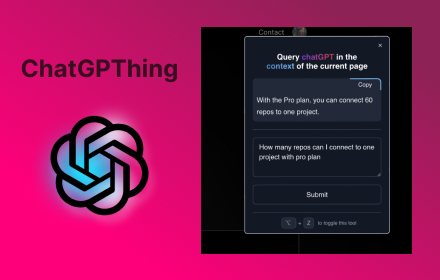
ChatGPThing
Query ChatGPT in the context of the current page
17
Data sourced from the Chrome Web Store · last verified May 31, 2026.