
OmniBox
With a single click, save the page and turn your browser into a personal knowledge hub.
As of June 2026, OmniBox has 2,000 users and a 5.00/5 rating from 5 reviews in the Productivity category.
Usersdown 60.0 percent−60.0%
2.0K
2,000
Ratingno change0%
5.00
5 reviews
Reviewsno change0%
5
Version
0.1.23
Manifest V3
90-day change · In the last 90 days this extension lost 3.0K users.
History
3 snapshotsTracking since Apr 5, 2026.
View as table
| Date | Users | Rating | Reviews | Version |
|---|---|---|---|---|
| Apr 5, 2026 | 5.0K | 5.00 | 5 | 0.1.23 |
| Apr 16, 2026 | 6.0K | 5.00 | 5 | 0.1.23 |
| Apr 26, 2026 | 2.0K | 5.00 | 5 | 0.1.23 |
| Now | 2.0K | 5.00 | 5 | 0.1.23 |
Permissions & access
- Permissions
- storagetabs
- Host access
- <all_urls>
Screenshots


About
A Lightweight Yet Powerful Browser Extension for Efficient Web Content Collection and Management**

OmniBox is a lightweight and powerful browser extension designed to help you efficiently collect, organize, and retrieve web content. Whether you're saving an entire page, clipping selected sections, or organizing by project and topic, OmniBox turns your browser into a personal knowledge center—say goodbye to fragmented information.

---

### **Key Features**

1. **One-Click Full Page Save**
   Instantly capture and save the entire current web page with a single click on the toolbar button.

2. **Partial Content Clipping**
   Click the toolbar button to clip selected areas. Simply follow the prompt to highlight any section of text and save it to a designated space—quickly access key information whenever you need it.

3. **Custom Spaces & Parent Folders**
   Create nested folders based on projects, themes, or workflows for flexible and structured knowledge organization.

4. **Light/Dark Mode Support**
   Switch seamlessly between light and dark themes, automatically follow system settings or toggle manually to suit your environment.

5. **Internationalization (English & Chinese)**
   All interfaces, prompts, and documentation are available in both English and Chinese—ensuring a smooth global experience.

---

### **How to Use**

1. Install and pin the toolbar icon
2. Click the **OmniBox** icon
3. In the popup, select your target "Space" and destination folder
4. Choose your desired action in the popup
5. Follow the prompt to view and edit saved content

---

### **Required Permissions**

* **Tab Access:** Used to capture web page content
* **Local Storage:** To save configurations locally

We **guarantee** that content is only captured when initiated by the user. Nothing is uploaded or shared without your consent.

---

**Thank you for using OmniBox — making knowledge management simpler than ever!**
Technical
- Version
- 0.1.23
- Manifest
- V3
- Size
- 456KiB
- Min Chrome
- 88
- Languages
- 2
- Featured
- No
Metadata
- ID
- gckiocdfdaofgabchobljcdimjieookl
- Developer ID
- u468725e89d7dc103c0f6338f8c466497
- Developer Email
- [email protected]
- Created
- Jul 23, 2025
- Last Updated (Store)
- Mar 9, 2026
- Last Scraped
- Jun 10, 2026
- Website
- omnibox.pro
- Support URL
- https://www.omnibox.pro/docs/
- Privacy Policy
- https://www.omnibox.pro/single/privacy-policy
Similar extensions
Alternatives to OmniBox, ranked by description similarity.

OmniClip Sync
Your ultimate, cloud-synced universal web noteboard. Right-click to capture and manage notes, media, and links.
5

QuickBox – Fast Productivity Panel
QuickBox lets you quickly save web content (text, links, and screenshots) into one organized panel.
4
★ 5.0

Linkvite
The easiest way to save and organize your bookmarks.
2

OmniBookmark - AI Bookmarks
AI-powered bookmark organizer. Smart folders, auto tags, instant summaries. Privacy-first. 50 free analyses/month.
7

SuperCurate Web Clipper
Save web content to your SuperCurate library with one click. Clip articles, text snippets, images and PDFs from any webpage.
3

Untabbed.to
Capture all open tabs with one click. Organize, search, and manage your tabs with beautiful visual collections. Privacy-first.
20
★ 5.0

FavSites Storage
An extension to store your favorite websites for ease of access.
6
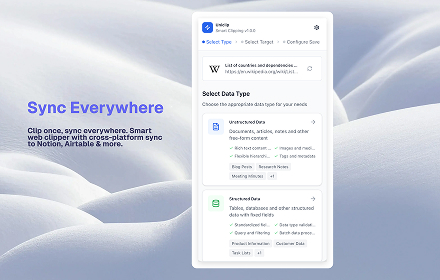
Uniclip
Clip and export web content as Markdown or CSV files.
8
★ 5.0
Data sourced from the Chrome Web Store · last verified Jun 10, 2026.