
Easy Copy AI - Copy Generator Tool
Use OpenAI chat GPT 4 to Generate Copy. Use this extension to generate your copy directly in your browser.
As of May 2026, Easy Copy AI - Copy Generator Tool has 1,000 users and a 5.00/5 rating from 1 reviews in the Workflow & Planning category.
Usersno change0%
1.0K
1,000
Ratingno change0%
5.00
1 reviews
Reviewsno change0%
1
Version
1.2
Manifest V3
Permissions & access
- Permissions
- storageidentityidentity.email
- Host access
- <all_urls>
Screenshots



About
Generate copy easily using Open AI ChatGPT and GPT4. This extension helps generate copy directly from the content in your webpage.


EasyCopy.ai helps generate alternative copy from the selected content in your webpage. Use EasyCopy.ai for content repurposing and regeneration for website updates, social media posts, blog articles, etc.


Get impressive and creative copy easily with EasyCopy.ai. Just click on ‘Magic Copy’ and generate your new copy. Works on all browsers!

How to use EasyCopy.ai?
Step 1: Add EasyCopy.ai extension from the Chrome Web Store.
Step 2: Go to any webpage or landing page (in any browser).
Step 3: Click on the extension icon and click ‘Magic Copy’.
Step 4: Double click on any text on the webpage.
Step 5: AI will generate alternative text and display it on the webpage.
Technical
- Version
- 1.2
- Manifest
- V3
- Size
- 125KiB
- Min Chrome
- 88
- Languages
- 1
- Featured
- No
Metadata
- ID
- gccfgfeoaicaleihkofhknklhcghommf
- Developer ID
- u68f933fef055057c936e9d9b0686b30c
- Developer Email
- [email protected]
- Created
- Apr 25, 2023
- Last Updated (Store)
- Apr 16, 2024
- Last Scraped
- May 30, 2026
- Website
- zigment.ai
- Privacy Policy
- https://www.zigment.ai/privacy-policy
Similar extensions
Alternatives to Easy Copy AI - Copy Generator Tool, ranked by description similarity.

Web Content Copier
Copy headings and paragraphs from the current webpage.
6.0K
★ 4.5

Copy for AI
Copies web text as clean markdown, stripped of HTML garbage.
3
★ 5.0
ChatGPT Copy Button Extension
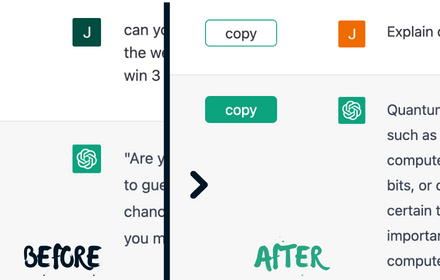
Creates Copy button on every ChatGPT chat to simplify the copy-paste process, easy copy and eliminates unwanted formatting in paste
10.0K
★ 3.1

TextMate
An extension that helps you use chatgpt anywhere on any webpage
37

ChatGPT - Auto-continue Generating
A simple extension that let ChatGPT to auto-continue generating text when the button appear.
183
★ 1.0

Magic Inputs: Generate AI Content on Webpages
Generate GPT Content on Every Webpage.
25
★ 5.0

Jogi AI: Your Personal AI Assistant
Use OpenAI to generate text, translate languages, and write code on any website.
13
★ 5.0

Scalenut: AI powered writer
Write, Command, Rephrase, Simplify and multiple other use cases using Content AI from Scalenut
5.0K
★ 4.9
Data sourced from the Chrome Web Store · last verified May 30, 2026.