
Emoji Remover
Clean AI-generated text by removing emojis. Right-click selected text or use the popup.
As of June 2026, Emoji Remover has 30 users and a 5.00/5 rating from 2 reviews in the Productivity category.
Usersup 650.0 percent+650.0%
30
30
Ratingno change0%
5.00
2 reviews
Reviewsno change0%
2
Version
1.0.0
Manifest V3
History
7 snapshotsTracking since Apr 1, 2026.
View as table
| Date | Users | Rating | Reviews | Version |
|---|---|---|---|---|
| Apr 1, 2026 | 4 | 5.00 | 2 | 1.0.0 |
| Apr 19, 2026 | 5 | 5.00 | 2 | 1.0.0 |
| Apr 28, 2026 | 8 | 5.00 | 2 | 1.0.0 |
| May 8, 2026 | 16 | 5.00 | 2 | 1.0.0 |
| May 16, 2026 | 26 | 5.00 | 2 | 1.0.0 |
| May 25, 2026 | 29 | 5.00 | 2 | 1.0.0 |
| Jun 4, 2026 | 28 | 5.00 | 2 | 1.0.0 |
| Now | 30 | 5.00 | 2 | 1.0.0 |
Permissions & access
- Permissions
- contextMenusactiveTabscripting
- Host access
- None declared
Screenshots


About
Emoji Remover does one thing exceptionally well: it strips emojis from
  text while keeping everything else intact.

  If you've ever copied code from ChatGPT or Claude and found it littered
  with emojis, you know the frustration. This extension solves that
  problem instantly. Select text, right-click, and the cleaned version is
  on your clipboard—no emojis, all formatting preserved.

  The extension works two ways. The context menu gives you quick access
  when you're browsing. Right-click any selected text and choose "Remove
  Emojis & Copy." For more control, click the extension icon to open a
  popup where you can paste text, see exactly how many emojis were
  removed, and copy the cleaned version.

  What makes this different is how it handles formatting. Most tools
  destroy indentation and line breaks when processing text. This one
  doesn't. Your code stays properly indented, your paragraphs keep their
  structure, and everything pastes exactly as it should.

  The extension removes all emoji types: the obvious ones like 😀 and 🎉,
  but also arrows (⬆️ ➕), symbols, flags, and the various modifiers that
  make emojis more complex. It's thorough without being
  aggressive—punctuation, special characters, and actual content stay
  untouched.

  Everything happens locally in your browser. No data gets sent anywhere,
  no analytics, no tracking. The extension needs minimal permissions and
  runs efficiently without affecting your browsing experience.

  It's particularly useful for developers who copy AI-generated code,
  writers cleaning up drafts, or anyone preparing text for professional
  contexts where emojis don't belong. The interface is clean and
  straightforward—no unnecessary features, no cluttered options, just the
  core functionality done right.

  Built for Chrome and Edge using Manifest V3, which means it follows
  current web standards and runs as a modern browser extension should.
  Simple to use, does its job well, and stays out of your way otherwise.
Technical
- Version
- 1.0.0
- Manifest
- V3
- Size
- 18.4KiB
- Min Chrome
- 88
- Languages
- 1
- Featured
- No
Metadata
- ID
- gbnpiccpkjminkcbelhonbhpliajjdia
- Developer ID
- u99b8a1fe2d9eeee6236691f214d53681
- Developer Email
- [email protected]
- Created
- Dec 4, 2025
- Last Updated (Store)
- Dec 10, 2025
- Last Scraped
- Jun 4, 2026
- Website
- —
- Support URL
- https://kaliper.io/contact-us/
- Privacy Policy
- —
Similar extensions
Alternatives to Emoji Remover, ranked by description similarity.

AI Text Cleaner: Format & Copy
Clean AI responses from stars, dashes, and links instantly.
28

PlainTextify: AI Clean Text Converter
Convert AI-generated or formatted text to clean plain text. Removes styles, symbols, hidden characters, and AI fingerprints.
85

Text Cleaner & Formatter
Clean up and format messy text with one click.
8

AI Scrubber
Detect and remove AI writing markers, verbal tics, and ASCII artifacts from pasted content.
7
★ 5.0

Format Cleaner
Selectively strip formatting when copying text - customize per site
—
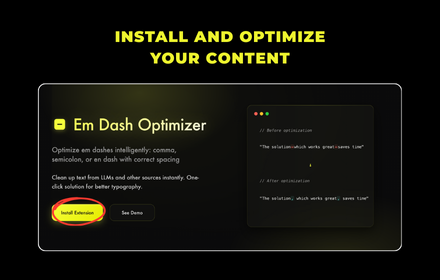
Em Dash Optimizer
Optimize em dashes intelligently: comma, semicolon, or en dash with correct spacing
6

AI Text Cleaner
Cleans AI-generated text when copying from ChatGPT, Claude, and other AI sites. Removes formatting and emojis.
35
★ 5.0

CleanRead
Eliminate hidden characters and excess dashes (—) from text you copy from ChatGPT or similar tools.
4
★ 5.0
Data sourced from the Chrome Web Store · last verified Jun 4, 2026.