
Shopee Order Exporter
Export all your Shopee Vietnam orders to CSV file to analyze your spending or keep track of financial health.
As of May 2026, Shopee Order Exporter has 130 users and a 3.00/5 rating from 2 reviews in the Shopping category.
Usersdown 2.3 percent−2.3%
130
130
Ratingno change0%
3.00
2 reviews
Reviewsno change0%
2
Version
1.0
Manifest V3
History
2 snapshotsTracking since Apr 26, 2026.
View as table
| Date | Users | Rating | Reviews | Version |
|---|---|---|---|---|
| Apr 26, 2026 | 133 | 3.00 | 2 | 1.0 |
| May 23, 2026 | 136 | 3.00 | 2 | 1.0 |
| Now | 130 | 3.00 | 2 | 1.0 |
Permissions & access
- Permissions
- activeTabscripting
- Host access
- None declared
Screenshots


About
*VN description (English is below):
Tiện ích Xuất đơn hàng Shopee được thiết kế để giúp người mua trên Shopee Việt Nam xuất dữ liệu đơn hàng của họ từ nền tảng Shopee sang tệp CSV để phân tích thêm (về chi tiêu / lập kế hoạch tài chính) hoặc lưu trữ.

Cách sử dụng:
- Bước 1: Truy cập Shopee.vn và bạn PHẢI ĐĂNG NHẬP vào tài khoản của mình.
- Bước 2: Nhấp vào biểu tượng Tiện ích mở rộng ở cuối thanh địa chỉ. Nhấp vào biểu tượng Shopee Orders Exporter.
- Bước 3: Nhấp vào Export Orders và đợi tiện ích thu thập tất cả đơn hàng của bạn.
- Bước 4: Tệp csv của bạn với tất cả các đơn hàng của bạn đã sẵn sàng trong thư mục Downloads hiện tại.

Mình rất vui nếu nhận được phản hồi của bạn về tiện ích này! Bạn có thể liên hệ với mình qua địa chỉ [email protected].

Trong phiên bản 1, dữ liệu bao gồm:
- Mã đơn hàng
- Thời gian đặt hàng
- Thời gian đặt hàng ở định dạng Excel
- Tên mặt hàng
- Số lượng
- Tổng giá trị đơn hàng (có ghi rõ loại tiền tệ)
- Trạng thái đơn hàng
- Tên cửa hàng
- Mô tả mặt hàng
- Giá trị đơn hàng (ở định dạng số)

*EN description:
The Shopee Order Exporting Extension is designed to help Shopee Vietnam buyers to conveniently export their order data from the Shopee platform to CSV file for further analysis (on spending / financial planning) or record-keeping.

How to use:
- Step 1: Access Shopee.vn and you MUST LOGIN to your account.
- Step 2: Click on Extensions icon at the end of address bar. Click on Shopee Order Exporter icon.
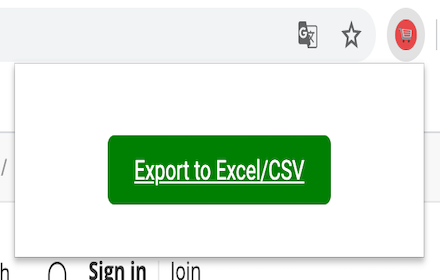
- Step 3: Click Export Orders and wait for it to collect all your order.
- Step 4: Your csv file with all of your orders is ready on current Downloads folder.

Your feedback on extension is valued! You could contact me at [email protected].

In version 1, data included:
- Order ID
- Order Time
- Order Time in Excel format
- Item name
- Quantity
- Total Order Value (with currency denoted)
- Order Status
- Shop name
- Item description
- Order Value (in number format)
Technical
- Version
- 1.0
- Manifest
- V3
- Size
- 8.59KiB
- Min Chrome
- 88
- Languages
- 1
- Featured
- No
Metadata
- ID
- foieleabjphkmblcoidipbelmkblcafo
- Developer ID
- ucbe80b89b5198329995c9fc3a2e6376a
- Developer Email
- [email protected]
- Created
- Jun 7, 2024
- Last Updated (Store)
- Jun 7, 2024
- Last Scraped
- May 23, 2026
- Website
- —
- Support URL
- —
- Privacy Policy
- —
Similar extensions
Alternatives to Shopee Order Exporter, ranked by description similarity.
Aliexpress Cart Exporter
This extension exports Aliexpress cart products title, URL, Quantity and other attributes into Excel/CSV file
479
★ 4.4

SongPhuongTrade
Công cụ hỗ trợ đặt hàng SongPhuongTrade
369

Công cụ đặt hàng vietnamlogistics.com.vn
Công cụ đặt hàng tiện ích, nhanh chóng, hỗ trợ đặt hàng trên các trang web Taobao, 1688, Tmall
115
★ 5.0

VinOrder
Công cụ hỗ trợ đặt hàng VinOrder
65

Order Ship
Công cụ hỗ trợ đặt hàng ordership.vn
98
★ 4.5

VẠN TÍN Công Cụ Đặt Hàng
Vạn Tín công cụ đặt hàng
64

THPLog
Công cụ hỗ trợ đặt hàng THPLog
7

Nhập Hàng Quốc Tế
Công Cụ Mua Hộ Taobao, 1688 của Nhập Hàng Quốc Tế
329
Data sourced from the Chrome Web Store · last verified May 23, 2026.