
SidePad for Notion - Auto-save Note
A simple markdown notepad in the side panel. Auto-saves and opens Notion with one click.
As of June 2026, SidePad for Notion - Auto-save Note has 5 users in the Productivity category.
Usersup 25.0 percent+25.0%
5
5
Ratingno change0%
—
— reviews
Reviewsno change0%
—
Version
1.0
Manifest V3
History
3 snapshotsTracking since May 8, 2026.
View as table
| Date | Users | Rating | Reviews | Version |
|---|---|---|---|---|
| May 8, 2026 | 4 | — | — | 1.0 |
| May 15, 2026 | 5 | — | — | 1.0 |
| Jun 3, 2026 | 6 | — | — | 1.0 |
| Now | 5 | — | — | 1.0 |
Permissions & access
- Permissions
- sidePanelstorage
- Host access
- None declared
Screenshots

About
SidePad - Seamless Side Panel Notepad for Notion
SidePad is a specialized, Markdown-ready notepad extension designed specifically for the Chrome Side Panel. It serves as a high-speed "buffer" for your ideas and web snippets, allowing you to capture information without switching tabs and instantly transfer it to Notion.

【Key Features】
・Always-Ready Side Panel: Access your notepad instantly from the side panel. It stays open as you navigate between different tabs, making it perfect for research and note-taking.
・Instant Auto-Save & Sync: Your notes are automatically saved to local storage 0.5 seconds after you stop typing. Thanks to real-time synchronization, your notes stay up-to-date across all open browser windows.
・Markdown-Friendly Design: Uses a monospace font for better visibility of Markdown structures, making it easier to draft formatted content.
・Notion Integration: With the "Copy & Open Notion" button, you can copy your entire note to the clipboard and launch Notion simultaneously with one click.
・Character Counter: Monitor your note length in real-time with the built-in character count display.

【How to Use】
1. Click the SidePad icon or use the Side Panel menu to open the editor.
2. Start typing your notes, research, or to-do lists. They are saved automatically.
3. When ready, click "Copy & Open Notion."
4. Paste your content directly into your Notion workspace.
Technical
- Version
- 1.0
- Manifest
- V3
- Size
- 28.57KiB
- Min Chrome
- 88
- Languages
- 2
- Featured
- No
Metadata
- ID
- fmlfjkabppkmpmjpbljhljdmpdpgfmfl
- Developer ID
- uc3f548f98c1d28c4a6c4b3e0e9c81de4
- Developer Email
- [email protected]
- Created
- Dec 30, 2025
- Last Updated (Store)
- Dec 30, 2025
- Last Scraped
- Jun 3, 2026
- Website
- —
- Support URL
- —
Similar extensions
Alternatives to SidePad for Notion - Auto-save Note, ranked by description similarity.

Notepad
Simple note for sidebar from Nyx.
83

Notic: Always on top Floating Notes
Browser integration for Notic — save pages, selections, images, and screenshots to your notes with reader mode
62
★ 1.0

QuickPad
A notepad in your browser sidepanel.
42
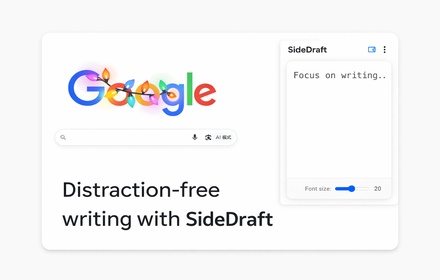
SideDraft
A lightweight sidebar writing pad for quick notes and drafts. Keep your thoughts organized while you browse.
5

Sidebar Notepad
A simple sidebar notepad for quick notes.
42

Notion Sidebar
Quick access to Notion for all tasks. Free and fast interaction in your sidebar.
129
★ 4.3

Sidebar Notepads PRO
Side Panel Notepad lets you jot down notes as you browse. Opens in your sidebar to write and access while working on any page.
63
★ 4.8

SidePanel Notes
A note-taking app in Chrome's side panel / サイドパネルでメモが取れるChrome拡張機能
11
Data sourced from the Chrome Web Store · last verified Jun 3, 2026.