
SwipeNote
Work Smart. Organize. Collaborate. Succeed.
As of May 2026, SwipeNote has 392 users and a 4.08/5 rating from 12 reviews in the Workflow & Planning category.
Usersdown 5.5 percent−5.5%
392
392
Ratingdown 2.4 percent−2.4%
4.08
12 reviews
Reviewsup 9.1 percent+9.1%
12
Version
1.0.23
Manifest V3
History
1 snapshotsTracking since Apr 26, 2026.
View as table
| Date | Users | Rating | Reviews | Version |
|---|---|---|---|---|
| Apr 26, 2026 | 415 | 4.18 | 11 | 1.0.23 |
| Now | 392 | 4.08 | 12 | 1.0.23 |
Permissions & access
- Permissions
- storageactiveTabscripting
- Host access
- *://swipenote.com/api/*
Screenshots



About
SwipeNote is designed to help anyone who uses the Internet. Swipe, Save, Organize, Share & Collaborate any content from the web with your friends and team members.

SwipeNote Chrome Extension Features:

1. Swipe and Save social posts from Facebook, Instagram, YouTube and more with a single click.
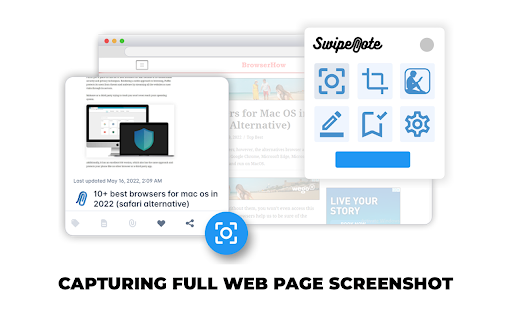
2. Grab Full-Page or Regional Screenshots from any website.
3. Bookmark URLs.
4. Save Highlighted Content.
5. Add Tags and Notes to individual Saved items/Cards.
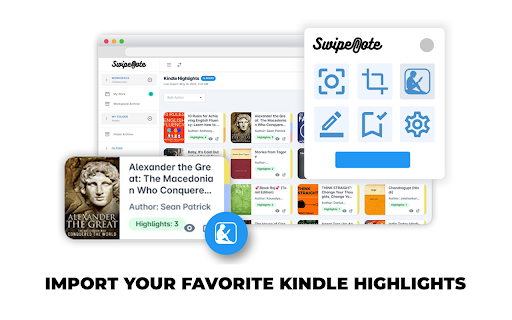
6. Import Favorite Kindle Highlights.
7. Shortcut Keys for Easy Access.

All the content you grab from the internet gets saved as multi-purpose Cards.

a. These Cards can be saved in your personal cloud Folders or Sub-Folders created by you directly from the chrome Extension.
b. These Cards can also be saved to a Workspace/Subspace created by you.

After you Save and Organize the Cards, you can do so much more:

1. Copy or Move Cards to Workspace/Subspace and Folders/Subfolders.
2. Share Cards with teammates, individual account holders or directly to social sites.
3. Add Tags and Notes to individual Cards.
4. Create Short Links for easy share.
5. Assign Cards with team members and Set Reminders for the same. Set and View Due Date of completion of assigned tasks.
6. Real Time Chat with individual team members or in groups. Share files/documents, use Emoji’s and @mentions.
7. Create Labels (to-do, work-in-progress, done) to let know the status of Cards.
8. Track your work through a single dedicated menu. Easy Date Filters to understand the priority and due dates.
9. Job Board (simple Dashboard) to view all your Cards/task inside your Workspace or Sub-space. At a glance know about what's going on, by viewing Due Dates, Chats and much more.

STAY ORGANIZED. STAY CONNECTED.

=== VERSION 1.0.23 ====
Latest fixes for all the social media websites and Youtube/Yshorts
Technical
- Version
- 1.0.23
- Manifest
- V3
- Size
- 737KiB
- Min Chrome
- 88
- Languages
- 1
- Featured
- No
Metadata
- ID
- fhlcoakhfjadgagilgoamhjjggicpodp
- Developer ID
- u3ec0b7f7570a8e8706b405f6f03bcc99
- Developer Email
- [email protected]
- Created
- Apr 27, 2022
- Last Updated (Store)
- Feb 26, 2025
- Last Scraped
- May 23, 2026
- Website
- swipenote.com
- Support URL
- https://swipenote.com/contact.php
- Privacy Policy
- https://swipenote.com/privacy.php
Similar extensions
Alternatives to SwipeNote, ranked by description similarity.

NoteSkrib Clipper
Capture web content, videos, and images to your NoteSkrib account
6

Swipe File
Your personal, private web archive — collect, curate, and organise anything from across the web.
8

Note Board - Sticky Notes App
Note Board - Sticky Notes App
200.0K
★ 4.8
Notebook Web Clipper – Sticky Notes & Save Articles
Clear the clutter. Clip the web. Save to Notebook.
70.0K
★ 4.2

Power Notes: Add Sticky notes to your browser
Easily take notes, organize tabs, and keep everything saved locally in your browser.
12
★ 5.0

Take Note - Boost your productivity
Take Note is a chrome extension that allows you to take notes and manage your notes with ease.
8

Smart Sticky Notes
Enhance productivity with smart sticky notes! Save quick notes, access references effortlessly while you work.
34
★ 5.0

SnapMemo - Quick Note-Taking
Quick, Simple Note-Taking Right in Your Browser. No sign-up required!
94
★ 5.0
Data sourced from the Chrome Web Store · last verified May 23, 2026.