
Mobile View Switcher
Use this chrome extension to switch to mobile view instantly with a single click.
As of June 2026, Mobile View Switcher has 145 users in the Productivity category.
Usersup 1.4 percent+1.4%
145
145
Ratingno change0%
—
— reviews
Reviewsno change0%
—
Version
1.0.0
Manifest V3
History
3 snapshotsTracking since Apr 19, 2026.
View as table
| Date | Users | Rating | Reviews | Version |
|---|---|---|---|---|
| Apr 19, 2026 | 143 | — | — | 1.0.0 |
| May 4, 2026 | 150 | — | — | 1.0.0 |
| Jun 3, 2026 | 146 | — | — | 1.0.0 |
| Now | 145 | — | — | 1.0.0 |
Permissions & access
- Permissions
- storagedeclarativeNetRequestnotifications
- Host access
- <all_urls>
Screenshots

About
Tired of struggling to get the perfect mobile view? Searching for a quick way to test your website’s mobile responsiveness? Look no further! Mobile View Switcher chrome extension is your lifeline, transforming any website into a mobile view with just one click. No more wasting time fiddling with dev tools or resizing your browser—finally, see your site as users do on mobile Key Features ✅ One-click switch to mobile view 📱 Supports various mobile screen sizes and devices ⚡ Fast and lightweight Chrome extension 👩💻 Ideal for developers, testers, and designers How to Use in Simple Steps 1. Install & Pin the Extension Add the Mobile View Switcher extension from the Chrome Web Store and pin it to your Chrome toolbar for quick access. 2. Search on Google Go to Google and search for anything—for example, “cat”—to open a standard web page. 3. Open Inspect & Copy User Agent Right-click anywhere on the page, choose Inspect, then go to the Console tab, and type (navigator.userAgent) There, you’ll find your browser’s user agent. Copy it. For example, it might look like this: Mozilla/5.0 (Windows NT 10.0; Win64; x64) AppleWebKit/537.36 (KHTML, like Gecko) Chrome/135.0.0.0 Safari/537.36 4. Paste into Extension Popup Click on the extension icon. A pop-up will appear asking for a user agent. Paste the copied user agent into the provided field. 5. Activate Mobile View Once you paste the user agent, the page will switch to mobile view mode. The extension is now ready to use. Why It Is Useful It saves time by instantly showing how a website looks on mobile. Great for quick previews, design checks, and mobile-friendly testing. To Whom It Is Useful Ideal for web developers, designers, marketers, and QA testers who work with mobile-responsive websites.
Technical
- Version
- 1.0.0
- Manifest
- V3
- Size
- 16.56KiB
- Min Chrome
- 88
- Languages
- 1
- Featured
- No
Metadata
- ID
- fhifikbkoejhkbnmnnakhiccdebnlmmh
- Developer ID
- ucb6ccc867e280d5ecb3b9473456c6e1e
- Developer Email
- [email protected]
- Created
- Apr 26, 2025
- Last Updated (Store)
- Apr 26, 2025
- Last Scraped
- Jun 3, 2026
- Website
- —
- Support URL
- —
Similar extensions
Alternatives to Mobile View Switcher, ranked by description similarity.

Mobile Simulator for Chrome
Switch any Chrome tab to mobile view with 38 device options in one click.
604
★ 5.0

Mobile View Tester: Responsive Web Design Tool
Mobile-first design validation. Quickly preview and optimize website performance across multiple device screen sizes.
1.0K
★ 3.6

Free Mobile Simulatore - Responsiveness testing
Simulate mobile, tab and pc to test responsive website for free.
165

Switch to Mobile View
One click mobile viewport preview for any page.
734
★ 1.0

Phone Simulator — Mobile Emulator Tool
Try Phone Simulator: test your site on iPhone, iPad & Android - mobile emulator. Online mobile simulator & website viewer.
20.0K
★ 4.8

Mobile View Switcher
Switch to mobile view with one click via toolbar button.
100.0K
★ 3.4
Design Mode Switcher
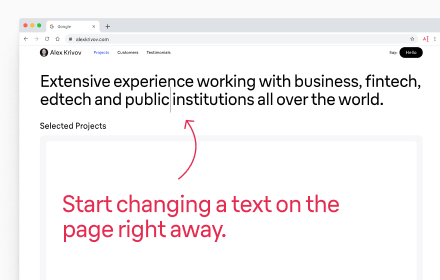
The Design Mode Switcher is an easy-to-use Chrome extension that lets you edit any website's text with just a click.
84
★ 5.0

Wescangift - Url to QR Code
Génère un QR code à partir de l'URL active
—
Data sourced from the Chrome Web Store · last verified Jun 3, 2026.