Design Mode Switcher
The Design Mode Switcher is an easy-to-use Chrome extension that lets you edit any website's text with just a click.
As of May 2026, Design Mode Switcher has 84 users and a 5.00/5 rating from 3 reviews in the Productivity category.
Usersup 18.3 percent+18.3%
84
84
Ratingno change0%
5.00
3 reviews
Reviewsno change0%
3
Version
1.0
Manifest V3
History
2 snapshotsTracking since Apr 24, 2026.
View as table
| Date | Users | Rating | Reviews | Version |
|---|---|---|---|---|
| Apr 24, 2026 | 71 | 5.00 | 3 | 1.0 |
| May 19, 2026 | 80 | 5.00 | 3 | 1.0 |
| Now | 84 | 5.00 | 3 | 1.0 |
Permissions & access
- Permissions
- activeTabscripting
- Host access
- None declared
Screenshots

About
Description:
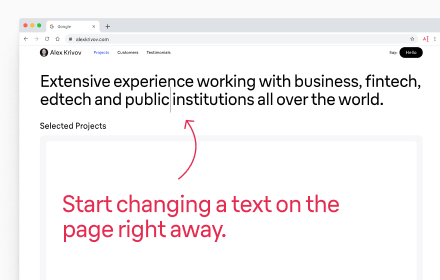
The Design Mode Switcher is an easy-to-use Chrome extension that lets you edit any website's text with just a click. It's great for people who make websites, designers, or anyone who likes to play around with how web pages look. You don't need to mess with complicated codes or tools; just click the extension icon, and you can start changing the text on the page right away. This mode makes it super simple to tweak text, try out new wording, or make edits on the fly without changing the actual website code.

Features:
– Ease of Use: Activate or deactivate design mode on the current webpage with a single click on the extension icon.
– Quick Access: The extension adds an icon to the Chrome toolbar for quick access, allowing you to toggle the mode without distraction from your work.
– Visual Indicators: The extension icon changes depending on the design mode state of the active tab, providing clear visual confirmation of the mode being activated or deactivated.
– Security: The extension operates exclusively on the client-side and does not transmit user data over the internet, ensuring complete privacy and security of use.
– Versatility: Ideal for both professionals and hobbyists who wish to explore and edit web pages without making permanent changes.

How to Use:
1. Install the extension from the Chrome Web Store.
2. Click on the extension icon in the Chrome toolbar to activate or deactivate design mode on the active tab.
3. When design mode is activated, the extension icon will change, indicating that you can start editing text on the page.
4. To exit design mode, simply click on the icon again.

Application:
This extension will become an indispensable tool in the arsenal of web developers, content managers, designers, and enthusiasts who want to simplify the process of editing and testing web pages.
Technical
- Version
- 1.0
- Manifest
- V3
- Size
- 9.09KiB
- Min Chrome
- 88
- Languages
- 1
- Featured
- No
Metadata
- ID
- dcpkpcjhnmcedhfbbgeccbfjhcfbajpf
- Developer ID
- uadc6e36c2c03851805112911a78ca1c7
- Developer Email
- [email protected]
- Created
- Feb 8, 2024
- Last Updated (Store)
- Feb 8, 2024
- Last Scraped
- May 19, 2026
- Website
- alexkrivov.com
- Support URL
- —
- Privacy Policy
- —
Similar extensions
Alternatives to Design Mode Switcher, ranked by description similarity.

Page Color Mode Switcher
Switch between dark mode, light mode, inverted colors, and grayscale for all pages
145
★ 5.0

Website Editor
Edit webpage text directly
105
★ 5.0

CSS Inspector
Activate this extension to view any information in a CSS-formatted pop-up with one click.
1.0K

Dark Mode
Applies a smart inversion dark theme instantly at document start.
7
★ 5.0

AI Website Editor
Customize website layouts with drag-and-drop functionality
31

Dark Mode
Toggle dark mode on any website
23
★ 5.0

Dark Mode Mouse Click Toggle
Toggle dark mode on ANY page by mouse click. Per-site control, remembers state.
1

Dark Mode Toggle
Toggle dark mode on any website.
10
Data sourced from the Chrome Web Store · last verified May 19, 2026.