
LeafLLM
LLM-based tools for Overleaf
As of May 2026, LeafLLM has 207 users and a 4.17/5 rating from 6 reviews in the Education category.
Usersdown 3.3 percent−3.3%
207
207
Ratingno change0%
4.17
6 reviews
Reviewsno change0%
6
Version
1.4.1
Manifest V3
History
2 snapshotsTracking since Apr 25, 2026.
View as table
| Date | Users | Rating | Reviews | Version |
|---|---|---|---|---|
| Apr 25, 2026 | 214 | 4.17 | 6 | 1.4.1 |
| May 21, 2026 | 212 | 4.17 | 6 | 1.4.1 |
| Now | 207 | 4.17 | 6 | 1.4.1 |
Permissions & access
- Permissions
- storagetabs
- Host access
- None declared
Screenshots


About
This extension adds the power of large-language models (LLMs) to Overleaf.com
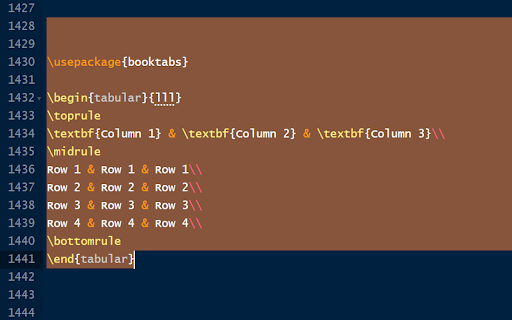
Using this addon, you can select text in Overleaf and ask LLM (e.g., OpenAI GPT) to complete this text or improve it. You write a question for the LLM, select it, and ask it.

After installing the extension, configure it by clicking on its icon, and following the instructions.

Full instructions on the plugin's website - https://github.com/bThink-BGU/LeafLLM

Configuration
**************
The plugin can be configured by clicking the plugin button in the Chrome toolbar.
It requires inserting an API key from OpenAI.
You also need to choose which tools you wish to enable. See below if you have problems using the tools.

Usage
*******
After selecting text, press:
- Alt+A to ask the LLM
- Alt+C to complete the selected text
- Alt+I to improve the selected text

See usage examples at: https://github.com/bThink-BGU/LeafLLM?tab=readme-ov-file#usage

Issues
*******
If nothing happens when you use the plugin, verify that the plugin's shortcuts are not in conflict with other plugins' shortcuts. To do so, go to chrome://extensions/shortcuts.

If you encounter any problem/question, please open an issue in the project's repository.

Privacy
********
The plugin saves its configuration locally on the user's computer. The plugin sends the API key and the selected text to OpenAI only, and only for the purpose it was made for (i.e., completing and improving text and asking GPT questions). The plugin's authors are not responsible for what OpenAI does with this data. The plugin's authors do not collect any data from the plugin's users.
Technical
- Version
- 1.4.1
- Manifest
- V3
- Size
- 1.49MiB
- Min Chrome
- 88
- Languages
- 1
- Featured
- No
Metadata
- ID
- feomoidgfifpofabcapiipjjjoigjeoa
- Developer ID
- u1cd2c522108cb3515b5df80c8ac6d7d9
- Developer Email
- [email protected]
- Created
- Aug 1, 2023
- Last Updated (Store)
- Jul 23, 2024
- Last Scraped
- May 21, 2026
- Website
- —
- Support URL
- https://github.com/bThink-BGU/LeafLLM/issues
- Privacy Policy
- https://github.com/bThink-BGU/LeafLLM
Similar extensions
Alternatives to LeafLLM, ranked by description similarity.

LIT Prompts
Create and run LLM prompt templates based on in-browser content and user input.
244

NB-LLM
NB-LLM a chrome extension for enhance your chatting experience with AI
—

OpenLeaf - Citation Search & Paper Review for Overleaf
AI-powered citation search and paper review for Overleaf. Find relevant papers to cite, paragraph by paragraph.
196

AI Agent for Overleaf
AI-powered assistant for Overleaf LaTeX editor
36

PrompTeX for Overleaf
An extension for enhancing the writing by integrating LLMs to assist users meeting research standards in Overleaf.
81

ELA-Everyday Language Assistant
AI reading companion for language learners: text-to-speech, translation, word lookup, and fully customizable AI actions.
45
★ 3.5

AutoLatex
LLM powered text2latex for math equations, image2latex converter with live markdown and latex rendering, standalone chat mode
2.0K

Sidekick LLM
LLMs living in your browser's Sidepanel.
Shortcuts:
- Ctrl+Shift+L anywhere in the browser to open a new chat (Command+Shift+K…
9
★ 5.0
Data sourced from the Chrome Web Store · last verified May 21, 2026.