
Node Inspector Manager (NIM)
Manages DevTools with Node V8 Inspector (node --inspect) Debugging Workflow
As of June 2026, Node Inspector Manager (NIM) has 127 users and a 5.00/5 rating from 2 reviews in the Developer Tools category.
Usersup 7.6 percent+7.6%
127
127
Ratingno change0%
5.00
2 reviews
Reviewsno change0%
2
Version
3.13.3
Manifest V3
History
7 snapshotsTracking since Apr 1, 2026.
View as table
| Date | Users | Rating | Reviews | Version |
|---|---|---|---|---|
| Apr 1, 2026 | 118 | 5.00 | 2 | 3.13.3 |
| Apr 18, 2026 | 121 | 5.00 | 2 | 3.13.3 |
| Apr 28, 2026 | 125 | 5.00 | 2 | 3.13.3 |
| May 8, 2026 | 125 | 5.00 | 2 | 3.13.3 |
| May 15, 2026 | 120 | 5.00 | 2 | 3.13.3 |
| May 24, 2026 | 121 | 5.00 | 2 | 3.13.3 |
| Jun 3, 2026 | 119 | 5.00 | 2 | 3.13.3 |
| Now | 127 | 5.00 | 2 | 3.13.3 |
Permissions & access
- Permissions
- storagebackgroundtabstabGroupsidentityidentity.emailnotificationscontextMenusdebuggerscripting
- Host access
- <all_urls>
Screenshots
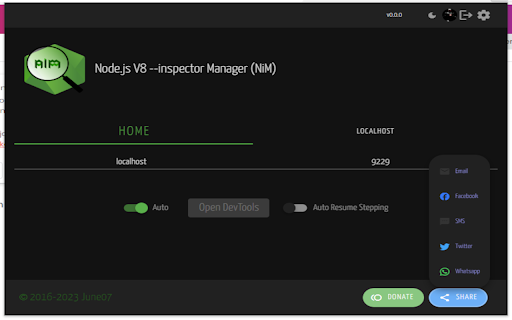


About
By installing you are agreeing to:
PRIVACY POLICY - https://june07.com/privacy
PLEASE NOTE: Installing this via the Microsoft Web Store does require the sharing of your email address with me (and only me).

Also note that this is a temporary version which is meant to test the Manifest V3 version of NiM. Once it's clear the MV3 version is stable enough, the now primary Edge Add-ons (https://june07.com/nim) extension will be updated to replace this.

What is NiM? It's "UX sugar" for V8 debugging (Node.js, Deno...) AND MORE. Read more about what I mean here: https://blog.june07.com/more-than/

This Microsoft Extension streamlines your Node.js development.

NiM provides extended capabilities even compared with the new edge://inspect option.  Check out what Paul Irish of the Google Chrome team wrote about NiM... https://twitter.com/june07t/status/861664828909264896.

NiM manages the Chromium DevTools window/tab life-cycle leaving you with more ability to focus on what matters... debugging your code.  You no longer need to copy/paste DevTools URL's or continue opening/closing tabs/windows.

NiM automatically detects the URL that is generated when running node (locally or remotely) with --inspect option. NiM provides you with the option of automatically opening and closing Chromium DevTools in a tab or window. Just toggle the Manual/Auto setting and then start a debugging session.  DevTools will open either on clicking the "Open DevTools" button or after the specified timeout period.  If set to auto close, once you end your debugging session, DevTools will close automatically.

Features:
 - Manage and monitor Node Diagnostics and Reports
 - Manage and monitor local and remote debugging sessions
 - Set manual or automatic control of DevTools interface
 - Open DevTools in a new tab or window
 - Make DevTools focused or inactive on start
 - Use custom DevTools bundle

Note: By it's nature this extension requires permissions which
"Read and change all your data on the websites you visit"

Further to better serve and understand my user base the following permission is asked
"Know your email address"

The following URL will provide what I feel to be an informed viewpoint on the whole matter of permissions:  https://palant.de/2016/07/02/why-mozilla-shouldn-t-copy-chrome-s-permission-prompt-for-extensions

No information will ever be shared with 3rd parties.  Further the source is open and available on GitHub.  However should you still prefer it, a version is available which does not require sharing your email address: http://june07.com/NiM11.  I will maintain the code (bug fixes), however feature additions will only be made to this branch.  Please feel free to reach out to me [email protected] if you have any other concerns as I am open to discussion.  Should any policies change there will be notice given of such changes.

If you enjoy using NiM please give us a 5 star rating and/or a G+1.  Any and all feedback is encouraged and welcome.  [email protected]  Thank you in advance.

This project is open source and available at https://github.com/june07/nimv3.
Technical
- Version
- 3.13.3
- Manifest
- V3
- Size
- 686KiB
- Min Chrome
- 88
- Languages
- 40
- Featured
- No
Metadata
- ID
- fbbpbfibkcdehkkkcoileebbgbamjelh
- Developer ID
- u03c3f2e1666a30e78719608afb146589
- Developer Email
- [email protected]
- Created
- Jun 23, 2023
- Last Updated (Store)
- Dec 26, 2025
- Last Scraped
- Jun 3, 2026
- Website
- june07.com
- Support URL
- —
- Privacy Policy
- https://privacy.june07.com/
Similar extensions
Alternatives to Node Inspector Manager (NIM), ranked by description similarity.

Node Inspector Manager (NIM)
Manages DevTools with Node V8 Inspector (node --inspect) Debugging Workflow
10.0K
★ 4.4
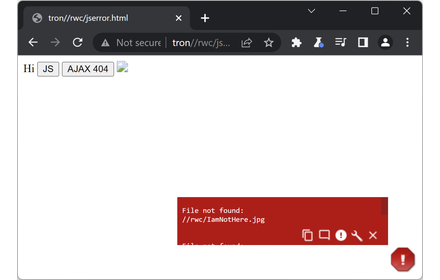
JavaScript Errors Notifier
Identifies JavaScript errors with minimal disruption by configurable pop-up icon and toolbar icon
3.0K
★ 4.8

NavAgent
MCP browser navigation bridge. Pair with navagent-mcp (npm) to let your AI assistant control your browser.
11

NDT Cookies
NDT Cookies - Export and import cookies easily
94
★ 5.0

NoFollow
Outline nofollow links, detect nofollow and noindex meta tags on webpages. Features website filtering and custom CSS outline styles.
100.0K
★ 4.3

Network Debugger Plus
Advanced network request inspector with filtering and payload viewer
104
★ 5.0

llmrelay: query chrome nano llm from your terminal
llmrelay: query chrome nano llm from your terminal
1

Quick Javascript Switcher
Disable JavaScript on any site in one click
200.0K
★ 4.3
Data sourced from the Chrome Web Store · last verified Jun 3, 2026.