
Quick Javascript Switcher
Disable JavaScript on any site in one click
As of June 2026, Quick Javascript Switcher has 200,000 users and a 4.30/5 rating from 820 reviews in the Developer Tools category.
Usersno change0%
200.0K
200,000
Ratingdown 0.2 percent−0.2%
4.30
820 reviews
Reviewsup 0.4 percent+0.4%
820
Version
2.2.0
Manifest V3
History
3 snapshotsTracking since Apr 21, 2026.
View as table
| Date | Users | Rating | Reviews | Version |
|---|---|---|---|---|
| Apr 21, 2026 | 200.0K | 4.31 | 817 | 2.2.0 |
| May 11, 2026 | 200.0K | 4.31 | 817 | 2.2.0 |
| Jun 6, 2026 | 200.0K | 4.31 | 817 | 2.2.0 |
| Now | 200.0K | 4.30 | 820 | 2.2.0 |
Permissions & access
- Permissions
- tabscontentSettingscontextMenusstorage
- Host access
- None declared
Screenshots


About
Quick JavaScript Switcher is a simple Chrome extension that lets you toggle JavaScript on a per-site basis (domain or subdomain) with a single click.

Example: You can disable JavaScript on 'https://google.com' but keep it enabled on 'https://mail.google.com'

Please consider to support my work by making a donation 💖:
https://donate.stripe.com/14k03Dcbca0XaGY3cn

QJS is an open source Chrome extension coded by Maxime Le Breton.
As a solo developer, your support means a lot and helps maintain the project

__________________________________

Quick JavaScript Switcher is a useful tool for web developers to test site behavior without JavaScript and ensure graceful degradation. SEO specialists can simulate how non-JavaScript search engines view a page, helping identify indexing issues. It’s also valuable for privacy-focused users and accessibility testers to assess a site’s functionality without JavaScript, and for quickly comparing page load speeds with and without dynamic elements.

Works with any URL scheme, including domains, subdomains, IP addresses, localhost, and local .html files!

Note: The Pause/Resume feature has been temporary disabled since 2.1 because too many users complained about the required 'debugger' permission.

__________________________________

Works with Chrome 88+
(for Chrome <88, use the v1 version)

Permissions:
A detailed topic about why QJS need them (TLDR: didn't have choice for good UX):
https://github.com/maximelebreton/quick-javascript-switcher/issues/74

Troubleshooting with v2:
Some users experience issues with the v2 update, which can often be resolved by uninstalling and reinstalling the extension. I apologize for this inconvenience.
__________________________________

/* Log info */
2.2.0
=====
- Fix toggle problem due to existing rules from v1 version
- Fix problem with ip adresses

2.1.0
=====
- Play/pause js feature has been removed because it requires a new permission (debugger), and many users complain about this new permission
- Fix bug with localhost and ip adresses
- Allow/block/clear behaviour is back

2.0.2
=====
Fix bug with toggle when trying to clear rule, now it's the classic allow/block behaviour, instead of allow/block/clear

2.0.1
=====
Fix bug with old rules, conflicted with new rules (so the click on the icon doesn't toggle)

2.0.0 (Major version, compatible with Chrome 88+)
=====
- Based on new Chrome security policies (manifest v3)
- New icon design
- [new] Allow / block by domain or subdomain
- [new] Pause JS without refreshing!
- [new] Options panel to edit rules
And many other improvments

1.4.12
=====
Fix bug with chrome 91+: https://github.com/maximelebreton/quick-javascript-switcher/issues/45

1.4.4
=====
Small fixes and promotion for the next release! (Kickstarter crowdfunding)

1.4.1
====
Implement a hack to fix this chrome issue in incognito mode:
https://code.google.com/p/chromium/issues/detail?id=494501

1.4.0
====
Add synchronized options
fix some bugs

1.3.2
====
Custom Shortcut added (you need to edit manualy in tools > extensions > keyboard shortcuts (in the bottom right))

1.3.0
====
- Donation added (in Options)

1.2.0
====
- Many Fixes
- Way to import / export rules
- Fix incognito mode

1.1.0
====
Auto-refresh added & options page improved
(auto-refresh can be disabled trough the options page)

1.0.8
====
Fix background_page error in manifest v2

1.0.7
====
Update to manifest version 2

1.0.6
====
Icon modification for accessibility of red/green color deficients
Technical
- Version
- 2.2.0
- Manifest
- V3
- Size
- 203KiB
- Min Chrome
- 88.0
- Languages
- 1
- Featured
- No
Metadata
- ID
- geddoclleiomckbhadiaipdggiiccfje
- Developer ID
- uedf6869e971dfc25d01f8baf76f5c4d4
- Developer Email
- [email protected]
- Created
- Dec 15, 2011
- Last Updated (Store)
- Apr 21, 2025
- Last Scraped
- Jun 6, 2026
- Privacy Policy
- —
Similar extensions
Alternatives to Quick Javascript Switcher, ranked by description similarity.

Quick Javascript Switcher v3
Enable or disable JavaScript per hostname or subdomain
588
★ 5.0

Disable JavaScript - JS Switch per site
Disable or enable JavaScript per website with a one-click toggle. Lightweight, fast, and private.
2.0K
★ 3.8

User JavaScript and CSS
User JavaScript and CSS on any website
200.0K
★ 4.8
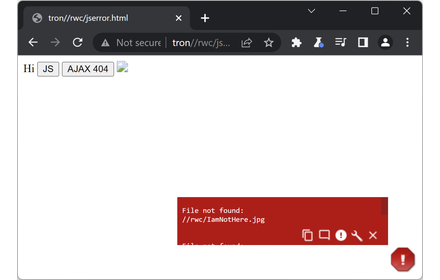
JavaScript Errors Notifier
Identifies JavaScript errors with minimal disruption by configurable pop-up icon and toolbar icon
3.0K
★ 4.8

Toggle JavaScript
Enable or disable JavaScript without the hassle.
200.0K
★ 4.3

NoFollow
Outline nofollow links, detect nofollow and noindex meta tags on webpages. Features website filtering and custom CSS outline styles.
100.0K
★ 4.3

CSS Easy Reload
Reload CSS with the touch of a button, or keyboard shortcut, without flashing.
166
★ 4.5

ScriptSwitch
Toggle JavaScript on/off instantly with one click
5
Data sourced from the Chrome Web Store · last verified Jun 6, 2026.