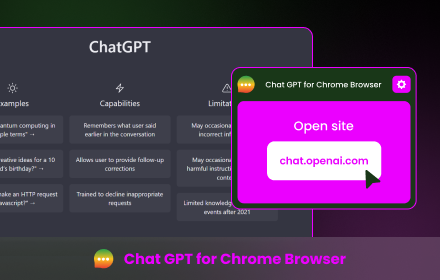
ChatGPT
Welcome to ChatGPT
As of May 2026, ChatGPT has 195 users and a 5.00/5 rating from 3 reviews in the Entertainment category.
Usersup 22.6 percent+22.6%
195
195
Ratingno change0%
5.00
3 reviews
Reviewsno change0%
3
Version
1.0.0
Manifest V3
History
3 snapshotsTracking since Apr 1, 2026.
View as table
| Date | Users | Rating | Reviews | Version |
|---|---|---|---|---|
| Apr 1, 2026 | 159 | 5.00 | 3 | 1.0.0 |
| Apr 30, 2026 | 168 | 5.00 | 3 | 1.0.0 |
| May 29, 2026 | 169 | 5.00 | 3 | 1.0.0 |
| Now | 195 | 5.00 | 3 | 1.0.0 |
Permissions & access
- Permissions
- storagecookiesactiveTab
- Host access
- https://*.openai.com/
Screenshots


About
The "ChatGPT Companion" plugin for the Chrome Store is an integration with the powerful GPT-3.5 artificial intelligence system created by OpenAI. This plug-in allows users to interact with the GPT-3.5 model directly from the Chrome browser, providing help, answering questions, and natural language content generation.

Key features:
1. **Browser Chat Interface:** Access the powerful functionality of GPT-3.5 without leaving your current browser tab. Just open the plugin panel and start chatting.

2. **Automatic answers and hints:** The plugin provides quick access to generate automatic answers to frequently asked questions or short hints for various topics.

3. **Composition Help:** Not sure how to phrase an email, social media post, or other text? Just ask a question or describe your situation and GPT-3.5 will give you options.

4. **Research & Learn:** Use the plugin to explore new topics, generate ideas, or even learn language skills.

5. **Personalization and customization:** The plugin provides the ability to customize the GPT-3.5 communication style, and also allows you to save and restore previous communication sessions.

6. **Privacy & Security:** All communication with GPT-3.5 is done over a secure SSL connection and user data is kept private.

How to use:
1. Install "ChatGPT Companion" plugin from Chrome Store.
2. After installation, click on the plugin icon in the browser toolbar.
3. A sidebar will open where you can start a chat with GPT-3.5 by asking questions or describing the situation.
4. Select one of the options provided to receive automatic answers or hints.
5. Your previous conversations can be saved and restored for later access.

Note: The "ChatGPT Companion" plugin requires an internet connection to work as it communicates with the OpenAI servers to process requests.
Technical
- Version
- 1.0.0
- Manifest
- V3
- Size
- 6.63MiB
- Min Chrome
- 88
- Languages
- 1
- Featured
- No
Metadata
- ID
- fadieaaojhhonpnjmhjbhhndplkhnnom
- Developer ID
- uaf806e86bd33e040abca27b579024266
- Developer Email
- [email protected]
- Created
- Sep 7, 2023
- Last Updated (Store)
- Sep 7, 2023
- Last Scraped
- May 29, 2026
- Website
- —
- Support URL
- —
- Privacy Policy
- https://sites.google.com/view/chat-gpt-helper
Similar extensions
Alternatives to ChatGPT, ranked by description similarity.

YouTube Transcript & AI Summary
Get YouTube transcripts and AI summaries instantly. Supports ChatGPT, Gemini, Claude API, and on-device translation.
73
★ 5.0

AI Spiritual - Chat GPT (Psychology, Dream)
AI Spiritual is a GPT tool for psychology, dream, fortune. It is a intelligent AI tool trained by combining knowledge with ChatGPT.
152
★ 4.4

Botodachi
Chat with AI about YouTube and Netflix videos using real-time subtitles. Privacy-focused, no tracking.
—

GPTAvatorChanger
Change the avator icon of ChatGPT
8

YouTube Labels
Add labels to YouTube videos
23
★ 5.0

Varie Mate
Meet your browsing companion! Unique characters who react to content, chat with you, and make every session more fun.
8
★ 5.0

Facecam AI -- Face Swap for Omegle, Google Meet, Zoom, Discord
A virtual camera Chrome extension.
1.0K
★ 2.4

Zarathustra 🍒
Your AI philosophy guide. Explore Nietzsche, existentialism, and timeless wisdom through intelligent conversation.
9
Data sourced from the Chrome Web Store · last verified May 29, 2026.