
mClick - Professional Cursor Studio
Professional cursor highlighter with cinematic ghosting and keystroke HUD.
As of June 2026, mClick - Professional Cursor Studio has 2,000 users and a 2.38/5 rating from 79 reviews in the Workflow & Planning category.
Usersno change0%
2.0K
2,000
Ratingno change0%
2.38
79 reviews
Reviewsno change0%
79
Version
1.0
History
2 snapshotsTracking since Apr 16, 2026.
View as table
| Date | Users | Rating | Reviews | Version |
|---|---|---|---|---|
| Apr 16, 2026 | 2.0K | 2.38 | 79 | 1.0 |
| May 2, 2026 | 2.0K | 2.38 | 79 | 1.0 |
| Now | 2.0K | 2.38 | 79 | 1.0 |
Permissions & access
- Permissions
- None declared
- Host access
- None declared
Screenshots

About
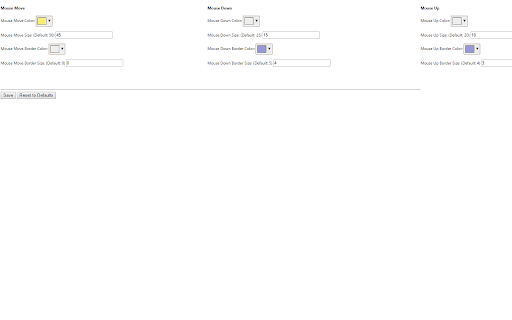
IMPORTANT NOTE BEFORE INSTALLING: To use this extension for the first time, you must right-click the options and press the "Save" or "Reset" button. After that you can left click the icon to toggle the extension on or off.

Use this Chrome extension for the following:
* While doing a screencast recording, this will clearly show where your mouse cursor is and where you click on the page. This can be useful for doing webapp tutorials.
* While doing an online presentation, this can help so that your audience can clearly see where your mouse cursor is.
* If you use Chromecast, this can highlight your mouse cursor to make it easier to spot.

Note: My favorite software for for recording gif screencasts is ShareX (https://getsharex.com/) for Windows and LICEcap (http://www.cockos.com/licecap/) for Linux (must use Wine to install LICEcap in Linux).
Technical
- Version
- 1.0
- Manifest
- —
- Size
- 40.13KiB
- Min Chrome
- 88
- Languages
- 1
- Featured
- No
Metadata
- ID
- faacfelnnfhdicdmkdeclkeanllppdbm
- Developer ID
- ud3813ec4e7a765c314151371b45fa5af
- Developer Email
- [email protected]
- Created
- Oct 28, 2015
- Last Updated (Store)
- Jan 21, 2026
- Last Scraped
- Jun 6, 2026
- Website
- tutorialgeek.net
- Support URL
- —
- Privacy Policy
- https://github.com/mckayc/McLick/blob/master/PRIVACY.md
Similar extensions
Alternatives to mClick - Professional Cursor Studio, ranked by description similarity.

Screen Capture Recorder
This recorder is a free recorder that can capture content of screen, individual windows or tabs. Save video to PC/Google Drive.
1.0K
★ 3.5

Mouse Pointer Highlighter
This extension will highlight your mouse cursor and your mouse clicks.
2.0K
★ 2.4

Screen recorder
Elevate your productivity with Screen Recorder tool. Effortlessly capture and share your screen recordings for optimal efficiency.
4.0K
★ 3.6

Screen & Webcam recorder - Flonnect
Allows Screen Recording from your Webcam and Desktop
100.0K
★ 4.6

Screenshot and screen video recording - Screeny
The #1 screen recorder and screenshot tool! Full capture and video recording of your screen.
80.0K
★ 4.7

Screen Recorder
Screen recorder - simple, tiny, user-friendly and full-featured!
863
★ 4.5

Video Recorder
Use Video Recorder, a simple tool to screen record. It also lets you audio recorder online, capturing both your camera and display.
10.0K
★ 4.3
My Screen Recordeding
Start a screen recording from admin panel in the browser. Save screen video in various formats
10.0K
★ 4.3
Data sourced from the Chrome Web Store · last verified Jun 6, 2026.