
Centerm Print Plugin
You can find this extension by searching on the Google Chrome Web Store, where it supports "Add to Chrome" and allows users to log…
As of May 2026, Centerm Print Plugin has 15 users in the Productivity category.
Usersdown 16.7 percent−16.7%
15
15
Ratingno change0%
—
— reviews
Reviewsno change0%
—
Version
1.0.4 (build 20250825)
Manifest V3
History
5 snapshotsTracking since Apr 1, 2026.
View as table
| Date | Users | Rating | Reviews | Version |
|---|---|---|---|---|
| Apr 1, 2026 | 18 | — | — | 1.0.4 (build 20250825) |
| Apr 21, 2026 | 21 | — | — | 1.0.4 (build 20250825) |
| May 6, 2026 | 17 | — | — | 1.0.4 (build 20250825) |
| May 17, 2026 | 16 | — | — | 1.0.4 (build 20250825) |
| May 31, 2026 | 14 | — | — | 1.0.4 (build 20250825) |
| Now | 15 | — | — | 1.0.4 (build 20250825) |
Permissions & access
- Permissions
- printerProvideridentitynotificationsstoragesidePaneltabs
- Host access
- *://*/*
Screenshots
About
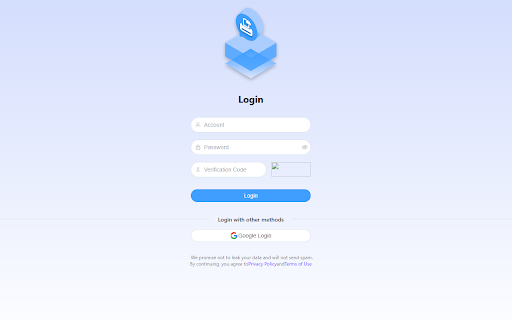
You can find this extension by searching on the Google Chrome Web Store, where it supports "Add to Chrome" and allows users to log in using Google authorization when adding the extension.

- When the backend policy allows users to use shared printing (currently referred to as "allowed pool printing"), users can press **Ctrl+P** and find the printers they are authorized to use in the **Destination** dropdown list or under **See more**. After selecting the desired printer, they can initiate printing, and the job will be sent directly to the printer for immediate output.

- When the backend policy allows users to use secure printing (currently referred to as "allowed authenticated printing"), users can press **Ctrl+P** and will only see **CentermPrinter** in the **Destination** dropdown list or under **See more**. After initiating the print job, they must go to an authorized printer and swipe their card to release the printout.

通过Google Chrome Web Store上搜索到本插件,支持Add to Chrome,添加扩展插件时支持使用Google授权登录;
当后台策略是允许用户使用共享打印(当前的允许池打印)时,用户Ctrl+P,Destination的下拉列表或see more中可以查找到该用户允许使用的打印机,用户选择该打印机后,发起打印,支持直接将作业打印到该打印机并出纸。
当后台策略是允许用户使用安全打印时(当前的允许认证打印)时,用户Ctrl+P,Destination的下拉列表或see more中有且只能查找到CentermPrinter,发起打印后,需要用户到有权限使用的打印机进行刷卡才能打印出纸。
Technical
- Version
- 1.0.4 (build 20250825)
- Manifest
- V3
- Size
- 756KiB
- Min Chrome
- 88
- Languages
- 1
- Featured
- No
Metadata
- ID
- eomjifdpaaikpmckinoiiojfhkgglbej
- Developer ID
- ubd9685468b2219f7b070aaf89c594f14
- Developer Email
- [email protected]
- Created
- Jan 22, 2025
- Last Updated (Store)
- Aug 26, 2025
- Last Scraped
- May 31, 2026
- Website
- https://www.centerm.com/
- Support URL
- —
- Privacy Policy
- https://www.centerm.com/gnu/192.html
Similar extensions
Alternatives to Centerm Print Plugin, ranked by description similarity.

MyQ X Chromebook Client
MyQ X Chromebook Client prints jobs directly to MyQ Print server queues.
—
★ 4.8

Cloud Print and Scan Chrome Extension
Send a print job to Cloud Print and Scan
10.0K
★ 5.0

GramGuardian Printer
Silent label printing for GramGuardian
21

uniFLOW Online
Print from Chrome to uniFLOW Online after successful sign in.
—
★ 3.2

公章生成器
生成电子公章
170
★ 5.0

Print for Google Chrome
Print the current page with a single click. Quickly print website content, articles, photos, and more.
100.0K
★ 3.7

HP Print Service Plugin
Upload, edit, and print PDF files in a new tab.
623
★ 3.0

BA PrintNode Connector
Add PrintNode printers to Chrome print dialog. Print to remote printers from anywhere.
33
Data sourced from the Chrome Web Store · last verified May 31, 2026.