
MyQ X Chromebook Client
MyQ X Chromebook Client prints jobs directly to MyQ Print server queues.
As of June 2026, MyQ X Chromebook Client has — users and a 4.83/5 rating from 23 reviews in the Productivity category.
Usersno change0%
—
—
Ratingno change0%
4.83
23 reviews
Reviewsno change0%
23
Version
10.2.0.128 RC2
Manifest V3
History
4 snapshotsTracking since Apr 1, 2026.
View as table
| Date | Users | Rating | Reviews | Version |
|---|---|---|---|---|
| Apr 1, 2026 | 3.0K | 4.83 | 23 | 10.2.0.128 RC2 |
| Apr 21, 2026 | 2.0K | 4.83 | 23 | 10.2.0.128 RC2 |
| May 7, 2026 | 5.0K | 4.83 | 23 | 10.2.0.128 RC2 |
| May 18, 2026 | 7.0K | 4.83 | 23 | 10.2.0.128 RC2 |
| Now | — | 4.83 | 23 | 10.2.0.128 RC2 |
Permissions & access
- Permissions
- storageprinterProvideridentity
- Host access
- http://*/*, https://*/*
Screenshots


About
MyQ X Chromebook Client allows for seamless printing from Chromebook devices in environments that utilize the MyQ X print management. It assists in distributing print queues and authenticating jobs.

---
Dear users,
You should know whether you need this extension from the administrators in your organization. Install the extension, open Options, provide the MyQ X Print Server URL, and start printing.
---
Dear administrator,
Make sure that your MyQ X Print Server is enabled for IPPS printing. All IPPS-enabled queues will be available to users signed in the extension. This extension can be deployed in organization-managed environments or installed manually by users.
---

*** What is MyQ X? ***
MyQ X is an Award-Winning Print Management Solution. Trusted by millions of users.

Key features of the MyQ X ecosystem:
- Scan, print or process docs with one click
- Personalize the printer panel
- Secure your print environment
- Get more flexible with mobile and BYOD printing
- Deploy remotely within minutes on-premise, in edge, or cloud
- Start distributing print drivers remotely
- Manage and monitor devices, costs and create reports
Technical
- Version
- 10.2.0.128 RC2
- Manifest
- V3
- Size
- 422KiB
- Min Chrome
- 88
- Languages
- 5
- Featured
- No
Metadata
- ID
- adneibmfddbhmickjdmlhpnmclmnehkc
- Developer ID
- ue833a63be448314c8a75ec5324689886
- Developer Email
- [email protected]
- Created
- Aug 14, 2024
- Last Updated (Store)
- Jul 17, 2025
- Last Scraped
- Jun 1, 2026
- Website
- myq-solution.com
- Privacy Policy
- https://www.myq-solution.com/en/privacy-policy
Similar extensions
Alternatives to MyQ X Chromebook Client, ranked by description similarity.

uniFLOW Online
Print from Chrome to uniFLOW Online after successful sign in.
—
★ 3.2

GramGuardian Printer
Silent label printing for GramGuardian
21

BA PrintNode Connector
Add PrintNode printers to Chrome print dialog. Print to remote printers from anywhere.
33

Cloud Print and Scan Chrome Extension
Send a print job to Cloud Print and Scan
10.0K
★ 5.0

Centerm Print Plugin
You can find this extension by searching on the Google Chrome Web Store, where it supports "Add to Chrome" and allows users to log…
15

Xlife Printer
Printer driver for Chromebook & Chrome Browser. It is work with Xlife printer.
166
★ 5.0

VYROX POS Printer Connector
Send print jobs from web pages to local ESC/POS USB printer via VYROX POS Printer Connector
46
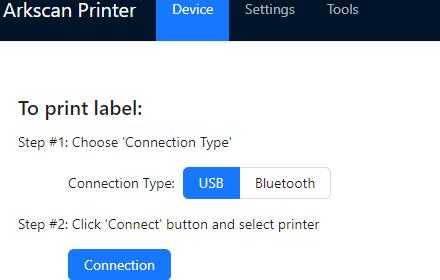
Arkscan Printer
Shipping label printer driver & tool for Chromebook & Chrome Browser.
574
★ 5.0
Data sourced from the Chrome Web Store · last verified Jun 1, 2026.