
Freedium Link Converter
Convert Medium articles to Freedium for ad-free reading experience
As of June 2026, Freedium Link Converter has 7,000 users and a 4.69/5 rating from 13 reviews in the Productivity category.
Usersno change0%
7.0K
7,000
Ratingup 1.1 percent+1.1%
4.69
13 reviews
Reviewsup 18.2 percent+18.2%
13
Version
0.1.1
Manifest V3
History
6 snapshotsTracking since Apr 5, 2026.
View as table
| Date | Users | Rating | Reviews | Version |
|---|---|---|---|---|
| Apr 5, 2026 | 7.0K | 4.64 | 11 | 0.1.1 |
| Apr 16, 2026 | 6.0K | 4.64 | 11 | 0.1.1 |
| Apr 26, 2026 | 6.0K | 4.64 | 11 | 0.1.1 |
| May 6, 2026 | 5.0K | 4.67 | 12 | 0.1.1 |
| Jun 1, 2026 | 7.0K | 4.69 | 13 | 0.1.1 |
| Jun 9, 2026 | 6.0K | 4.69 | 13 | 0.1.1 |
| Now | 7.0K | 4.69 | 13 | 0.1.1 |
Permissions & access
- Permissions
- activeTabtabsstoragecontextMenusnotifications
- Host access
- *://*/*
Screenshots


About
Overview
Freedium Link Converter lets you open M__ium and M__ium-powered publication articles through Freedium in one click—reducing friction from monthly view limits and improving reading flow.

Key Features
- One-click conversion for M__ium links
- Detects many custom domains hosted on M__ium's platform
- Lightweight and fast
- Optional: open in current tab or new tab
- Right-click context menu: “Open in Freedium”
- Status badges & optional notifications (loading / success / error)
- No tracking, no data collection

How It Works
1. Install the extension.
2. Visit any Medium (or M__ium-based) article.
3. Use either:
   - Toolbar icon: instantly convert current URL.
   - Right-click context menu: “Open in Freedium.”
4. Read via Freedium without hitting article view limits.

Methods

1. Toolbar Icon
   - Navigate to a M__ium article.
   - Click the Freedium Link Converter icon.
   - Opens the Freedium version automatically.

2. Context Menu
   - Right-click on the page or a M__ium link.
   - Select “Open in Freedium.”
   - Opens in new or current tab per your settings.

Permissions Explained
- tabs / activeTab: Determine & open relevant URLs.
- storage: Persist user preference (open in new tab).
- contextMenus: Provide quick conversion via right-click.
- notifications & badge: Show conversion status cleanly.
- Broad host permissions: Detect custom M__ium publication domains reliably.

Privacy
- No analytics, telemetry, or data extraction.
- No external calls beyond necessary fetches to inspect page headers.
- All logic runs locally in the service worker context.

Limitations
- Behavior may change if Freedium alters its URL patterns.
- Not affiliated with M__ium or Freedium.
- Some heavily customized publication domains might not be detected.

Roadmap (Optional)
- Narrower host permission scope with user-managed allowlist.
- Domain override / ignore list.
- Minimal popup with quick settings.
- Automated detection tests.

Support
Open an issue on the project’s GitHub repository
Technical
- Version
- 0.1.1
- Manifest
- V3
- Size
- 26.15KiB
- Min Chrome
- 88
- Languages
- 1
- Featured
- No
Metadata
- ID
- enocadmdedhoajldcnlajbjaihpkccml
- Developer ID
- u03810d957ca55f6d78f02b1fa2b9521e
- Developer Email
- [email protected]
- Created
- Dec 12, 2024
- Last Updated (Store)
- Jan 13, 2026
- Last Scraped
- Jun 9, 2026
- Website
- —
- Support URL
- —
- Privacy Policy
- —
Similar extensions
Alternatives to Freedium Link Converter, ranked by description similarity.

Freedium Link Converter
Convert M__ium and M__ium-powered publication articles to Freedium for ad-free reading experience
29
★ 5.0

Right Click Freedium
A right-click tool to view Medium articles in a clean, reader-friendly layout.
221
★ 3.7

Read in Freedium
Send any URL to Freedium for ad-free reading
30
★ 5.0

Freedium
Read Medium articles for free.
734
★ 4.3
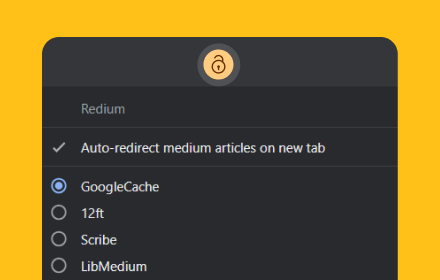
Redium
Redirect medium articles to proxies.
6.0K
★ 5.0

URL Redirector
Right-click links to open them on a target site by remapping URL paths.
2

Medium Exporter
Export Medium articles and reading lists to Markdown files. Free and simple tool for writers and readers.
340
★ 5.0

MP3 Converter
Pure JavaScript MP3 converter to encode media files into MP3 format and add ID3 Tags
60.0K
★ 4.4
Data sourced from the Chrome Web Store · last verified Jun 9, 2026.