
Stream Freedom - Anti Black Screen
Bypass black screen when sharing stream on Discord and others. Works on Shahid, Netflix, and Prime Video by forcing Software DRM.
As of June 2026, Stream Freedom - Anti Black Screen has 913 users and a 5.00/5 rating from 4 reviews in the Entertainment category.
Usersup 106.6 percent+106.6%
913
913
Ratingno change0%
5.00
4 reviews
Reviewsno change0%
4
Version
1.1.0
Manifest V3
90-day change · In the last 90 days this extension 1 version update.
History
11 snapshotsTracking since Apr 1, 2026.
View as table
| Date | Users | Rating | Reviews | Version |
|---|---|---|---|---|
| Apr 1, 2026 | 442 | 5.00 | 4 | 1.0.1 |
| Apr 10, 2026 | 457 | 5.00 | 4 | 1.0.1 |
| Apr 20, 2026 | 511 | 5.00 | 4 | 1.0.1 |
| Apr 25, 2026 | 756 | 5.00 | 4 | 1.0.1 |
| May 2, 2026 | 590 | 5.00 | 4 | 1.1.0 |
| May 9, 2026 | 617 | 5.00 | 4 | 1.1.0 |
| May 14, 2026 | 1.0K | 5.00 | 4 | 1.1.0 |
| May 20, 2026 | 752 | 5.00 | 4 | 1.1.0 |
| May 26, 2026 | 796 | 5.00 | 4 | 1.1.0 |
| Jun 2, 2026 | 809 | 5.00 | 4 | 1.1.0 |
| Jun 8, 2026 | 855 | 5.00 | 4 | 1.1.0 |
| Now | 913 | 5.00 | 4 | 1.1.0 |
Changelog
- Apr 25, 2026description
Tired of getting a black screen when trying to watch movies with friends on Discord? Stream Freedom is the ultimate solution.

This extension modifies the DRM settings (forcing Software DRM) on supported streaming platforms, allowing you to screen share your favorite shows and movies without restrictions. Perfect for watch parties on Discord, Zoom, or Google Meet.

🚀 Key Features:
✅ Anti-Black Screen: Share your screen without the video turning black.
✅ Smart Activation: The extension is disabled by default and only runs on the specific sites you choose (Per-site activation) to preserve browser performance.
✅ Pre-configured Support: Works instantly with Netflix, Shahid VIP, Amazon Prime Video.
✅ Privacy Focused: Does not track your browsing history or collect personal data.
✅ Modern UI: Sleek, neon-themed interface that matches your dark mode aesthetic.

Supported Platforms:
- Netflix
- Shahid VIP
- Amazon Prime Video
- And any other site you manually enable!

How to use:
1. Install the extension.
2. Go to your streaming website.
3. Click the Stream Freedom icon and toggle the switch to "ON".
4. Reload the page.
5. Start sharing your screen!
Tired of getting a black screen when trying to watch movies with friends on Discord? Stream Freedom is the ultimate solution.

This extension modifies the DRM settings (forcing Software DRM) on streaming platforms you use, allowing you to screen share your favorite shows and movies without restrictions. Perfect for watch parties on Discord, Zoom, or Google Meet.

🚀 Key Features:
✅ Anti-Black Screen: Share your screen without the video turning black.
✅ Smart Activation: The extension is disabled by default and only runs on the specific sites you choose (Per-site activation) to preserve browser performance.
✅ One-Click Enable: Activate all your configured streaming sites at once with a single button.
✅ Live Status Indicators: See the current site, activation status, and count of enabled sites at a glance.
✅ Privacy Focused: Does not track your browsing history or collect personal data.
✅ Modern UI: Sleek neon-themed interface with an aurora-gradient background that matches your dark mode aesthetic.

How to use:
1. Install the extension.
2. Go to your streaming website.
3. Click the Stream Freedom icon and toggle the switch to "ON".
4. Reload the page.
5. Start sharing your screen!

━━━━━━━━━━━━━━━━━━━━━━━━━━━
🆕 What's New in v1.1
━━━━━━━━━━━━━━━━━━━━━━━━━━━
• Redesigned popup with the Stream Freedom logo front and center
• New colored status chip (green = Active, gray = Inactive) — clearer than plain text
• Domain chip now shows the site's favicon alongside the URL
• Live counter displaying how many sites you've enabled
• NEW: One-click button to enable all your configured streaming sites
• Aurora-gradient background matching the product's visual identity
• Softer rounded corners and tighter spacing for a more modern feel
• Fixed toggle direction in the Arabic interface (RTL-aware)
• "Support the Developer" button now clearly visible at the top (heart icon)
Permissions & access
- Permissions
- scriptingstorage
- Host access
- <all_urls>
Screenshots
About
Tired of getting a black screen when trying to watch movies with friends on Discord? Stream Freedom is the ultimate solution.

This extension modifies the DRM settings (forcing Software DRM) on streaming platforms you use, allowing you to screen share your favorite shows and movies without restrictions. Perfect for watch parties on Discord, Zoom, or Google Meet.

🚀 Key Features:
✅ Anti-Black Screen: Share your screen without the video turning black.
✅ Smart Activation: The extension is disabled by default and only runs on the specific sites you choose (Per-site activation) to preserve browser performance.
✅ One-Click Enable: Activate all your configured streaming sites at once with a single button.
✅ Live Status Indicators: See the current site, activation status, and count of enabled sites at a glance.
✅ Privacy Focused: Does not track your browsing history or collect personal data.
✅ Modern UI: Sleek neon-themed interface with an aurora-gradient background that matches your dark mode aesthetic.

How to use:
1. Install the extension.
2. Go to your streaming website.
3. Click the Stream Freedom icon and toggle the switch to "ON".
4. Reload the page.
5. Start sharing your screen!

━━━━━━━━━━━━━━━━━━━━━━━━━━━
🆕 What's New in v1.1
━━━━━━━━━━━━━━━━━━━━━━━━━━━
• Redesigned popup with the Stream Freedom logo front and center
• New colored status chip (green = Active, gray = Inactive) — clearer than plain text
• Domain chip now shows the site's favicon alongside the URL
• Live counter displaying how many sites you've enabled
• NEW: One-click button to enable all your configured streaming sites
• Aurora-gradient background matching the product's visual identity
• Softer rounded corners and tighter spacing for a more modern feel
• Fixed toggle direction in the Arabic interface (RTL-aware)
• "Support the Developer" button now clearly visible at the top (heart icon)
Technical
- Version
- 1.1.0
- Manifest
- V3
- Size
- 182KiB
- Min Chrome
- 88
- Languages
- 2
- Featured
- No
Metadata
- ID
- enjgmbbhbnbmdbojbebgbennlkgadkkg
- Developer ID
- u0e9678f8693c80390ad2d5be7d91cf47
- Developer Email
- [email protected]
- Created
- Feb 4, 2026
- Last Updated (Store)
- Apr 23, 2026
- Last Scraped
- Jun 8, 2026
- Website
- —
- Support URL
- —
- Privacy Policy
- —
Similar extensions
Alternatives to Stream Freedom - Anti Black Screen, ranked by description similarity.

StreamZen: Cinematic Companion for Moviebox
Netflix-style Next Episode and Skip Intro for all Moviebox streaming platforms like123movienow, NetNaija etc
382

Streaming Remote
Control your streaming services from a remote application.
58
Streaming enhanced Netflix Disney Prime Video
Skip ads, intros, credits and add adjust speed, etc. on Netflix, Prime video, Disney+, Crunchyroll and HBO max.
40.0K
★ 4.7
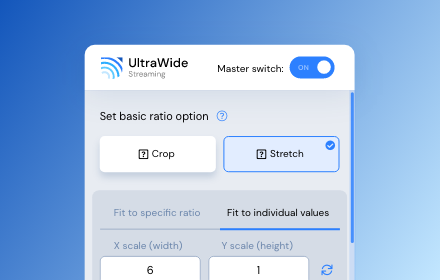
UltraWide Streaming: custom ratios [QVI]
Go fullscreen on your ultrawide monitor. Fit the video to 21:9, 32:9, or custom ratio. Supports most streaming platforms.
10.0K
★ 4.2

AntiDubNetflix by FATAL
Filter foreign content on Netflix and Search Enhancements
4
★ 5.0

Karthic's Video Cleanup Extension
Removes semi-transparent overlays from video's on mouseover
5

Teleparty-pro
Sync up your favorite Netflix, Disney Plus, Hulu, HBO, and worldwide OTT platform shows with friends using our Teleparty
5.0K
★ 4.8

Netflix Party
Watch Netflix Together, Chat, Share Emojis, Create Parties, And Enjoy Synchronized Viewing With The Netflix Party Extension.
5.0K
★ 5.0
Data sourced from the Chrome Web Store · last verified Jun 8, 2026.