
Social Media Bold Formatter
Formats selected text to bold via context menu or popup.
As of May 2026, Social Media Bold Formatter has 25 users in the Social & Communication category.
Usersup 8.7 percent+8.7%
25
25
Ratingno change0%
—
— reviews
Reviewsno change0%
—
Version
0.1.0
Manifest V3
History
2 snapshotsTracking since Apr 1, 2026.
View as table
| Date | Users | Rating | Reviews | Version |
|---|---|---|---|---|
| Apr 1, 2026 | 23 | — | — | 0.1.0 |
| Apr 30, 2026 | 26 | — | — | 0.1.0 |
| Now | 25 | — | — | 0.1.0 |
Permissions & access
- Permissions
- contextMenusscriptingactiveTabclipboardWrite
- Host access
- None declared
Screenshots

About
Bold Formatter Extension – Make Your Text Stand Out

Tired of plain text? ✨ With the Bold Formatter Extension, you can easily convert your selected text into bold Unicode characters – perfect for standing out on social media, messengers, or anywhere Unicode is supported.

🛠 Features

Right-Click Formatting
Select any text in input fields, textareas, or content-editable sections and format it instantly via the context menu.

Quick Popup Converter
Click the extension icon, enter your text, and see the bold version appear instantly. One click to copy it!

One-Click Copy
Generate bold text and copy it to your clipboard with a single tap.

Multi-language Support
Automatically adapts to your browser's language (English 🇬🇧 & German 🇩🇪 supported).

Unicode Compatibility
Uses mathematical alphanumeric bold characters – works across most platforms and devices.

⚙️ How It Works

Context Menu:
Highlight text → Right-click → Select “Format to Bold” → Done.

Popup Tool:
Click the extension icon → Type or paste your text → Copy bold version.

If direct formatting isn’t possible (e.g., in complex editors), the extension will copy the bold text to your clipboard automatically.
Technical
- Version
- 0.1.0
- Manifest
- V3
- Size
- 205KiB
- Min Chrome
- 88
- Languages
- 2
- Featured
- No
Metadata
- ID
- emnnjbkmoibgggcfkkpcagpmneccmpaf
- Developer ID
- u5fa602b6427bee28fc1e1c18438fda61
- Developer Email
- [email protected]
- Created
- Mar 29, 2025
- Last Updated (Store)
- Mar 29, 2025
- Last Scraped
- May 28, 2026
- Website
- lipalife.de
- Support URL
- —
- Privacy Policy
- https://lipalife.de/datenschutzerklaerung/
Similar extensions
Alternatives to Social Media Bold Formatter, ranked by description similarity.

Fancy Font Generator
Generate fancy text using various Unicode character styles and easily copy them.
23

Post Formatter: LinkedIn Bold Text & More Styles
LinkedIn text formatter: add bold text, fonts, 20+ styles & lists. Format LinkedIn posts and other social networks.
1.0K
★ 4.8

LinkedIn Text Formatter
Add bold, italic, and monospace formatting to LinkedIn posts
12

LinkedIn Text Formatter
Add floating toolbar to LinkedIn and any website for bold, italic, bold-italic, underline, and more text styles.
22

xFormatter - Formatting Your Tweets
Enhance your 𝕏 (formerly Twitter) posts by easily formatting text with bold, italic, underline, and more.
51
★ 5.0

LinkedIn Text Formatting Assistant
Elevate Your LinkedIn Posts with Ease – Now Better Than Ever!
Are you tired of plain, unformatted LinkedIn posts? Stand out from…
172
★ 4.0

Steemit Blog Formatter
Format and enhance your Steemit blog posts
17
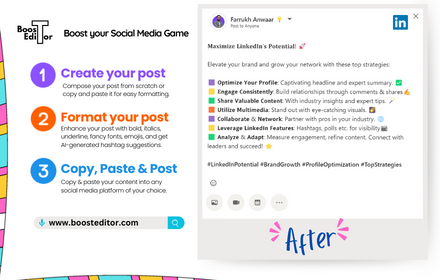
Boost Editor -Right Click in SM Post Text Box
Your Chrome extension to copy text from Social Media Post textbox and Boost in Boost Editor
82
★ 5.0
Data sourced from the Chrome Web Store · last verified May 28, 2026.