
YouTube Picture in Picture Player
Pop out YouTube videos with one click - keep watching in an always-visible mini player while you work
As of June 2026, YouTube Picture in Picture Player has 42 users in the Workflow & Planning category.
Usersdown 4.5 percent−4.5%
42
42
Ratingno change0%
—
— reviews
Reviewsno change0%
—
Version
1.0.2
Manifest V3
History
4 snapshotsTracking since Apr 18, 2026.
View as table
| Date | Users | Rating | Reviews | Version |
|---|---|---|---|---|
| Apr 18, 2026 | 44 | — | — | 1.0.2 |
| Apr 28, 2026 | 36 | — | — | 1.0.2 |
| May 8, 2026 | 43 | — | — | 1.0.2 |
| May 20, 2026 | 41 | — | — | 1.0.2 |
| Now | 42 | — | — | 1.0.2 |
Permissions & access
- Permissions
- None declared
- Host access
- None declared
Screenshots


About
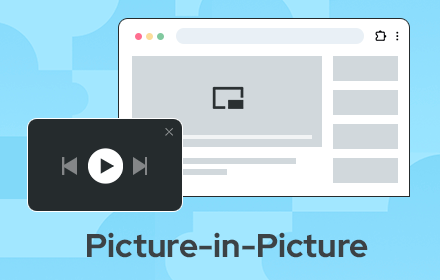
We add a picture-in-picture button to YouTube's video player. Click it and your video pops out into a small floating window that stays on top of everything else. You can resize it, move it anywhere on your screen, and keep watching while you do other things. Works with any YouTube video.

No setup required, no complicated options. Just a button that does what it says. Useful whenever you need to watch something and work at the same time.

What's Included
✅ Floating video window that stays on top
✅ Play, pause, and basic controls
✅ Resize and reposition anywhere
✅ Works with any YouTube video
✅ Integrated into YouTube's player interface

How to Use
1️⃣ Open any YouTube video
2️⃣ Click the picture-in-picture button next to the settings icon
3️⃣ Video pops out into a floating window
4️⃣ Resize and move it anywhere on your screen

Who Benefits
Students taking notes from lectures or following online courses
Professionals watching tutorials while working on projects
Developers following coding tutorials while building
Anyone following recipe videos while cooking
Watching a how-to guide while you create.

What's Not Included
❌ No ads or tracking
❌ No data collection
❌ No hidden premium tier
❌ No subscription fees
❌ No trial that expires

This is a free youtube mini player. That's it.

❓ Frequently Asked Questions
Q: How do I activate picture-in-picture mode?
A: Click the popout button that appears in YouTube's video controls, right next to the settings and fullscreen buttons.

Q: Does this work with any YouTube video?
A: Yes. Any video on YouTube.com will have the popout button.

Q: Can I use other tabs while the video plays?
A: Yes. The floating window stays on top of all other windows and tabs. That's the point.

Q: Is my data being collected?
A: No. This extension doesn't collect, track, or send any data anywhere.
Technical
- Version
- 1.0.2
- Manifest
- V3
- Size
- 1.23MiB
- Min Chrome
- 88
- Languages
- 1
- Featured
- No
Metadata
- ID
- ekoojkggmbadmmjpnhkkdbnkmepcaohp
- Developer ID
- u51169308005155be2916e3f76fd96b63
- Developer Email
- [email protected]
- Created
- Oct 13, 2025
- Last Updated (Store)
- Nov 3, 2025
- Last Scraped
- Jun 3, 2026
- Website
- tandemfuture.com
- Support URL
- https://tandemfuture.com/
Similar extensions
Alternatives to YouTube Picture in Picture Player, ranked by description similarity.

Easy Youtube Player - Picture in Picture
Watch videos in a floating window while you work or browse. This extension offers a simple PiP experience for YouTube and many video
2.0K
★ 2.3

YouTube Mini Player
Youtube Mini Player: activate pip and use picture in picture function with a simple mini player button.
60.0K
★ 4.9

Picture-in-Picture Floating Video Player
Allows users to watch videos in Picture-in-Picture video player.
2.0K
★ 4.9
Picture in Picture - floating video player
Watch videos while surfing the web with Picture in Picture (PiP) mode. Floating video player for Web!
400.0K
★ 4.5

Picture-in-Picture - Floating Video Player
The extension lets users watch videos in Picture-in-Picture (PiP) mode.
8.0K
★ 4.8

Floating Video Player for Youtube™ Videos
Picture-in-Picture watch in a floating window of Youtube™ videos.
20.0K
★ 4.5

Picture in Picture Extension
Transform your video viewing experience with the Picture in Picture Extension.
1.0K
★ 5.0

Picture in Picture Player - Floating Video
Keep your videos visible at all times while doing something else! PiP mode on all videos.
100.0K
★ 4.3
Data sourced from the Chrome Web Store · last verified Jun 3, 2026.