
YouTube Mini Player
Youtube Mini Player: activate pip and use picture in picture function with a simple mini player button.
As of June 2026, YouTube Mini Player has 60,000 users and a 4.92/5 rating from 1,572 reviews in the Workflow & Planning category.
Usersno change0%
60.0K
60,000
Ratingup 0.2 percent+0.2%
4.92
1.6K reviews
Reviewsup 5.6 percent+5.6%
1.6K
Version
3.1.0
Manifest V3
History
8 snapshotsTracking since Apr 5, 2026.
View as table
| Date | Users | Rating | Reviews | Version |
|---|---|---|---|---|
| Apr 5, 2026 | 60.0K | 4.91 | 1.5K | 3.1.0 |
| Apr 16, 2026 | 50.0K | 4.91 | 1.5K | 3.1.0 |
| Apr 27, 2026 | 60.0K | 4.92 | 1.6K | 3.1.0 |
| May 7, 2026 | 60.0K | 4.92 | 1.6K | 3.1.0 |
| May 14, 2026 | 60.0K | 4.92 | 1.6K | 3.1.0 |
| May 23, 2026 | 60.0K | 4.92 | 1.6K | 3.1.0 |
| Jun 2, 2026 | 60.0K | 4.92 | 1.6K | 3.1.0 |
| Jun 10, 2026 | 60.0K | 4.92 | 1.6K | 3.1.0 |
| Now | 60.0K | 4.92 | 1.6K | 3.1.0 |
Permissions & access
- Permissions
- storage
- Host access
- https://antonkhoteev.com/*
Screenshots

About
📖 Introduction Youtube Mini Player is a lightweight and powerful mini player for YouTube that lets you watch videos in a floating window while browsing other sites. Designed for multitaskers and enthusiasts, this extension brings true PiP functionality to your browser. Whether you're working, studying, or just casually surfing the web, miniplayer youtube keeps your favorite content always on screen without interrupting your flow. ✅ Why Choose Youtube Mini Player? Experience seamless multitasking with our mini player outside browser. This minimalist and optimized extension adds a convenient button directly on the video panel, allowing instant access to Youtube Picture in Picture mode. It's lightweight, fast, and won't slow down your experience. Enjoy distraction-free viewing with the ultimate miniplayer chrome extension. Key Features of Youtube Mini Player extension: 🎬 Miniplayer lets you keep watching videos while you work or browse other sites. 🪟 Enjoy smooth picture-in-picture playback in a small floating window. 📌 The miniplayer stays on top — drag, resize, and place it anywhere on your screen. 🧭 Watch videos and use other tabs at the same time — perfect for multitasking. ✨ Clean and simple interface to minimalize without distractions. 🎧 Keep videos playing in the background, even when switching tabs or apps. ⚡ Lightweight and fast — launch the miniplay youtube with just one click. Frequently Asked Questions: 📌 How to picture in picture youtube? 💡 Install the Youtube Mini Player extension, open a video, click the button below it on control panel — and it will floating window. 📌 How to get youtube to play in the background? 💡 Just activate miniplayer by clicking on the button on the panel. The video will play in the background, being on top of windows. 📌 How to get youtube mini player on other tabs? 💡 Install extension, open the desired video, and click pip button - now you can open any other tabs - the video will always be on top and playing. 📌 How does is it work? 💡 You just install and enable youtube mini player and open any video - the pip button is already available. 📌 Is the extension free to use? 💡 Yes, extension is available as a free Chrome extension. 📌 Is my privacy secure with this pip extension? 💡 The extension collects only a generated identifier using the FingerprintJS library and your email. This data is not shared with anyone and is only stored on the server for identification. Technical Details: 🆙 Use Chrome version 70 or higher to ensure the extension plays clips without any issues. 🔒 Youtube Mini Player is built on Manifest V3, providing maximum security, privacy, and performance for you. 🏆 It follows all Chrome Web Store guidelines to be high-quality, trustworthy, and safe. The Feature badge from Google confirms this. 👨💻 The extension is developed and maintained by a professional team with over 10 years of experience in web development. We follow three key principles: be safe, be honest, and be useful. 🚀 Try Youtube Mini Player now — your perfect tool for multitasking!
Technical
- Version
- 3.1.0
- Manifest
- V3
- Size
- 145KiB
- Min Chrome
- 88
- Languages
- 52
- Featured
- Yes
Metadata
- ID
- aebidfeikndkapbilgnhbedgilbcngok
- Developer ID
- u1c89189cbede625e3de191bc20f7dfef
- Developer Email
- [email protected]
- Created
- Nov 3, 2024
- Last Updated (Store)
- Jan 23, 2026
- Last Scraped
- Jun 10, 2026
- Website
- antonkhoteev.com
- Support URL
- —
Similar extensions
Alternatives to YouTube Mini Player, ranked by description similarity.

Picture in Picture Player - Floating Video
Keep your videos visible at all times while doing something else! PiP mode on all videos.
100.0K
★ 4.3

Easy Youtube Player - Picture in Picture
Watch videos in a floating window while you work or browse. This extension offers a simple PiP experience for YouTube and many video
2.0K
★ 2.3

YouTube Picture in Picture Player
Pop out YouTube videos with one click - keep watching in an always-visible mini player while you work
42

MiniPlay
MiniPlay lets you watch videos in a floating Picture-in-Picture window. Stay productive while keeping your favorite content in view!
808
★ 5.0

Picture in Picture Extension
Transform your video viewing experience with the Picture in Picture Extension.
1.0K
★ 5.0
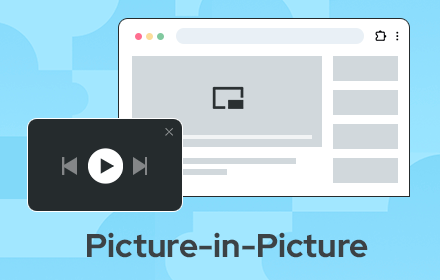
Picture in Picture - floating video player
Watch videos while surfing the web with Picture in Picture (PiP) mode. Floating video player for Web!
400.0K
★ 4.5

Picture-in-Picture Floating Video Player
Allows users to watch videos in Picture-in-Picture video player.
2.0K
★ 4.9

Picture in Picture Extension for Chrome
Picture in Picture Extension for Chrome enables you to view videos from a floating popup
633
★ 3.7
Data sourced from the Chrome Web Store · last verified Jun 10, 2026.