
Page Marker for Google Chrome™
Draw and add text to any web page screenshot. Make notes easily
As of May 2026, Page Marker for Google Chrome™ has 6,000 users and a 3.67/5 rating from 12 reviews in the Workflow & Planning category.
Usersno change0%
6.0K
6,000
Ratingdown 1.6 percent−1.6%
3.67
12 reviews
Reviewsup 9.1 percent+9.1%
12
Version
3.0.1
Manifest V3
History
1 snapshotsTracking since Apr 26, 2026.
View as table
| Date | Users | Rating | Reviews | Version |
|---|---|---|---|---|
| Apr 26, 2026 | 6.0K | 3.73 | 11 | 3.0.1 |
| Now | 6.0K | 3.67 | 12 | 3.0.1 |
Permissions & access
- Permissions
- storageactiveTab
- Host access
- None declared
Screenshots


About
Draw directly on any webpage once you install this extension.

Want a quick way to make comments/review any web page? Want to make notes on any website? You can use this extension to take notes and review any specific webpage.

Features include

- Take a screenshot of the current webpage you are on before you begin drawing
- Use our pencil tool to draw freehand on any webpage
- Add in text and arrows to highlight specific areas
- Add in shapes such as rectangles and circles
- Adjust the thickness and color of your paint brush
- Erase/Undo any mistakes

This is a fast and simple tool to markup/make remarks for any webpage before you save it onto your computer.

Send feedback quickly to team members using this simple markup tool.

Disclaimer: Please note this extension is NOT made by Google and is made by an independent development team. All copyrights belong to their respective owners.
Google doesn’t endorse or sponsor this extension. Page Markup for Google Chrome™ is not owned by, is not licensed by and is not a subsidiary of Google Inc.
Technical
- Version
- 3.0.1
- Manifest
- V3
- Size
- 1.41MiB
- Min Chrome
- 88
- Languages
- 39
- Featured
- Yes
Metadata
- ID
- ejfomipinjkencnfaaefmhgkipphodnc
- Developer ID
- u9fcdce71d2256c89135a07351a0d8acb
- Developer Email
- [email protected]
- Created
- Feb 1, 2021
- Last Updated (Store)
- Nov 1, 2023
- Last Scraped
- May 24, 2026
- Website
- —
- Support URL
- —
- Privacy Policy
- —
Similar extensions
Alternatives to Page Marker for Google Chrome™, ranked by description similarity.

Page Marker Pro - Draw on Web Pages
Draw on web page, annotate, and mark up any webpage with a floating toolbar. Add text, shapes, highlights, and freehand drawings.
106

Web Paint - Page Marker & Editor
Draw shapes, paint lines, paint curves, add text on pages in real time. Take screenshot or print it. Paint Online.
400.0K
★ 4.6
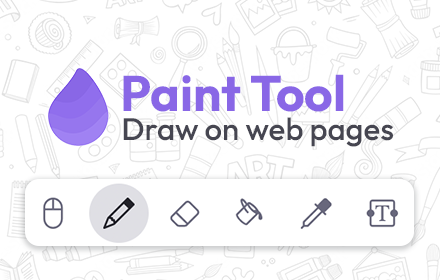
Paint Tool for Chrome
Paint tool to draw anything and anywhere in real-time, paint online. Take a screenshot of your drawing use screenshot tool.
70.0K
★ 4.5

Scribble Pad - Paint On Web
Scribble Pad turns any website into your personal canvas. Draw, sketch, write notes, capture screenshots and annotate in real time.
300
★ 5.0
WebSketch
Annotate Your Browser
93
★ 4.5
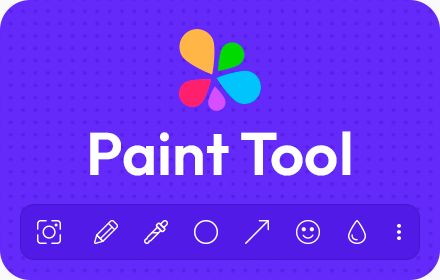
Paint Tool by Painty
Paint tool to draw shapes, add text on web pages in real-time, make a screenshot, and download or share the screenshot with friends.
20.0K
★ 4.7

WebSketch – Draw on Any Page
Draw freehand on any web page. Customize brush size and color for instant annotations, notes, or doodles.
17

WebMarker – make notes on websites
Highlight what matters and draw with a marker right in your browser — for free.
13
★ 5.0
Data sourced from the Chrome Web Store · last verified May 24, 2026.