WebSketch
Annotate Your Browser
As of May 2026, WebSketch has 93 users and a 4.50/5 rating from 2 reviews in the Workflow & Planning category.
Usersup 19.2 percent+19.2%
93
93
Ratingno change0%
4.50
2 reviews
Reviewsno change0%
2
Version
1.0.0.0
Manifest V3
History
1 snapshotsTracking since Apr 29, 2026.
View as table
| Date | Users | Rating | Reviews | Version |
|---|---|---|---|---|
| Apr 29, 2026 | 78 | 4.50 | 2 | 1.0.0.0 |
| Now | 93 | 4.50 | 2 | 1.0.0.0 |
Permissions & access
- Permissions
- storage
- Host access
- None declared
Screenshots

About
WebSketch is a powerful tool that lets you effortlessly draw, highlight, write text, and create basic shapes on any webpage you visit. Whether you're a student, researcher, professional, or someone that just likes to doodle, WebSketch may be the perfect extension for you!

With its intuitive interface and set of annotation tools, WebSketch lets you quickly mark up and annotate any webpage you want. Highlight important text, draw attention to key points, or add your own notes using freehand drawing or text boxes.

Need to share or save your annotations for later? No problem! With WebSketch, you can download the annotated page as a PDF, so you can easily share your thoughts and ideas with others.

To use WebSketch, add the extension to your device. Then, pin the extension to your taskbar. Click on the extension icon on any webpage to open up the drawing interface. From there, you can select your drawing tool and change the size, color, opacity, etc. When you are done drawing, you can click the "X" in the upper righthand corner (or the escape key!) to exit out of the drawing interface - while your drawings remain within the page.

So if you're looking for a powerful and user-friendly annotation tool for your browser, look no further than WebSketch. Try it today!

This extension is brand new and is considered to be a work in progress. That means I will be providing frequent updates and am looking for ways to improve on it. Please leave a review to let me know what you think!
Technical
- Version
- 1.0.0.0
- Manifest
- V3
- Size
- 414KiB
- Min Chrome
- 88
- Languages
- 1
- Featured
- No
Metadata
- ID
- bhjikdkfmifbfceabihckiehkhnknoal
- Developer ID
- u6703167ff6ddd374673f239c8790f87c
- Developer Email
- [email protected]
- Created
- Apr 19, 2023
- Last Updated (Store)
- Apr 19, 2023
- Last Scraped
- May 27, 2026
- Website
- —
- Support URL
- —
Similar extensions
Alternatives to WebSketch, ranked by description similarity.

WebSketch – Draw on Any Page
Draw freehand on any web page. Customize brush size and color for instant annotations, notes, or doodles.
17

Web Paint - Page Marker & Editor
Draw shapes, paint lines, paint curves, add text on pages in real time. Take screenshot or print it. Paint Online.
400.0K
★ 4.6

Scribble Pad - Paint On Web
Scribble Pad turns any website into your personal canvas. Draw, sketch, write notes, capture screenshots and annotate in real time.
300
★ 5.0

Page Marker for Google Chrome™
Draw and add text to any web page screenshot. Make notes easily
6.0K
★ 3.7
Web Paint Online
Transform Any Web Page into Your Canvas with Web Paint Online - The Browser Extension for Drawing on Web Pages!
40.0K
★ 4.3

Web Marker - Draw on Websites
Draw on any webpage in real time! Draw, highlight, add shapes & more. Easy to use, perfect for studying & teaching.
5.0K
★ 4.6
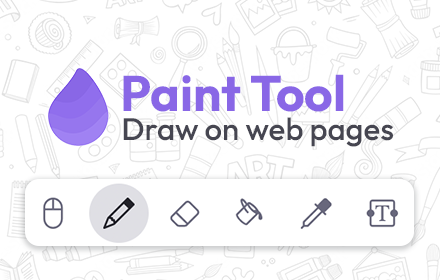
Paint Tool for Chrome
Paint tool to draw anything and anywhere in real-time, paint online. Take a screenshot of your drawing use screenshot tool.
70.0K
★ 4.5

Page Marker Pro - Draw on Web Pages
Draw on web page, annotate, and mark up any webpage with a floating toolbar. Add text, shapes, highlights, and freehand drawings.
106
Data sourced from the Chrome Web Store · last verified May 27, 2026.