
Noota - Screen Recorder & Meeting Assistant
Live Assistant | Record, Transcribe & Summarize Google Meet, Zoom & Teams meetings
As of June 2026, Noota - Screen Recorder & Meeting Assistant has 10,000 users and a 4.58/5 rating from 33 reviews in the Workflow & Planning category.
Usersno change0%
10.0K
10,000
Ratingup 0.4 percent+0.4%
4.58
33 reviews
Reviewsup 3.1 percent+3.1%
33
Version
5.1.3
Manifest V3
90-day change · In the last 90 days this extension 3 version updates.
History
4 snapshotsTracking since Apr 1, 2026.
View as table
| Date | Users | Rating | Reviews | Version |
|---|---|---|---|---|
| Apr 1, 2026 | 10.0K | 4.56 | 32 | 5.0.1 |
| Apr 16, 2026 | 10.0K | 4.56 | 32 | 5.0.2 |
| Apr 22, 2026 | 10.0K | 4.56 | 32 | 5.1.2 |
| Apr 26, 2026 | 10.0K | 4.58 | 33 | 5.1.2 |
| Now | 10.0K | 4.58 | 33 | 5.1.3 |
Changelog
- Apr 16, 2026description
Record, Call & Capture Key Moments - Right from your browser!
Tired of switching tabs to join meetings, take notes, or make a call?

The Noota Chrome Extension is your new shortcut for faster meetings, smarter calls, and clear follow-ups all in one place 📌.

Whether you're in Google Meet, on a CRM page, or browsing a phone number on your favorite ATS, Noota helps you stay focused and capture what matters.

Key Features You’ll Love
• 🎬 One Click to Record Your Screen or Meeting
• 🧭 Record any tab, meeting, or workflow step directly from Chrome. Your files are downloaded instantly and also saved to your Noota dashboard.
• 🔗 Click-to-Call from Any Website
• 📲 See a phone number on a site? Click the Noota icon next to it and start the call, no copy-pasting, no switching devices.
• 🤝 Perfect for recruiters, sales reps, and anyone who makes daily calls.
• 🧠 Live Guidelines at Your Fingertips
• 🗂️ Display your meeting script or checklist directly in the extension. As the conversation progresses, check off points as you go, no need to alt-tab.
• ✒️ Text-Only Mode for Discreet Note-Taking
• 🕶️ No audio. No video. Just clean, structured transcripts of your meetings, ideal for moments where recording isn’t an option.

Custom Settings Per Tab
Configure language, microphone input, templates and more, separately for Recording or Call modes. Also, switch dark/light mode with one click !

🛠️ Designed for Real Workflows
• Noota is trusted by recruiters, sales teams, consultants, and managers who want to:
• ⏱️ Save time on meeting reports
• 🧘 Stay fully present in conversations
• 🎯 Record or call without friction
• 🗂️ Keep all their notes centralized and shareable

Made in 🇫🇷 with ❤️ Secure, simple, and ready to use across your team !
Noota Chrome Extension | Record, transcribe & summarize meetings and calls in one click, right from your browser.
Stop switching between tools. Capture everything that matters and keep all your conversations in one place.

⚡ Key Features
    • Record meetings, your screen, or any browser tab without a bot.
    • Click to call from any website and start recording conversations instantly, no copy-paste.
    • Get AI-generated reports, transcripts, scorecards, and ready-to-send follow-up emails automatically.
    • Use Ask Noota, your AI chat, to ask anything about your conversations and instantly generate insights and structured resources.
    • Access all your recordings in one place, ready to review.
    • Get a clear view of your upcoming meetings with your integrated calendar and decide when to invite your bot to join.

💼 For recruitment teams: unlock additional features with Noota Talent module
    • Take your recruiting workflows further, directly from your browser.
    • Use Noota anywhere, directly inside your ATS and keep all your conversations synchronized without switching tabs.
    • Import candidates from Indeed or your internal job boards into Noota in one click.
    • Everything about your candidates, in seconds: experience, education, emails, calls… and act instantly in one click.
    • Get a clear view of all your open jobs, with candidates and interviews fully connected.
    • Evaluate candidates with AI-powered scoring, match them to your open roles, and identify the best fit instantly.
    • Generate clear insights to support faster and better hiring decisions.
    • Access all your interviews with AI reports, scorecards, clips, transcripts, and follow-up emails.

With our Chrome extension, Noota is always one click away, right inside your workflow.
Permissions & access
- Permissions
- activeTabstorageunlimitedStoragedownloadstabstabCapturescriptingidleoffscreenwebRequestsidePanel
- Host access
- <all_urls>
Screenshots

About
Noota Chrome Extension | Record, transcribe & summarize meetings and calls in one click, right from your browser.
Stop switching between tools. Capture everything that matters and keep all your conversations in one place.

⚡ Key Features
    • Record meetings, your screen, or any browser tab without a bot.
    • Click to call from any website and start recording conversations instantly, no copy-paste.
    • Get AI-generated reports, transcripts, scorecards, and ready-to-send follow-up emails automatically.
    • Use Ask Noota, your AI chat, to ask anything about your conversations and instantly generate insights and structured resources.
    • Access all your recordings in one place, ready to review.
    • Get a clear view of your upcoming meetings with your integrated calendar and decide when to invite your bot to join.

💼 For recruitment teams: unlock additional features with Noota Talent module
    • Take your recruiting workflows further, directly from your browser.
    • Use Noota anywhere, directly inside your ATS and keep all your conversations synchronized without switching tabs.
    • Import candidates from Indeed or your internal job boards into Noota in one click.
    • Everything about your candidates, in seconds: experience, education, emails, calls… and act instantly in one click.
    • Get a clear view of all your open jobs, with candidates and interviews fully connected.
    • Evaluate candidates with AI-powered scoring, match them to your open roles, and identify the best fit instantly.
    • Generate clear insights to support faster and better hiring decisions.
    • Access all your interviews with AI reports, scorecards, clips, transcripts, and follow-up emails.

With our Chrome extension, Noota is always one click away, right inside your workflow.
Technical
- Version
- 5.1.3
- Manifest
- V3
- Size
- 6.37MiB
- Min Chrome
- 88
- Languages
- 1
- Featured
- No
Metadata
- ID
- eilpgeiadholnidgjpgkijfcpaoncchh
- Developer ID
- u8e8d1f3b80d0c2a60854e3cc015da7bd
- Developer Email
- [email protected]
- Created
- May 20, 2021
- Last Updated (Store)
- Apr 22, 2026
- Last Scraped
- Jun 21, 2026
- Website
- noota.io
- Support URL
- https://noota.io
- Privacy Policy
- https://noota.io/privacy/
Similar extensions
Alternatives to Noota - Screen Recorder & Meeting Assistant, ranked by description similarity.

Call Copilot: Live Transcription & AI Meeting Notes
Real-time transcription, AI summaries, and chat for Google Meet, Zoom, Teams. No bot joins your call. Privacy-first.
759
★ 5.0

Notta: AI Meeting Notetaker & Audio Transcription
Instantly capture and transcribe audio from any browser tab or Google Meet into accurate, actionable text with Notta.
100.0K
★ 2.9

Meet Buddy
Easily record your microphone audio during Google Meet sessions and upload it securely for transcription or review.
3
★ 5.0
Record Google Meet
Seamlessly Record Google Meet. Video call capturing is that easy! Create a Google Meet recording even when it is unavailable
50.0K
★ 3.5
MinutesLink: Record, Transcribe & Summarize Meetings
AI note taker for online calls
13
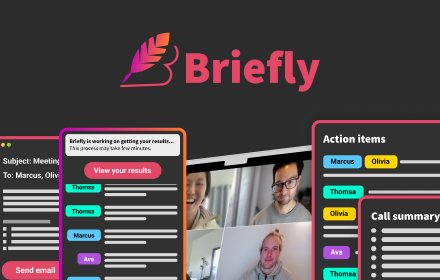
Briefly: AI meeting summary & email follow up
Capture meeting notes, transcribe, summarize and gather insights without distraction.
4.0K
★ 4.5

MeetGeek: AI Meeting Notes, Transcripts & Screen Recording
Get automatic recordings, transcripts, and summaries for online meetings on Google Meet, Zoom, and Teams.
10.0K
★ 4.5

Meetask Meeting Recorder
This extension is only for Meetask app!
7
★ 5.0
Data sourced from the Chrome Web Store · last verified Jun 21, 2026.