
Click to Meet
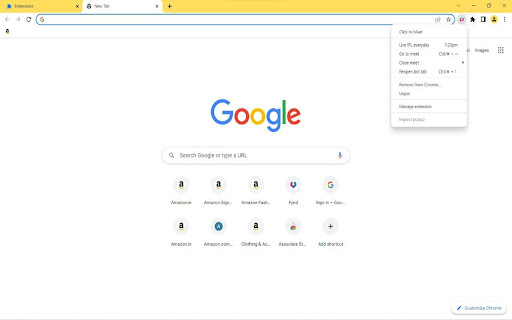
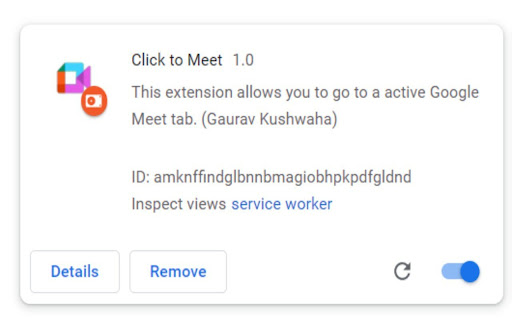
This extension allows you to go to an Active Google Meet tab.
As of June 2026, Click to Meet has 36 users and a 5.00/5 rating from 2 reviews in the Workflow & Planning category.
Usersdown 10.0 percent−10.0%
36
36
Ratingno change0%
5.00
2 reviews
Reviewsno change0%
2
Version
1.3.3
Manifest V3
History
3 snapshotsTracking since Apr 1, 2026.
View as table
| Date | Users | Rating | Reviews | Version |
|---|---|---|---|---|
| Apr 1, 2026 | 40 | 5.00 | 2 | 1.3.3 |
| May 3, 2026 | 43 | 5.00 | 2 | 1.3.3 |
| Jun 2, 2026 | 42 | 5.00 | 2 | 1.3.3 |
| Now | 36 | 5.00 | 2 | 1.3.3 |
Permissions & access
- Permissions
- tabscontextMenus
- Host access
- None declared
Screenshots

About
Watch Live IPL with us
Shortcut key :

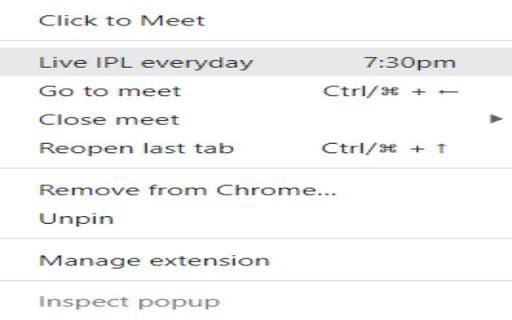
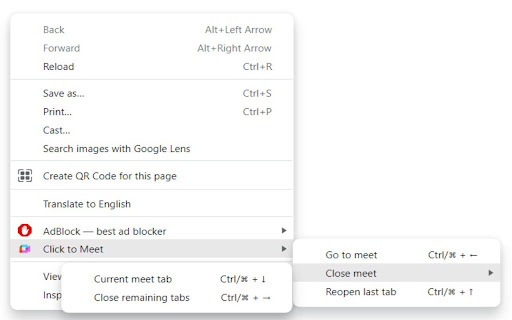
Activate :                                  Ctrl/⌘   +   ←
Leave & Close tab :                 Ctrl/⌘   +   ↓
Close remaining tabs :            Ctrl/⌘  +   →
Reopen last tab :                     Ctrl/⌘   +   ↑

Use shortcut globally by enable option from here:  chrome://extensions/shortcuts
(Search this in chrome bar)

Problem we are solving ⚠️:
- While attending the meet along with work, we face difficulty to find Active google meet tab in all open tabs
- Other might think we are not present in meeting

Solution ✅:
- This chrome-extension help us to find the active tab of google meet with one click and also exit you from meet with one shortcut

Open Source Contribution : https://github.com/heykush/Click-to-Meet

More Updates coming soon ...
Technical
- Version
- 1.3.3
- Manifest
- V3
- Size
- 11.92KiB
- Min Chrome
- 88
- Languages
- 1
- Featured
- Yes
Metadata
- ID
- ehcbipkoaanenigfifjmilglodhkjbfn
- Developer ID
- u164034646e88bf43c903f2a05ef1b96a
- Developer Email
- [email protected]
- Created
- Mar 7, 2022
- Last Updated (Store)
- Apr 2, 2022
- Last Scraped
- Jun 2, 2026
- Website
- —
- Support URL
- https://www.instagram.com/ravvkush/
- Privacy Policy
- —
Similar extensions
Alternatives to Click to Meet, ranked by description similarity.

Meeting Manager
Easily Manage all your google meet conferences from any window or tab. Supports muting/unmuting of microphone, camera and sound.
37

Auto Google Meet: Open & Copy Links Instantly
One-click Google Meet link opener & copier. Instantly start a meeting and share the link!
4

The Meeting Tab
Get Active Google Meet Tab.
148
★ 5.0

New Google Meet
Opens a new Google meet in a new tab
24
★ 5.0

Where is my Meeting?
A small helper to find your online meetings (e.g. Google Meet) in your endless list of tabs!
198
★ 5.0

MeetBouncer: Google Meet Auto-Exit
Automatically leaves Google Meet when participant count falls below your specified threshold, by timer or schedule.
95
★ 3.0

Tab History
View the recently visited tabs
267
★ 3.0

Meet Link
Meet Link is a simple way to create Google Meet links for your meetings without having to open a meeting in a new tab.
3
★ 5.0
Data sourced from the Chrome Web Store · last verified Jun 2, 2026.