
WHV Postcode Marker
Australian working holiday visa postcode marker for Google Maps / 澳大利亚打工度假签证集签地图助手
As of June 2026, WHV Postcode Marker has 275 users and a 5.00/5 rating from 2 reviews in the Productivity category.
Usersup 10.4 percent+10.4%
275
275
Ratingno change0%
5.00
2 reviews
Reviewsno change0%
2
Version
1.6.0
Manifest V3
90-day change · In the last 90 days this extension 2 version updates, changed permissions.
History
7 snapshotsTracking since Apr 1, 2026.
View as table
| Date | Users | Rating | Reviews | Version |
|---|---|---|---|---|
| Apr 1, 2026 | 249 | 5.00 | 2 | 1.1 |
| Apr 21, 2026 | 233 | 5.00 | 2 | 1.1 |
| May 6, 2026 | 264 | 5.00 | 2 | 1.1 |
| May 18, 2026 | 243 | 5.00 | 2 | 1.1 |
| May 24, 2026 | 265 | 5.00 | 2 | 1.2.0 |
| May 31, 2026 | 258 | 5.00 | 2 | 1.6.0 |
| Jun 6, 2026 | 266 | 5.00 | 2 | 1.6.0 |
| Now | 275 | 5.00 | 2 | 1.6.0 |
Changelog
- May 24, 2026description
在 Google 地图上批量标注澳洲邮编,并支持 WHV(462)常见「指定区域」资格预判、按类别一键填充与进度控制;列表名称可自定义并本地保存。

1. 产品详情
WHV Postcode Marker(WHV 集签邮编地图助手) 面向澳洲打工度假(含 462 等需「指定工作与区域」场景)用户:在 Google 地图 上把多个 澳洲邮编 批量加入你自定义的 保存列表,方便规划找工/集签路线。

2. 你能用它做什么
✅批量标注:支持逗号、中文顿号、分号分隔,以及邮编范围(如 2832 至 2836 / 2832 to 2836)。
✅自定义列表名:与你在 Google 地图里创建的列表名称一致即可;名称保存在本机,下次打开仍保留。
✅邮编资格预判:输入单个邮编,可显示是否命中常见政策维度下的区域分类提示(如偏远/北澳/Regional/山火或灾害声明等,可多类同时命中),并提示「可计入起始」类说明(仅供参考,递签请以移民局最新官方清单为准)。
✅批量摘要:在大框中粘贴多邮编时,自动生成命中/未命中摘要,便于核对。
✅按类别一键填充:按类别生成邮编列表并一键开始标注(大量邮编时会提示确认)。
✅进度与可控:标注过程显示进度;支持暂停/继续;进行中锁定主按钮,减少误触;对已保存/重复项可跳过。
✅更多攻略:扩展内提供入口,跳转至作者网站 WHV 专题页浏览长文攻略(扩展内无嵌入广告)。

3.如何使用
在 Google 地图创建列表,记下完全一致的列表名称。
在扩展中填写列表名,输入邮编或选择类别后标注。
请在 Google 地图页面 使用本功能。

4.权限说明
本扩展使用 chrome.storage.local 仅在用户设备本地保存用户自行输入的「Google 地图保存列表名称」等界面设置,用于下次打开扩展时自动回填,避免用户每次重复输入。这些数据 不会上传至开发者服务器,不会用于广告投放或用户画像分析;除用户主动使用本扩展外,不会访问或共享该信息。用户卸载扩展后,相关本地数据将随浏览器扩展数据一并移除(以浏览器行为为准)。

5.重要声明
本工具仅辅助在地图上整理信息与做非官方的资格预判展示,不构成法律/移民建议;政策与邮编清单可能变更,请以 Home Affairs 等官方来源为准。

-
Batch-save Australian postcodes to your Google Maps list with WHV-style area pre-checks, category quick-fill, progress controls, and locally saved custom list names.

1. Product description
WHV Postcode Marker helps Working Holiday–style travellers (including scenarios that rely on specified work / eligible areas, e.g. subclass 462 planning) bulk-add Australian postcodes to a custom Google Maps Saved list, so you can plan job hunting and regional routes faster.

2. What you can do
✅Bulk marking on Google Maps: supports separators (comma / Chinese enumeration comma / semicolon) and ranges (e.g. 2832 to 2836 / 2832 至 2836).
✅Custom list name: match the list name you created in Google Maps exactly; the name is stored locally on your device for next time.
✅Postcode eligibility hints: enter a single postcode to see whether it matches built-in category hints (e.g. remote / northern / regional / bushfire- or disaster-declared style buckets — multiple may apply) plus short “countable from” notes. (Informational only; always verify against the latest official Home Affairs lists before lodging.)
✅Batch summary: paste many postcodes to see a quick matched / unmatched summary.
✅Category quick-fill: generate a postcode list by category and start marking in one go (with a confirmation when the list is very large).
Progress & control: progress bar; pause/resume; main actions locked while running to prevent double-clicks; skips items that are already saved / duplicates where detected.
✅More guides: open the author’s WHV hub on their website (no in-extension embedded ads).

3.Quick start
Create a Saved list in Google Maps and copy the exact list title.
Enter the list name in the extension, then input postcodes (or use category quick-fill) and mark.
Please use the tool on a Google Maps tab.

4.Permissions
This extension uses chrome.storage.local only on the user’s device to remember UI settings such as the user-entered Google Maps Saved list name, so it can be prefilled the next time the popup opens and the user does not need to retype it every session. This data is not uploaded to the developer’s servers, is not used for advertising or profiling, and is not shared except as part of normal browser extension storage. When the user uninstalls the extension, the stored data is removed according to the browser’s extension data lifecycle.

5.Disclaimer
This extension only helps you organise map pins and shows non-official, informational eligibility hints. Rules and postcode lists change; always rely on Home Affairs (and other official sources) for visa decisions.
WHV Postcode Marker(WHV 集签地图助手)是面向澳大利亚打工度假签证(Working Holiday Visa)持有者的 Chrome 扩展,帮助你在 Google 地图上高效规划集签路线。

【核心功能】
• 批量标注:把多个澳洲邮编依次加入你指定的 Google 地图「保存列表」
• 灵活输入:支持逗号、顿号、范围写法(如 2832-2836)
• 资格预判:输入邮编即可查看可能命中的 Remote / Northern / Regional 等区域类型
• 按类别一键填充:按内置规则筛选某类邮编并自动标注
• 进度控制:进度条、暂停/继续、重复项跳过

【AI 城镇顾问 · 可选】
• 根据你的位置、集签目标、行业偏好推荐 3–5 个值得先看的城镇
• 默认使用本地知识库,完全离线可用
• 可选「智能云路由」免费在线 AI(无需 API Key)
• 支持 DeepSeek / Gemini 等 BYOK 模式
• AI 回答仅供参考,递签前请以 Home Affairs 官网为准

【体验】
• 中英双语界面 · Chrome 侧边栏 · 无广告无追踪
• 设置仅保存在本机

更多攻略:https://www.jessieontheroad.com/zh/whv/

本扩展不构成法律或签证建议。请务必查阅 Home Affairs 最新官方清单后再递签。

-
WHV Postcode Marker is a Chrome extension for Australian Working Holiday Visa (WHV) holders — especially those planning second- or third-year regional work under subclass 462 and similar streams. It helps you batch-save postcodes to your Google Maps saved lists and plan where to look next.

CORE FEATURES
• Batch marking — add many Australian postcodes one by one to a Google Maps list you choose
• Flexible input — commas, Chinese separators, and ranges (e.g. 2832–2836, 2832 to 2836)
• Eligibility pre-check — enter a postcode to see if it may match Remote, Northern, Regional, bushfire, or disaster-declared categories
• Category quick-fill — filter postcodes by built-in rules, fill the input box, and mark automatically
• Progress controls — progress bar, pause/resume, skip duplicates, lock buttons while running

AI TOWN ADVISOR (OPTIONAL)
• Suggests 3–5 WHV towns based on your location, visa goal, industry preference, and whether you can drive
• Default: local knowledge base — fully offline, no account required
• Optional “Smart cloud router” — free online AI with automatic model failover (no API key needed)
• Bring-your-own-key (BYOK) for DeepSeek, Gemini, OpenRouter, OpenAI, or Anthropic if you prefer
• Caches identical questions locally for 7 days; one-click send recommended postcodes to the manual input field

⚠️ AI answers may be wrong or outdated. Eligibility hints use built-in rules that can lag behind policy. Always verify on the official Home Affairs website before lodging a visa application. This extension is not legal or immigration advice.

EXPERIENCE
• Chinese / English UI (follows browser language)
• Chrome side panel for a wider, docked layout
• No in-app ads, no tracking
• List name and AI settings stored only on your device (chrome.storage.local)

PERMISSIONS
• activeTab & scripting — run only on Google Maps tabs when you use the extension
• storage — save your list name, AI preferences, and cached answers locally
• Optional AI host permissions — used only when you tap Ask AI and choose an online provider

More WHV guides: https://www.jessieontheroad.com/en/whv/
GitHub: https://github.com/Jessie-jzn/whv_ai_map_marker
- May 24, 2026short_description
Australian working holiday visa postcode marker for Google Maps / 澳大利亚打工度假签证邮编地图工具
Australian working holiday visa postcode marker for Google Maps / 澳大利亚打工度假签证集签地图助手
- May 24, 2026host_permissions
https://www.google.com/maps/*
https://www.google.com/maps/*, https://api.openai.com/*, https://api.anthropic.com/*, https://openrouter.ai/*, https://generativelanguage.googleapis.com/*, https://api.deepseek.com/*, https://*.workers.dev/*
- May 24, 2026permissions
activeTab, scripting, storage
activeTab, scripting, storage, sidePanel
- May 18, 2026description
WHV Postcode Marker / WHV 邮编地图助手

A Chrome extension that helps Working Holiday Visa (WHV) holders to mark postcodes on Google Maps efficiently. This tool is particularly useful for finding farm, meat processing, and construction jobs across different regions.

一个帮助打工度假签证(WHV)持有者在谷歌地图上高效标注邮编的 Chrome 扩展。这个工具特别适合寻找各地的农场、肉厂和建筑类工作。

-
Features 功能特点

- 🔍 Batch mark multiple postcodes on Google Maps
- 📍 Support for postcode ranges (e.g., "2832 to 2836")
- 🌏 Works on all Google Maps domains (google.com/maps, google.com.hk/maps, etc.)
- 💾 Automatically saves to your custom Google Maps list
- 📋 Easy list name copying
- 🌐 Bilingual support (English & Chinese)
- 🔍 批量在谷歌地图上标注多个邮编
- 📍 支持邮编范围(例如:"2832 至 2836")
- 🌏 支持所有谷歌地图域名(google.com/maps, google.com.hk/maps 等)
- 💾 自动保存到你的自定义谷歌地图列表
- 📋 一键复制列表名称
- 🌐 支持中英双语

Installation 安装方法

1. Download the latest release from the [Releases page](https://github.com/yourusername/zip_to_gmaps/releases)
2. Open Chrome and go to `chrome://extensions/`
3. Enable "Developer mode" in the top right corner
4. Click "Load unpacked" and select the downloaded extension folder
5. 从 [Releases 页面](https://github.com/yourusername/zip_to_gmaps/releases) 下载最新版本
6. 打开 Chrome 浏览器,访问 `chrome://extensions/`
7. 在右上角启用"开发者模式"
8. 点击"加载已解压的扩展程序",选择下载的扩展文件夹

How to Use 使用方法

Step 1: Create a Google Maps List 第一步:创建谷歌地图列表

1. Open [Google Maps](https://www.google.com/maps)
2. Click the menu (☰) → Saved → Lists → New List
3. Create a new list (e.g., "🦘 澳洲 WHV 农场/肉场/建筑类集签列表")
4. Remember the exact list name
5. 打开 [谷歌地图](https://www.google.com/maps)
6. 点击菜单 (☰) → 已保存 → 列表 → 新建列表
7. 创建一个新列表(例如:"🦘 澳洲 WHV 农场/肉场/建筑类集签列表")
8. 记住列表的准确名称

Step 2: Use the Extension 第二步:使用扩展

1. Click the extension icon in Chrome to open the popup
2. Enter your custom list name (or use the default)
3. Enter postcodes in the text area:

   - Single postcodes: `2356, 2386, 2396`
   - Ranges: `2832 to 2836`
   - Mixed format: `2356, 2386, 2832 to 2836, 2899`
4. Click "📍 Mark on Map" button
5. Wait for the process to complete
6. 点击 Chrome 中的扩展图标打开弹窗
7. 输入你的自定义列表名称(或使用默认名称)
8. 在文本框中输入邮编:

   - 单个邮编:`2356、2386、2396`
   - 邮编范围:`2832至2836`
   - 混合格式:`2356、2386、2832至2836、2899`
9. 点击"📍 标注到地图"按钮
10. 等待处理完成

Tips 使用提示

- 🔄 The extension will automatically detect your browser language
- 📋 Click the clipboard icon to copy your list name
- ⚠️ Make sure you're on Google Maps when using the extension
- 💡 You can use either commas (,) or Chinese list commas (、) to separate postcodes
- 🎯 The status message will show the current progress and automatically hide after completion
- 🔄 扩展会自动检测你的浏览器语言
- 📋 点击剪贴板图标可以复制列表名称
- ⚠️ 使用扩展时请确保在谷歌地图页面
- 💡 可以使用英文逗号(,)或中文顿号(、)分隔邮编
- 🎯 状态消息会显示当前进度,完成后自动隐藏

Common Issues 常见问题

1. Extension not working?
   - Make sure you're on Google Maps
   - Check if the list name matches exactly
   - Try refreshing the page

2. Postcodes not saving?
   - Verify the postcode format
   - Check your internet connection
   - Ensure you're logged into Google Maps

3. 扩展不工作?
   - 确保你在谷歌地图页面
   - 检查列表名称是否完全匹配
   - 尝试刷新页面

4. 邮编没有保存?
   - 验证邮编格式
   - 检查网络连接
   - 确保已登录谷歌地图
在 Google 地图上批量标注澳洲邮编,并支持 WHV(462)常见「指定区域」资格预判、按类别一键填充与进度控制;列表名称可自定义并本地保存。

1. 产品详情
WHV Postcode Marker(WHV 集签邮编地图助手) 面向澳洲打工度假(含 462 等需「指定工作与区域」场景)用户:在 Google 地图 上把多个 澳洲邮编 批量加入你自定义的 保存列表,方便规划找工/集签路线。

2. 你能用它做什么
✅批量标注:支持逗号、中文顿号、分号分隔,以及邮编范围(如 2832 至 2836 / 2832 to 2836)。
✅自定义列表名:与你在 Google 地图里创建的列表名称一致即可;名称保存在本机,下次打开仍保留。
✅邮编资格预判:输入单个邮编,可显示是否命中常见政策维度下的区域分类提示(如偏远/北澳/Regional/山火或灾害声明等,可多类同时命中),并提示「可计入起始」类说明(仅供参考,递签请以移民局最新官方清单为准)。
✅批量摘要:在大框中粘贴多邮编时,自动生成命中/未命中摘要,便于核对。
✅按类别一键填充:按类别生成邮编列表并一键开始标注(大量邮编时会提示确认)。
✅进度与可控:标注过程显示进度;支持暂停/继续;进行中锁定主按钮,减少误触;对已保存/重复项可跳过。
✅更多攻略:扩展内提供入口,跳转至作者网站 WHV 专题页浏览长文攻略(扩展内无嵌入广告)。

3.如何使用
在 Google 地图创建列表,记下完全一致的列表名称。
在扩展中填写列表名,输入邮编或选择类别后标注。
请在 Google 地图页面 使用本功能。

4.权限说明
本扩展使用 chrome.storage.local 仅在用户设备本地保存用户自行输入的「Google 地图保存列表名称」等界面设置,用于下次打开扩展时自动回填,避免用户每次重复输入。这些数据 不会上传至开发者服务器,不会用于广告投放或用户画像分析;除用户主动使用本扩展外,不会访问或共享该信息。用户卸载扩展后,相关本地数据将随浏览器扩展数据一并移除(以浏览器行为为准)。

5.重要声明
本工具仅辅助在地图上整理信息与做非官方的资格预判展示,不构成法律/移民建议;政策与邮编清单可能变更,请以 Home Affairs 等官方来源为准。

-
Batch-save Australian postcodes to your Google Maps list with WHV-style area pre-checks, category quick-fill, progress controls, and locally saved custom list names.

1. Product description
WHV Postcode Marker helps Working Holiday–style travellers (including scenarios that rely on specified work / eligible areas, e.g. subclass 462 planning) bulk-add Australian postcodes to a custom Google Maps Saved list, so you can plan job hunting and regional routes faster.

2. What you can do
✅Bulk marking on Google Maps: supports separators (comma / Chinese enumeration comma / semicolon) and ranges (e.g. 2832 to 2836 / 2832 至 2836).
✅Custom list name: match the list name you created in Google Maps exactly; the name is stored locally on your device for next time.
✅Postcode eligibility hints: enter a single postcode to see whether it matches built-in category hints (e.g. remote / northern / regional / bushfire- or disaster-declared style buckets — multiple may apply) plus short “countable from” notes. (Informational only; always verify against the latest official Home Affairs lists before lodging.)
✅Batch summary: paste many postcodes to see a quick matched / unmatched summary.
✅Category quick-fill: generate a postcode list by category and start marking in one go (with a confirmation when the list is very large).
Progress & control: progress bar; pause/resume; main actions locked while running to prevent double-clicks; skips items that are already saved / duplicates where detected.
✅More guides: open the author’s WHV hub on their website (no in-extension embedded ads).

3.Quick start
Create a Saved list in Google Maps and copy the exact list title.
Enter the list name in the extension, then input postcodes (or use category quick-fill) and mark.
Please use the tool on a Google Maps tab.

4.Permissions
This extension uses chrome.storage.local only on the user’s device to remember UI settings such as the user-entered Google Maps Saved list name, so it can be prefilled the next time the popup opens and the user does not need to retype it every session. This data is not uploaded to the developer’s servers, is not used for advertising or profiling, and is not shared except as part of normal browser extension storage. When the user uninstalls the extension, the stored data is removed according to the browser’s extension data lifecycle.

5.Disclaimer
This extension only helps you organise map pins and shows non-official, informational eligibility hints. Rules and postcode lists change; always rely on Home Affairs (and other official sources) for visa decisions.
- May 18, 2026permissions
activeTab, scripting
activeTab, scripting, storage
Permissions & access
- Permissions
- activeTabscriptingstoragesidePanel
- Host access
- https://www.google.com/maps/*, https://api.openai.com/*, https://api.anthropic.com/*, https://openrouter.ai/*, https://generativelanguage.googleapis.com/*, https://api.deepseek.com/*, https://*.workers.dev/*
Screenshots


About
WHV Postcode Marker(WHV 集签地图助手)是面向澳大利亚打工度假签证(Working Holiday Visa)持有者的 Chrome 扩展,帮助你在 Google 地图上高效规划集签路线。

【核心功能】
• 批量标注:把多个澳洲邮编依次加入你指定的 Google 地图「保存列表」
• 灵活输入:支持逗号、顿号、范围写法(如 2832-2836)
• 资格预判:输入邮编即可查看可能命中的 Remote / Northern / Regional 等区域类型
• 按类别一键填充:按内置规则筛选某类邮编并自动标注
• 进度控制:进度条、暂停/继续、重复项跳过

【AI 城镇顾问 · 可选】
• 根据你的位置、集签目标、行业偏好推荐 3–5 个值得先看的城镇
• 默认使用本地知识库,完全离线可用
• 可选「智能云路由」免费在线 AI(无需 API Key)
• 支持 DeepSeek / Gemini 等 BYOK 模式
• AI 回答仅供参考,递签前请以 Home Affairs 官网为准

【体验】
• 中英双语界面 · Chrome 侧边栏 · 无广告无追踪
• 设置仅保存在本机

更多攻略:https://www.jessieontheroad.com/zh/whv/

本扩展不构成法律或签证建议。请务必查阅 Home Affairs 最新官方清单后再递签。

-
WHV Postcode Marker is a Chrome extension for Australian Working Holiday Visa (WHV) holders — especially those planning second- or third-year regional work under subclass 462 and similar streams. It helps you batch-save postcodes to your Google Maps saved lists and plan where to look next.

CORE FEATURES
• Batch marking — add many Australian postcodes one by one to a Google Maps list you choose
• Flexible input — commas, Chinese separators, and ranges (e.g. 2832–2836, 2832 to 2836)
• Eligibility pre-check — enter a postcode to see if it may match Remote, Northern, Regional, bushfire, or disaster-declared categories
• Category quick-fill — filter postcodes by built-in rules, fill the input box, and mark automatically
• Progress controls — progress bar, pause/resume, skip duplicates, lock buttons while running

AI TOWN ADVISOR (OPTIONAL)
• Suggests 3–5 WHV towns based on your location, visa goal, industry preference, and whether you can drive
• Default: local knowledge base — fully offline, no account required
• Optional “Smart cloud router” — free online AI with automatic model failover (no API key needed)
• Bring-your-own-key (BYOK) for DeepSeek, Gemini, OpenRouter, OpenAI, or Anthropic if you prefer
• Caches identical questions locally for 7 days; one-click send recommended postcodes to the manual input field

⚠️ AI answers may be wrong or outdated. Eligibility hints use built-in rules that can lag behind policy. Always verify on the official Home Affairs website before lodging a visa application. This extension is not legal or immigration advice.

EXPERIENCE
• Chinese / English UI (follows browser language)
• Chrome side panel for a wider, docked layout
• No in-app ads, no tracking
• List name and AI settings stored only on your device (chrome.storage.local)

PERMISSIONS
• activeTab & scripting — run only on Google Maps tabs when you use the extension
• storage — save your list name, AI preferences, and cached answers locally
• Optional AI host permissions — used only when you tap Ask AI and choose an online provider

More WHV guides: https://www.jessieontheroad.com/en/whv/
GitHub: https://github.com/Jessie-jzn/whv_ai_map_marker
Technical
- Version
- 1.6.0
- Manifest
- V3
- Size
- 107KiB
- Min Chrome
- 88
- Languages
- 1
- Featured
- No
Metadata
- ID
- egeghnbaaahclfjphpniikndflooileg
- Developer ID
- u882dae86b3e228dbc27a62753033d300
- Developer Email
- [email protected]
- Created
- May 14, 2025
- Last Updated (Store)
- May 24, 2026
- Last Scraped
- Jun 6, 2026
- Website
- jessieontheroad.com
- Support URL
- —
- Privacy Policy
- —
Similar extensions
Alternatives to WHV Postcode Marker, ranked by description similarity.

工作时间查看器
查看不同国家/地区的当前时间及工作状态。
51

知乎搜索
在右键菜单中添加知乎搜索选项
27

万能搜索助手
集成全球50个各种搜索引擎的搜索助手
39

Job Application Autofill
Fill common job-application forms (generic, Greenhouse, Lever) with your saved profile.
24

华人网 - 华人贴分类信息网
华人贴分类信息网快速访问工具,提供海外华人招聘、店铺转让、租房、二手闲置、维修翻新、求助帮忙等便捷服务
—

The Maps Express
A Shortcut to Google Maps, but Rich and Beautiful.
1.0K
★ 5.0
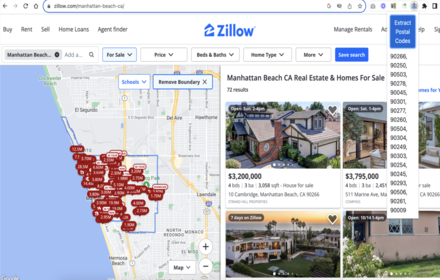
Data Scraper Worldwide Postal & Zip Codes
Free Web Data Scraping Worldwide Postal Code & ZIP Code Extractor from any web page
10.0K

Address Finder for Rightmove
Address Finder for Rightmove.
5.0K
★ 5.0
Data sourced from the Chrome Web Store · last verified Jun 6, 2026.