
Zenith Vertical Tabs
A premium Zen-inspired vertical sidebar that appears on hover or with Alt+V
As of June 2026, Zenith Vertical Tabs has — users and a 3.86/5 rating from 7 reviews in the Functionality & UI category.
Usersno change0%
—
—
Ratingdown 10.9 percent−10.9%
3.86
7 reviews
Reviewsup 16.7 percent+16.7%
7
Version
1.0.2
Manifest V3
History
2 snapshotsTracking since Apr 21, 2026.
Not enough history yet for this metric — the chart fills in as we collect more snapshots.
View as table
| Date | Users | Rating | Reviews | Version |
|---|---|---|---|---|
| Apr 21, 2026 | — | 4.33 | 6 | 1.0.2 |
| May 2, 2026 | — | 4.33 | 6 | 1.0.2 |
| Now | — | 3.86 | 7 | 1.0.2 |
Permissions & access
- Permissions
- tabstabGroupsactiveTabhistorytopSitesstorage
- Host access
- <all_urls>
Screenshots

About
🚧 EARLY BETA — Thank you for being an early adopter!

🌿 ZENITH VERTICAL TABS — A Zen-Inspired Browsing Experience

Transform your Chrome browser with a sleek, minimal vertical tabs sidebar inspired by Zen Browser. Access all your tabs with a simple hover or the Alt+V shortcut.

⚠️ This extension is in early beta. You may encounter bugs or unexpected behavior. We appreciate your patience and feedback as we continue to improve!

━━━━━━━━━━━━━━━━━━━━━━━━━━━━━━━━━━

✨ KEY FEATURES

- Vertical Sidebar — Hover on the left edge or press Alt+V to reveal your tabs
- Pin Sidebar — Keep it constantly visible (pushes website content so nothing is covered)
- Resizable Width — Drag the edge to customize the sidebar size to your liking
- Tab Search — Quickly find any tab with instant search
- Smart URL Bar — Press Alt+T for new tab or Alt+K to edit current URL
- Tab Groups — Organize tabs into colored groups
- Drag & Drop — Reorder tabs effortlessly
- Tab Previews — Hover over tabs to see page snapshots
- Context Menu — Right-click for quick actions (pin, mute, duplicate, close, move to window, add to group, and more)

━━━━━━━━━━━━━━━━━━━━━━━━━━━━━━━━━━

⌨️ KEYBOARD SHORTCUTS

Alt+V → Toggle sidebar
Alt+T → Open new tab with URL bar
Alt+K → Edit current page URL

━━━━━━━━━━━━━━━━━━━━━━━━━━━━━━━━━━

🎨 DESIGN PHILOSOPHY

Inspired by Zen Browser and Arc, Zenith brings a premium minimal aesthetic to Chrome. The sidebar features:

- Frosted glass effect with subtle blur
- Smooth animations and micro-interactions
- Clean typography and intuitive icons
- Dark theme that complements any website

━━━━━━━━━━━━━━━━━━━━━━━━━━━━━━━━━━

🔒 PRIVACY FIRST

- No data collection
- No analytics or tracking
- Works entirely offline

━━━━━━━━━━━━━━━━━━━━━━━━━━━━━━━━━━

🚀 BONUS FEATURES

- Pinned tabs grid — Quick access to your favorite sites
- Audio indicators — See which tabs are playing sound
- Mute controls — Silence noisy tabs with one click
- Tab discarding — Save memory on inactive tabs
- Multi-window support — Each window has its own sidebar
- Navigation controls — Back, forward, refresh, and home buttons

━━━━━━━━━━━━━━━━━━━━━━━━━━━━━━━━━━

Perfect for power users who want a cleaner, more organized browsing experience without sacrificing aesthetics.

🐛 Found a bug? Have feedback? We'd love to hear from you!
Technical
- Version
- 1.0.2
- Manifest
- V3
- Size
- 108KiB
- Min Chrome
- 88
- Languages
- 1
- Featured
- No
Metadata
- ID
- echpkocijdhfblnmeiajjdkfkfifenmi
- Developer ID
- uc34f882801b3e8f0f67feafa0ed5df03
- Developer Email
- [email protected]
- Created
- Dec 27, 2025
- Last Updated (Store)
- Jan 7, 2026
- Last Scraped
- Jun 5, 2026
- Support URL
- —
Similar extensions
Alternatives to Zenith Vertical Tabs, ranked by description similarity.

Vertical Tabs by Sensasi Delight — Sidebar & Fullscreen Navigation
Press ALT + X to toggle the side panel 🧭 A clean vertical tab sidebar for Chrome — fast, minimal, and fully usable in fullscreen 🧭
9

Tabs in Vertical
Displays all open tabs in a vertical sidebar for better readability
96
★ 5.0

vertab
Display open tabs in a vertical sidebar
9
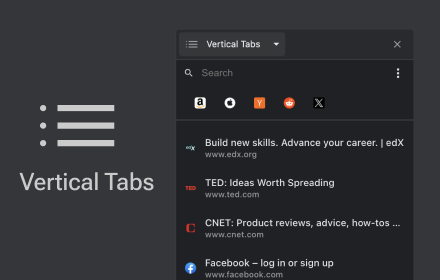
Vertical Tabs
Vertical tab manager in side panel
70.0K
★ 4.1

Thready - Vertical Tabs
Vertical tabs, bookmarks, history and readling list in side panel.
1.0K
★ 4.1

Vertical Tabs - Tab Manager
Best vertical tabs extension. Sidebar, Vertical Tabs, Tab Manager, Tab groups
1.0K
★ 4.5

Vertical Tab Manager
A lightweight vertical tab manager for Chrome.
9
★ 3.0

Tabistant
Tab assistant. 🤵🐾 Vertical tabs, tab previews, suspend inactive tabs, archive tabs for reading later, with custom themes.
2
★ 2.0
Data sourced from the Chrome Web Store · last verified Jun 5, 2026.