
PIP screen for html5 video
Enable Picture-in-Picture mode for any video on the web
As of June 2026, PIP screen for html5 video has 10,000 users and a 4.67/5 rating from 49 reviews in the Accessibility category.
Usersno change0%
10.0K
10,000
Ratingno change0%
4.67
49 reviews
Reviewsno change0%
49
Version
0.1.02
Manifest V3
Permissions & access
- Permissions
- scriptingtabsstorage
- Host access
- None declared
Screenshots
About
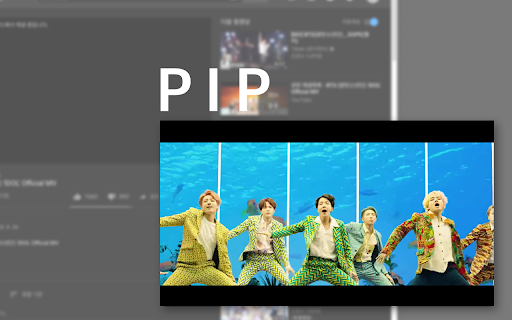
It just find video element(HTML5) and run Picture in picture script on Chrome. that's what i made.
You can also set shortcuts in the extension settings.

----
- 0.1.1 - rebuild

제가 편하려고 만들었습니다. ^^;
html5 video 기능을 사용하는 사이트라면 대부분 가능합니다.
(pooq, youtube, netflix, vlive, naver tv, afreecatv(html버전), tving, twitch...)

크롬의 PIP기능을 스크립트로 호출하여 사용합니다.
크롬 확장프로그램 화면에(크롬 옵션 - 도구 더보기 -> 확장프로그램 -> 상단 왼쪽 가로줄3개의 메뉴버튼클릭)
단축키 설정도 있습니다. 참고하세요.

자막은 지원하지 않습니다.
자막과 함께 브라우저 자체를 항상 위에 고정하여 쓰길 원한다면 아래의 팁을 참고해주세요^^

**팁 **

윈도우에서 화면 항상위에 고정기능이 필요하다면
https://www.autohotkey.com/
에서 오토핫키(키보드, 마우스 리매핑프로그램) 설치 후
메모장을 열어 아래내용을 한줄 작성합니다

^SPACE::  Winset, Alwaysontop, , A

그리고 ahk확장자로 저장합니다 (예를들면: AlwaysOnTop.ahk)

더블클릭하면 해당 프로세스가 실행되며, (시작프로그램바 우측하단 H모양 아이콘)
컨트롤+스페이스 단축키로 현재창을 고정하거나 해제할 수 있습니다.

시작프로그램에 넣어두고자 한다면
윈도우키+R을 눌러 실행창을 열고
shell:startup

을 입력후에 뜨는 폴더에 해당파일을 넣어주세요.

그리고,
단축키 설정하는 화면으로 가셔서 설정하시면
윈도우창을 주소표시줄 없이 팝업창을 띄우는 것도 가능합니다.
Technical
- Version
- 0.1.02
- Manifest
- V3
- Size
- 196KiB
- Min Chrome
- 88
- Languages
- 1
- Featured
- No
Metadata
- ID
- ebgihmollhfickaopoldkikdnipmdemg
- Developer ID
- uf0729675b7530bd94dab5df3bb97e609
- Developer Email
- [email protected]
- Created
- Nov 7, 2018
- Last Updated (Store)
- Apr 5, 2025
- Last Scraped
- Jun 7, 2026
- Website
- —
- Support URL
- —
Similar extensions
Alternatives to PIP screen for html5 video, ranked by description similarity.

Floating Video Player & Picture-in-Picture for All Sites
Floating video player for YouTube, Netflix & any site. Keep watching while working!
1.0K
★ 4.0

Easy PIP Switcher
You can easily switch to picture-in-picture mode when the video is cropped.(動画が見切れた際に簡単にピクチャーインピクチャーモードに切り替えることができます。)
8

ImTools
Youtube Shorts link to Normal video link, Search on namu wiki, Pdf no toolbar viewer
28
★ 5.0

PiP With Controls
View videos in Picture-in-Picture mode across the web.
56
★ 5.0

YouTube PiP Extension
1. *Picture-in-Picture Mode*: Watch YouTube videos in Picture-in-Picture (PiP) mode while browsing other tabs or using other…
4.0K
★ 5.0

Picture in picture by NNT
Switch videos into Picture-in-Picture (PiP) mode, allowing you to freely browse the internet or work on other web pages.
279
★ 5.0

SubPiP – Picture-in-Picture with Subtitle Support
Picture in Picture
415
★ 4.2

Auto PiP for YouTube™ - Video Controller
Control YouTube video playback in background tabs
782
★ 5.0
Data sourced from the Chrome Web Store · last verified Jun 7, 2026.