
MossVox Subtitle Plugin
Support 130+ languages, real-time recognition, multilingual subtitles, and smart summaries for study and watching shows.
As of June 2026, MossVox Subtitle Plugin has 5,000 users and a 1.95/5 rating from 19 reviews in the Productivity category.
Usersno change0%
5.0K
5,000
Ratingno change0%
1.95
19 reviews
Reviewsno change0%
19
Version
1.0.8.0
Manifest V3
90-day change · In the last 90 days this extension 1 version update.
History
1 snapshotsTracking since Apr 28, 2026.
View as table
| Date | Users | Rating | Reviews | Version |
|---|---|---|---|---|
| Apr 28, 2026 | 5.0K | 1.95 | 19 | 1.0.7.0 |
| Now | 5.0K | 1.95 | 19 | 1.0.8.0 |
Changelog
- Apr 28, 2026name
MossVox Subtitle Plugin - Voice recognition, AI translation, Summarization
MossVox Subtitle Plugin
Permissions & access
- Permissions
- activeTabtabsstoragetabCapturedownloadscookies
- Host access
- http://*/*, https://*/*, file://*
Screenshots


About
*******Brand New Version Upgrade*********

**Features of MossVox Subtitle Plugin:**
1. **Free Subtitles Included:** Enjoy free subtitles from popular websites like YouTube and Bilibili, available for download.
2. **One-Click Smart AI Summaries:** Quickly grasp the full content with features like full summaries, keywords, chapter overviews, and mind maps.
3. **Access the MossVox Platform:** Connect to a cutting-edge audio and video AI application platform that supports editing subtitle records, note-taking, and management. It also includes modules for simultaneous transcription, URL transcription, and local audio/video transcription, covering all aspects of life, entertainment, learning, and work (Website: www.mossvox.com).

*******About Subtitle Plugin**********

Have you ever faced these frustrations?
1. Wanting to learn cutting-edge international technologies to improve yourself but struggling to understand foreign video tutorials/resources?
2. Finally waiting for the release of your favorite product’s conference, only to find there are no Chinese subtitles?
3. Suffering through the wait for updates on American dramas, overseas variety shows, or Japanese anime, all while having to wait for the Chinese subtitle versions?

Subtitle Genie, the AI subtitle translation plugin, can help solve all these concerns!

Developed by New Tranx Technology, Subtitle Genie can recognize speech in real-time, automatically translate, and display bilingual subtitles. It supports smart recognition, allows for subtitle and audio export, and enables online editing of subtitle text.

With advanced speech recognition and AI translation technology, whether you are listening to speeches, watching classes, or following dramas and songs, Subtitle Genie can quickly recognize, translate, and automatically generate subtitles, allowing you to overcome language barriers and avoid confusion.

**User Instructions:**

1. **Which languages are supported?**
 Supports recognition and translation of over130 languages/dialects worldwide.

2. **How to set the recognition and translation languages?**
 The default recognition language is English. If your current video is in another language, you can change the source language in the subtitle window. The target language can also be set in the subtitle window. Additionally, you can use smart recognition to automatically detect the video's language, specifying a range of up to five languages.

3. **Can subtitles and audio be exported?**
 Yes. You can export the text that has already been recognized and translated in the current subtitle window. You can also view and export historical subtitles and audio. Subtitle text can be exported in TXT or SRT format, and audio in MP3 format. Just ensure you go to the settings page and manually turn on the "Auto Save Subtitles" switch.

4. **Can single or bilingual subtitles be set?**
 The default setting is bilingual subtitles, which can be changed to display only “Original” or “Translation” in the subtitle window or personal center.

5. **Are style settings supported?**
 Yes, there are three preset display styles that you can switch between freely. You can also use custom styles to set your preferred font size, color, outline color, background color, and background style.

6. **What about usage fees?**
 Subtitle Genie includes in-app purchases. New users will receive a certain amount of free usage credits upon installing and logging into the plugin, and once those credits are exhausted, they can purchase additional credits to continue using the service.

If you have any questions or suggestions, please email us at [email protected], or click “Contact Customer Service” on the Subtitle Genie settings page.
Technical
- Version
- 1.0.8.0
- Manifest
- V3
- Size
- 21.14MiB
- Min Chrome
- 88
- Languages
- 6
- Featured
- No
Metadata
- ID
- dmpmnkbjbdpimnfjfaioomceonmjfdbo
- Developer ID
- uff49b7705f4e1352b0d69a6810fa6109
- Developer Email
- [email protected]
- Created
- Nov 8, 2024
- Last Updated (Store)
- Apr 20, 2026
- Last Scraped
- Jun 13, 2026
- Website
- —
- Support URL
- —
- Privacy Policy
- —
Similar extensions
Alternatives to MossVox Subtitle Plugin, ranked by description similarity.
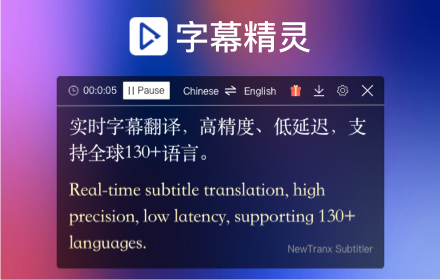
字幕精灵 - 实时语音识别、AI字幕翻译
看海外网剧、学习两不误,新译字幕精灵来相助,基于浏览器的字幕翻译神器。
30.0K
★ 3.5

SRT/VTT/ASS Subtitle Translator powered by ChatGPT
Translate SRT/VTT/ASS subtitle files in 1 click to multiple languages using ChatGPT. 10KB free daily usage.
361
★ 4.3

Chrome Sub
Add Subtitles
40

Vi Subtitle: Add Live Captions to Any Webpage
Vi Subtitle - Add Live Captions for your watching video or speech with AI
10.0K
★ 2.3
Fast Translation - Video | YouTube
Video bilingual subtitle, supporting multiple platforms such as YouTube and Netflix
3.0K
★ 2.9

ASS Subtitle Translator
Translate ASS Subtitles with AI While Preserving Styling and Timing
18

SubLingo - Dual Subtitles & Language Learning
Dual subtitles for Netflix, YouTube, TED & Coursera. Hover translate, save words as flashcards, and learn languages.
206
★ 5.0

SubDub - Immersive Dubbing & Video Translation
One-click AI video translation and dubbing with real-time interpretation. Understand languages instantly, watch like a native.
2.0K
★ 3.8
Data sourced from the Chrome Web Store · last verified Jun 13, 2026.