
Share Google Slides Control
A tool to enable remote shared control of Google Slides presentations
As of May 2026, Share Google Slides Control has 41 users in the Productivity category.
Usersdown 21.2 percent−21.2%
41
41
Ratingno change0%
—
— reviews
Reviewsno change0%
—
Version
1.0
Manifest V3
History
3 snapshotsTracking since Apr 1, 2026.
View as table
| Date | Users | Rating | Reviews | Version |
|---|---|---|---|---|
| Apr 1, 2026 | 52 | — | — | 1.0 |
| Apr 30, 2026 | 48 | — | — | 1.0 |
| May 28, 2026 | 49 | — | — | 1.0 |
| Now | 41 | — | — | 1.0 |
Permissions & access
- Permissions
- None declared
- Host access
- https://shared-google-slides-control.cleverapps.io/, https://cdn.jsdelivr.net/
Screenshots

About
# Shared Google Slides Control

A tool to enable remote shared control of Google Slides presentations.

## Overview

Shared Google Slides Control addresses a common pain point in remote presentations with multiple speakers: the challenge of slide deck control. Traditionally, only one speaker can manage the slide transitions, which can disrupt the flow of the presentation.

This project empowers presenters by allowing them to share control of a Google Slides deck with other speakers seamlessly.


## How It Works

The solution involves either a Chrome Extension or a Greasemonkey/Tampermonkey Userscript on the presenter's side that connects to a remote server via WebSocket. This setup facilitates the following features:

- **QR Code and Link Generation**: The userscript generates a QR code or a link that can be shared with co-presenters.
- **Remote Control Interface**: Co-presenters can use the provided link to access a user interface that allows them to control the slide deck in real-time.

https://github.com/user-attachments/assets/befd48ca-fcbe-49ce-ac8e-0cbc6caf2dde

## Features

- **Seamless Integration**: Easily integrate with your existing Google Slides presentations.
- **Real-Time Collaboration**: Multiple presenters can control slide transitions without interruptions.
- **Secure Connections**: Utilizes WebSocket connections to ensure real-time, secure control sharing.

## Usage

If you simply want to use this project to share your slides, I have deployed an instance of the server on [Clever Cloud](https://clever-cloud.com), and you can use it as is.

In order to use it you will need to follow this steps:

1. **Presenter Setup**: The main presenter installs the userscript or the extension and initiates the presentation.
2. **Share Control**: The presenter shares the generated QR code or link with co-presenters.
3. **Co-presenters Control**: Co-presenters access the control interface through the shared link and can control slide transitions in real-time.


### Installing the Userscript

1. **Install Userscripts plugin in your browser**: the most populars are [Tampermonkey](https://tampermonkey.net/) and [Greasemonkey](http://www.greasespot.net/).
2. **Add the Userscript**: directly from [GitHub](./userscript/shared-google-slides-control.user.js), or from the [GreasyFork page](https://greasyfork.org/en/scripts/500807-share-google-slides-controls).
3. **Run the Script**: Open your Google Slides presentation, and the script will automatically display a QR code and link for sharing control.


### Installing the extension

The Chrome Extension isn't in the store yet, you need to manually load it in unpacked format from the `chrome-extension` folder, [as described in Chrome Extensions documentation](https://developer.chrome.com/docs/extensions/get-started/tutorial/hello-world#load-unpacked).

## Deploying the server elsewhere

You can deploy the server in any host accepting NodeJS. You will need to change the Userscript and the Chrome Extension as they point to the [Clever Cloud](https://clever-cloud.com) instance of the server.

## Contribution

We welcome contributions from the community! Feel free to submit pull requests, report issues, or suggest features.

## License

This project is licensed under the MIT License. See the LICENSE file for more details.
Technical
- Version
- 1.0
- Manifest
- V3
- Size
- 23.62KiB
- Min Chrome
- 88
- Languages
- 1
- Featured
- No
Metadata
- ID
- dlkklgmnbhdpfnnndfiklcdllimifedf
- Developer ID
- ud23c4cadd5132df4c18b8cee6a6b51da
- Developer Email
- [email protected]
- Created
- Jul 17, 2024
- Last Updated (Store)
- Jul 17, 2024
- Last Scraped
- May 28, 2026
- Website
- —
- Support URL
- —
- Privacy Policy
- —
Similar extensions
Alternatives to Share Google Slides Control, ranked by description similarity.

Remotely
Remotely enables collaborative presentations without requiring additional devices or apps.
18
★ 5.0
Copresent
Allows multiple people to present the same Google Slides presentation.
318

PowerSlides
Control Google Slides remotely. Pairs with the PowerSlides server to relay slide state and commands to the Even Realities app.
65
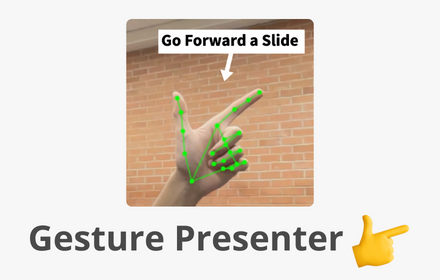
Gesture Presenter - Remote for Slides
Control Slides with just hand gestures!
256
★ 5.0

Google Slides Zoom
Zoom Google Slides presentations using Ctrl+/- or Ctrl+Scroll
25
★ 5.0

Showmaster Chrome Extension
This extension improves the user experience of Showmaster in Google Slides
529
★ 3.7

Google Slides Dynamic Timer
The perfect timer for Google Slides
—

Animations for Google Slides™
Swiftly Incorporate Animations into Google Slides™ Utilizing Keyboard Shortcuts
24
Data sourced from the Chrome Web Store · last verified May 28, 2026.