
UltraShot Easy Screenshot and Record
Fast, private screenshots and recordings.
As of June 2026, UltraShot Easy Screenshot and Record has 13 users and a 5.00/5 rating from 5 reviews in the Developer Tools category.
Usersup 62.5 percent+62.5%
13
13
Ratingno change0%
5.00
5 reviews
Reviewsno change0%
5
Version
1.0.0
Manifest V3
History
7 snapshotsTracking since Apr 1, 2026.
View as table
| Date | Users | Rating | Reviews | Version |
|---|---|---|---|---|
| Apr 1, 2026 | 8 | 5.00 | 5 | 1.0.0 |
| Apr 19, 2026 | 9 | 5.00 | 5 | 1.0.0 |
| Apr 28, 2026 | 25 | 5.00 | 5 | 1.0.0 |
| May 8, 2026 | 20 | 5.00 | 5 | 1.0.0 |
| May 16, 2026 | 24 | 5.00 | 5 | 1.0.0 |
| May 25, 2026 | 20 | 5.00 | 5 | 1.0.0 |
| Jun 4, 2026 | 19 | 5.00 | 5 | 1.0.0 |
| Now | 13 | 5.00 | 5 | 1.0.0 |
Permissions & access
- Permissions
- activeTabscriptingstoragedownloadsclipboardWrite
- Host access
- None declared
Screenshots


About
Fast, private screenshots and recordings with full-page capture, editor, and local library.

UltraShot is a fast, private, offline-first capture tool for Chrome. Capture full pages, areas, elements, and record your screen with an integrated editor and local library.

Key features:

Smart full-page capture (scroll + stitch) with hide-fixed and progress.
Visible viewport, area selection, element, and scrollable container capture.
Export PNG/JPG/PDF with Save As prompt.
Built-in editor: crop, resize, pen, highlight, shapes, arrows, text, steps, blur, redaction, undo/redo.
Screen recording: current tab or screen/window with mic, system audio, FPS, resolution, countdown, and webcam preview.
MP4 recording only (requires browser support for MediaRecorder MP4).
Local library with search, filter, Save As, delete, clear.
Automation: capture all tabs, batch URL capture, scheduling.
Visual diff with threshold and stats.
Single purpose statement
UltraShot provides local screenshot capture and screen recording with optional editing and organization tools.

Permissions justification

activeTab: Needed to capture the current page.
scripting: Used to scroll, stitch, and run the selection overlay on the page.
storage: Saves user settings and local library metadata.
downloads: Saves captures and recordings with Save As prompt.
clipboardWrite: Copies screenshots to the clipboard.
Optional permissions (requested only when enabled):

tabs: Capture all open tabs.
alarms: Scheduling automation for batch captures.
tabCapture: Hassle-free recording of the current tab.
host_permissions (<all_urls>): Batch capture of user-provided URLs.
Privacy / data usage

Data collection: None.
Data sharing: None.
Data processing: All captures stored locally in IndexedDB.
Privacy policy: Host PRIVACY.md on your website and link it in the listing.
Author / credits
Developer: Arifur Rahman (Arif)
Website: https://earif.com
Contact: https://earif.com/contact
LinkedIn: https://www.linkedin.com/in/earif/
Upwork: https://www.upwork.com/freelancers/arifur
YouTube: https://www.youtube.com/@eArif

If you want me to tailor the descriptions or add your support email + privacy policy URL, send them and I will update
Technical
- Version
- 1.0.0
- Manifest
- V3
- Size
- 782KiB
- Min Chrome
- 88
- Languages
- 1
- Featured
- No
Metadata
- ID
- dkhngfeldlgfplokejkkmncfgefgldem
- Developer ID
- ub2a77ca6612cb49b45f10ca67f5ef634
- Developer Email
- [email protected]
- Created
- Dec 25, 2025
- Last Updated (Store)
- Dec 25, 2025
- Last Scraped
- Jun 4, 2026
- Website
- —
- Support URL
- —
- Privacy Policy
- —
Similar extensions
Alternatives to UltraShot Easy Screenshot and Record, ranked by description similarity.

QuickShot – Screen Capture Tool
Fast screen capture with lightweight annotation and instant export.
28
★ 5.0

Quick Screenshot Lite
Take instant screenshots (full page or visible area) with one click. Lightweight and 100% local.
43

SnapFull
Capture Everything. Miss Nothing. — Full page screenshot tool with Scroll Capture, Annotation Editor, and Gallery. By Alphabytecore.
5
★ 5.0

ShotMyPage - Full Page Screen Capture
Chrome full page screenshot and screen capture extension with professional editing tools and project management
224
★ 5.0
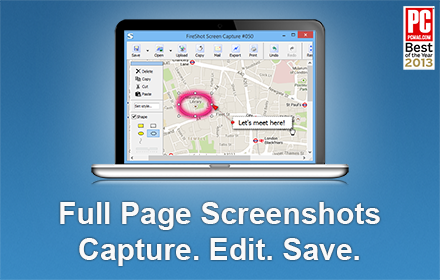
Take Webpage Screenshots Entirely - FireShot
Take FULL webpage screenshots. Capture, edit and save them to PDF/JPEG/GIF/PNG, upload, print, send to OneNote, clipboard or email.
3.0M
★ 4.8

Quick Screenshot + Annotate
Capture → Annotate → Copy/Download in 5 seconds. No login. No uploads. Everything stays in your browser.
3

PageLens — Screenshot & Web Inspector
Full page, zone, element screenshots + code/design/SEO inspector. Local only, no data sent.
35
★ 5.0

DevSnap - Screenshot & Color Picker
Professional screenshot tool with annotation, color picker, element inspector, and measurement tools for developers and designers.
4
Data sourced from the Chrome Web Store · last verified Jun 4, 2026.