
Desaturate Favicons
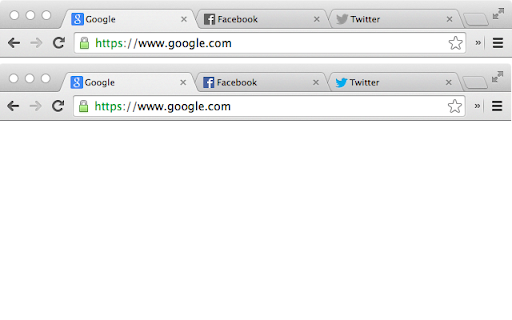
Desaturate the favicons of all inactive tabs.
As of May 2026, Desaturate Favicons has 1,000 users and a 4.06/5 rating from 18 reviews in the Functionality & UI category.
Usersno change0%
1.0K
1,000
Ratingno change0%
4.06
18 reviews
Reviewsno change0%
18
Version
0.5
Manifest V3
Permissions & access
- Permissions
- favicon
- Host access
- None declared
Screenshots
About
Favicons—originally “favorites icons”—are the small icons that appear next to the page title inside a tab in Google Chrome.

Many companies choose to utilize this icon as a way to show off their logo or brand. As such, they’re often colorful and bold.

In an effort to provide a more minimalist, distraction-free, browsing experience, this extension desaturates the tab icons for all but the active tab.

In other words, all of the background tabs will appear in grayscale (“black and white”). When you switch which tab you’re viewing, the tab you were just viewing will see its icon switch to grayscale, and the new one you’re viewing will go back to full color.

The extension has no settings. There’s nothing to do. Just install it and it’ll start working right away. If you ever want the full color of icons to return, simply uninstall the extension.
Technical
- Version
- 0.5
- Manifest
- V3
- Size
- 25.83KiB
- Min Chrome
- 88
- Languages
- 1
- Featured
- No
Metadata
- ID
- dkenplobjcbiljmfbgpbpaboipfgpcbm
- Developer ID
- u129b6038d4466b59ca567c5dc3944fe1
- Developer Email
- [email protected]
- Created
- Apr 15, 2014
- Last Updated (Store)
- May 28, 2024
- Last Scraped
- May 30, 2026
- Website
- —
- Privacy Policy
- —
Similar extensions
Alternatives to Desaturate Favicons, ranked by description similarity.

Cute Favicon Preview
Preview a website favicon in multiple sizes. Paste a URL and copy favicon links.
31

Tab Customizer
Change the icon and title of any tab!
1.0K
★ 3.9

Bookmark Favicon Changer
Change bookmark favicon
40.0K
★ 4.0
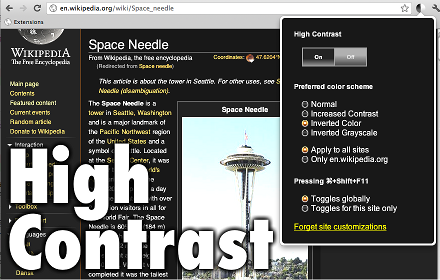
High Contrast
Change or invert the color scheme to make webpages easier to read.
300.0K
★ 3.5

High Contrast V3
Change or invert the color scheme to make webpages easier to read.
1.0K
★ 4.2

Minimal New Tab
Blank new tab with a custom solid background color and optional pinned Home tab.
—
★ 5.0

wtab - iOS style new tab page for Chrome
A beautiful iOS style new tab page for Chrome.
120
★ 5.0

Bloxicon — Roblox Favicon Editor
Changes the version of Roblox favicon with custom upload support
1.0K
★ 4.8
Data sourced from the Chrome Web Store · last verified May 30, 2026.