Browsing History Manager
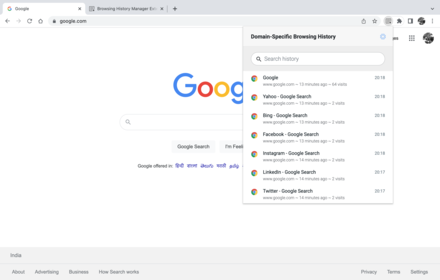
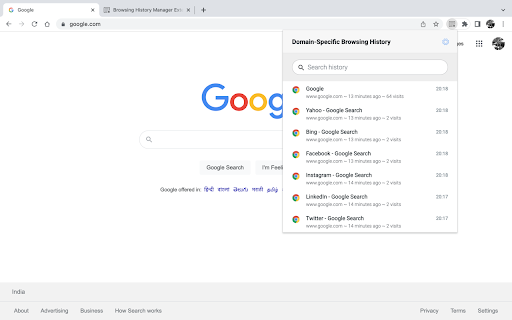
This extension displays the browsing history of domains configured by you.
As of May 2026, Browsing History Manager has 21 users and a 5.00/5 rating from 1 reviews in the Workflow & Planning category.
Usersdown 34.4 percent−34.4%
21
21
Ratingno change0%
5.00
1 reviews
Reviewsno change0%
1
Version
1.5 beta
Manifest V3
History
3 snapshotsTracking since Apr 1, 2026.
View as table
| Date | Users | Rating | Reviews | Version |
|---|---|---|---|---|
| Apr 1, 2026 | 32 | 5.00 | 1 | 1.5 beta |
| May 1, 2026 | 28 | 5.00 | 1 | 1.5 beta |
| May 30, 2026 | 30 | 5.00 | 1 | 1.5 beta |
| Now | 21 | 5.00 | 1 | 1.5 beta |
Permissions & access
- Permissions
- historystorage
- Host access
- None declared
Screenshots
About
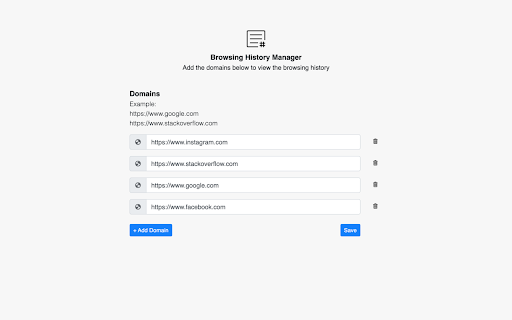
It allows you to configure multiple domains via the extension setting page.

Note: Please use the latest stable version of Chrome.

Change Log:
1.5 - Bug fixes
1.4 - Bug fixes and improvement
1.3 - Implemented search history feature
1.2 - Bug fixes and new functionality
1.1 - Bug fixes, UI improvement
1.0 - Initial release
Technical
- Version
- 1.5 beta
- Manifest
- V3
- Size
- 477KiB
- Min Chrome
- 88
- Languages
- 1
- Featured
- No
Metadata
- ID
- djmnlieodphnbeejkjmignigoiipenll
- Developer ID
- u5e8dc721a3f7f4c17262d394e059ef95
- Developer Email
- [email protected]
- Created
- Mar 22, 2022
- Last Updated (Store)
- Apr 10, 2022
- Last Scraped
- May 30, 2026
- Website
- —
- Support URL
- —
- Privacy Policy
- —
Similar extensions
Alternatives to Browsing History Manager, ranked by description similarity.

Pop-up History
Pop-up a History
1.0K
★ 4.7

CubDomain
Discover comprehensive website information with CubDomain.com. Get details on IP address, server location, WHOIS data, DNS records.
809
★ 3.7

Tab Cleaner Extension
Clean up tabs with specified domains
41

Group by Domain
Allows you to group your tabs by domain name
27
★ 5.0

MyMenu
Your personal menu !
3.0K
★ 4.6

Taben
Less Tabs, Several Groups, Better Life
1

Copy URL with Title (plain text/markdown)
Copy the title and URL in plain text/markdown format by keyboard shortcuts: Ctrl+C/Cmd+C for plain text, Alt+C/Opt+C for markdown.
1.0K
★ 3.0

One Click Auto Tab Group
Auto-group tabs by site, then learn how you organize
455
★ 4.7
Data sourced from the Chrome Web Store · last verified May 30, 2026.