
CSS Class Extractor
Extract all the defined classes to the clipboard and paste it anywhere as you wish.
As of May 2026, CSS Class Extractor has 33 users in the Developer Tools category.
Usersup 13.8 percent+13.8%
33
33
Ratingno change0%
—
— reviews
Reviewsno change0%
—
Version
1.0.0
Manifest V3
History
3 snapshotsTracking since Apr 1, 2026.
View as table
| Date | Users | Rating | Reviews | Version |
|---|---|---|---|---|
| Apr 1, 2026 | 29 | — | — | 1.0.0 |
| May 1, 2026 | 32 | — | — | 1.0.0 |
| May 30, 2026 | 30 | — | — | 1.0.0 |
| Now | 33 | — | — | 1.0.0 |
Permissions & access
- Permissions
- activeTabscripting
- Host access
- None declared
Screenshots

About
A simple utility for frontend developers to get all the classes copied to clipboard for further creating the styles for them.
Technical
- Version
- 1.0.0
- Manifest
- V3
- Size
- 16.63KiB
- Min Chrome
- 88
- Languages
- 1
- Featured
- No
Metadata
- ID
- djanmclngjdimijifmjiihllhpmeillg
- Developer ID
- ue1f8278805aa4b3e837d6913e32c3917
- Developer Email
- [email protected]
- Created
- Oct 22, 2024
- Last Updated (Store)
- Oct 22, 2024
- Last Scraped
- May 30, 2026
- Website
- —
- Support URL
- —
- Privacy Policy
- https://sysinfocus.com/privacy.html
Similar extensions
Alternatives to CSS Class Extractor, ranked by description similarity.

Tailwind Class Extractor
Extract Tailwind CSS classes from hovered elements
11

CopyUI - HTML, CSS & Tailwind Inspector
Stop coding from scratch. Copy any element of any website and export it to Tailwind CSS, JSX or clean CSS in one click.
185
★ 5.0

CopyCSS - One-click style copying for developers.
Instantly capture and copy CSS styles on hover. Perfect for quick styling, debugging, and workflow efficiency.
18
★ 5.0

Tailwind Tap
Copy any TailwindCSS class with a simple tap! Tap, copy, and code – it’s that easy!
17
★ 5.0
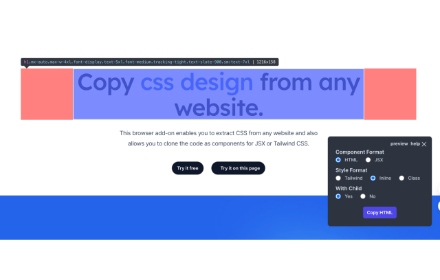
CopyCss - Copy css scan from any website.
Copy css scan from any website.
1.0K
★ 4.0

Html Style Copier
Extension for Extract HTML and CSS Styles from web pages
231

CSS Inspector
Click the extension icon or press Cmd+Shift+C to activate, then hover any element to inspect its computed CSS.
14

HTML/CSS Section Copier
Extracts selected section and provides raw HTML and CSS.
162
Data sourced from the Chrome Web Store · last verified May 30, 2026.