Div Capture: Screenshot Chrome Extension
Div Snap & Copy Web Captures
As of May 2026, Div Capture: Screenshot Chrome Extension has 3,000 users and a 4.52/5 rating from 21 reviews in the Workflow & Planning category.
Usersup 50.0 percent+50.0%
3.0K
3,000
Ratingno change0%
4.52
21 reviews
Reviewsno change0%
21
Version
1.5
Manifest V3
90-day change · In the last 90 days this extension gained 1.0K users.
History
2 snapshotsTracking since Apr 24, 2026.
View as table
| Date | Users | Rating | Reviews | Version |
|---|---|---|---|---|
| Apr 24, 2026 | 2.0K | 4.52 | 21 | 1.5 |
| May 19, 2026 | 2.0K | 4.52 | 21 | 1.5 |
| Now | 3.0K | 4.52 | 21 | 1.5 |
Permissions & access
- Permissions
- activeTabstoragescriptingnotifications
- Host access
- <all_urls>
Screenshots
About
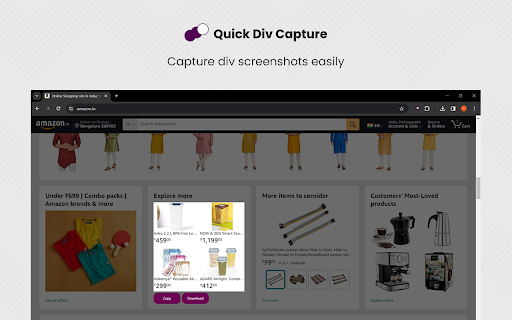
Introducing Div Capture, the ultimate screenshot tool for Chrome users! Simplify your screen capturing experience with this user-friendly Chrome extension, designed to seamlessly integrate into your browsing workflow.

Key Features:

Precision Selection: Easily select and capture specific webpage elements or entire pages. Our intuitive interface allows for precise control, ensuring you capture exactly what you need.
One-Click Capture: Say goodbye to cumbersome snipping tools. With Div Capture, a simple click is all it takes to snap your screenshot.
High-Quality Images: Enjoy crisp, clear screenshots every time, perfect for presentations, tutorials, or sharing information.

Whether you're a professional capturing screens for work, a student organising study materials, or someone who loves saving snippets of digital content, Div Capture is the tool for you. Enhance your productivity and simplify your screen capture process with Div Capture for Chrome!

version 1.0.0 - 1.0.4
>> Removed Unnecessary permissions, bug fixes and addition of selectable mode. Shortcut added
Technical
- Version
- 1.5
- Manifest
- V3
- Size
- 243KiB
- Min Chrome
- 88
- Languages
- 1
- Featured
- Yes
Metadata
- ID
- dedaccjfjdboopgpoafnimpppmbhplof
- Developer ID
- ud366a7c75cbfeaf2740ee81e39c4b27c
- Developer Email
- [email protected]
- Created
- Jan 12, 2024
- Last Updated (Store)
- May 17, 2024
- Last Scraped
- May 19, 2026
- Website
- flonnect.com
- Support URL
- —
- Privacy Policy
- https://flonnect.com/privacy-policy/
Similar extensions
Alternatives to Div Capture: Screenshot Chrome Extension, ranked by description similarity.

DivSnapper
Capture a DOM element and download it as a PNG file.
1.0K
★ 3.7

Free Snipping Tool
Professional snipping tool with full page, selection, and scrolling capture capabilities
40.0K
★ 3.9

ClickShot
ClickShot: Click to capture.
14
★ 5.0

Screenety - Screen Recorder & Annotation Tool
Screenshot tool
154
★ 5.0

Screenshot-er
Screenshot & recording with annotations, beautify export, device frames, color presets, and presentation export
8

Quick Snip
Browse web and capture tabs you like, easy and quick.
10.0K
★ 3.6

Easy Screenshot
Capture parts of the screen
19
★ 1.0

Simple Screen Capture: Full Page Screenshot
Simple Screen Capture is a handy Chrome Extension that allows you to effortlessly capture full page screenshots with just a click.
5.0K
★ 4.3
Data sourced from the Chrome Web Store · last verified May 19, 2026.