
Calculator
Calculator for Chrome!
As of May 2026, Calculator has — users and a 3.59/5 rating from 661 reviews.
Usersno change0%
—
—
Ratingdown 0.3 percent−0.3%
3.59
661 reviews
Reviewsdown 0.3 percent−0.3%
661
Version
4.5.5
Manifest V2
History
2 snapshotsTracking since Apr 24, 2026.
Not enough history yet for this metric — the chart fills in as we collect more snapshots.
View as table
| Date | Users | Rating | Reviews | Version |
|---|---|---|---|---|
| Apr 24, 2026 | — | 3.60 | 663 | 4.5.5 |
| May 19, 2026 | 500.0K | 3.59 | 662 | 4.5.5 |
| Now | — | 3.59 | 661 | 4.5.5 |
Permissions & access
- Permissions
- storageclipboardReadclipboardWritecontextMenus
- Host access
- None declared
Screenshots


About
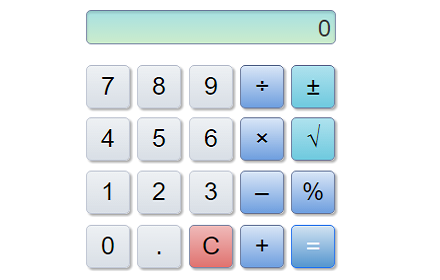
The browser and desktop versions have now merged!

Features:

• Use your keyboard to control the calculator
• Choose from a light or dark calculator
• Open Calculator as an application or in browser
• Memory functions; plus, minus, set, recall, reset
• Chromebook™ compatible
• Number Pad Support
• Fully offline application
• Scientific Calculator mode!

Keyboard Shortcuts:

On Mac computers the CMD key works in the place of the CTRL key.

• Number Pad or 0-9 for Number Entry
• Cut (CTRL + X)
• Copy (CTRL + C)
• Paste (CTRL + V)
• Divide (/)
• Times (X or SHIFT + 8)
• Minus (-)
• Plus (+)
• Equals (= or Enter)
• +/- (F9 or R)
• Square Root (SHIFT + @)
• Open Bracket (SHIFT + 9)
• Close Bracket (SHIFT + 0)
• Decimal point (Full Stop / Period)
• Remove last character (Backspace)
• Clear Entry (Del)
• AC (Home)
• Clear Memory (CTRL + L)
• Recall Memory (CTRL + R)
• Set Memory (CTRL + M)
• Add Memory (CTRL + P)
• Minus Memory (CTRL + Q)
• Open Help (F1)
• Open Info (F11)
• Close Window (ESC)
Technical
- Version
- 4.5.5
- Manifest
- V2
- Size
- 451KiB
- Min Chrome
- 35
- Languages
- 1
- Featured
- No
Metadata
- ID
- decmldkknaaemlafplkkdmmmelbdnlja
- Developer ID
- ud7f5d5b6b397aacb2abb46abe3d019d7
- Developer Email
- [email protected]
- Created
- May 30, 2011
- Last Updated (Store)
- Sep 26, 2017
- Last Scraped
- May 19, 2026
- Website
- —
- Support URL
- —
- Privacy Policy
- —
Similar extensions
Alternatives to Calculator, ranked by description similarity.

Calculator
A simple calculator that remembers your last calculation. You can close it at any time, and reopen it without losing your work.
80.0K
★ 4.1

Simple Calculator
A clean, fast calculator in your browser toolbar. Supports basic arithmetic, percentages, keyboard input, and calculation history.
1
Calculator
A simple calculator that remembers your last calculation. You can close it at any time and reopen it without losing your work.
4.0K
★ 4.0

Melanto Calculator
One different calculator app...
10.0K
★ 4.0

Simple Calculator
A sleek, modern calculator extension with calculation history, editing, and a futuristic design.
60
★ 5.0

Calculator – History, Themes, Offline
A fast, intuitive calculator for everyday math — with history, keyboard support, themes, and offline mode.
39

The Calculator App
A beautiful, minimalist calculator with customizable themes and styles. Quick access with Alt+C keyboard shortcut
9

Numeric Calculator
A simple numeric calculator
22
Data sourced from the Chrome Web Store · last verified May 19, 2026.