
Reply by AI for Viator & GetYourGuide
Generate AI-powered replies to Viator and GetYourGuide supplier reviews using Gemini.
As of June 2026, Reply by AI for Viator & GetYourGuide has 3 users and a 5.00/5 rating from 1 reviews in the Productivity category.
Usersno change0%
3
3
Ratingno change0%
5.00
1 reviews
Reviewsno change0%
1
Version
1.3.3
Manifest V3
History
6 snapshotsTracking since Apr 17, 2026.
View as table
| Date | Users | Rating | Reviews | Version |
|---|---|---|---|---|
| Apr 17, 2026 | 3 | 5.00 | 1 | 1.3.3 |
| Apr 27, 2026 | 5 | 5.00 | 1 | 1.3.3 |
| May 5, 2026 | 5 | 5.00 | 1 | 1.3.3 |
| May 10, 2026 | 6 | 5.00 | 1 | 1.3.3 |
| May 16, 2026 | 5 | 5.00 | 1 | 1.3.3 |
| May 22, 2026 | 4 | 5.00 | 1 | 1.3.3 |
| Now | 3 | 5.00 | 1 | 1.3.3 |
Permissions & access
- Permissions
- storage
- Host access
- https://supplier.viator.com/reviews, https://supplier.getyourguide.com/performance/reviews, https://generativelanguage.googleapis.com/*
Screenshots

About
# Reply by AI for Viator & GetYourGuide

Generate AI-powered replies for supplier reviews on Viator and GetYourGuide using Google Gemini.

The extension adds a **Reply by AI** button inside the review response modal and fills a suggested reply in one click.

## Supported Platforms

- [Viator supplier reviews](https://supplier.viator.com/reviews)
- [GetYourGuide supplier reviews](https://supplier.getyourguide.com/performance/reviews)

## Features

- **One-click reply generation** in the review response modal
- **Gemini-powered responses** (Gemini 2.5 Flash Lite)
- **Same-language replies** as the customer review (for example German review -> German reply)
- **GetYourGuide limit handling**: replies are kept within the 400-character limit
- **Popup on extension icon click** with quick access to settings
- **Optional company name setting** for sign-off fallback (for example: `Best regards, The AnyWhere.com Team`)
- **Local key storage**: API key is saved in `chrome.storage.sync`

## Requirements

- Chrome (or another Chromium-based browser)
- A [Gemini API key](https://aistudio.google.com/app/apikey) (free tier available)

## Installation (Unpacked)

1. Clone or download this repository.
2. Open Chrome and go to `chrome://extensions`.
3. Enable **Developer mode**.
4. Click **Load unpacked**.
5. Select this `extension` folder (the one containing `manifest.json`).

## Setup

1. Click the extension icon and open **Options**.
2. Paste your Gemini API key and click **Save**.
3. (Optional) Set **Company / business name** for reply sign-off fallback.

## Usage

1. Open the reviews page on Viator or GetYourGuide.
2. Open a review reply modal (`Respond to review` / `Reply to the traveler`).
3. Click **Reply by AI** under the textarea.
4. Review and edit the generated text, then submit as normal.

## Permissions

- `storage` - save and read extension settings (API key, optional company name)
- `https://supplier.viator.com/reviews` - run the content script on Viator reviews page
- `https://supplier.getyourguide.com/performance/reviews` - run the content script on GetYourGuide reviews page
- `https://generativelanguage.googleapis.com/*` - call Gemini API

## Privacy

- Your Gemini API key is stored locally in the browser (`chrome.storage.sync`).
- Review content is sent only to Google's Gemini API when you click **Reply by AI**.
- The extension does not send review data to any custom backend.

See [PRIVACY.md](PRIVACY.md) for the full privacy policy.

## Versioning

Current version is in `manifest.json` (`version`), currently `1.3.3`.

When you change behavior or features:
- bump `manifest.json` version
- add a matching entry in `CHANGELOG.md`

## Repository

[AI Reviews Reply for VIATOR](https://github.com/majidorc/AI-Reviews-Reply-for-VIATOR)

Copyright © Anywhere.tours
Technical
- Version
- 1.3.3
- Manifest
- V3
- Size
- 101KiB
- Min Chrome
- 88
- Languages
- 1
- Featured
- No
Metadata
- ID
- dcabiegkcabiiiclnioebcpopkpnpphm
- Developer ID
- ue115106cc47e326f1bb0df29b9843931
- Developer Email
- [email protected]
- Created
- Mar 16, 2026
- Last Updated (Store)
- Mar 21, 2026
- Last Scraped
- Jun 10, 2026
- Website
- anywhere.tours
- Support URL
- https://anywhere.tours
- Privacy Policy
- https://ai.majidorc.com/privacy.html
Similar extensions
Alternatives to Reply by AI for Viator & GetYourGuide, ranked by description similarity.

Send to Gemini
Send text to Gemini Chat via URL parameters, context menu, and custom prompts
277
★ 2.0
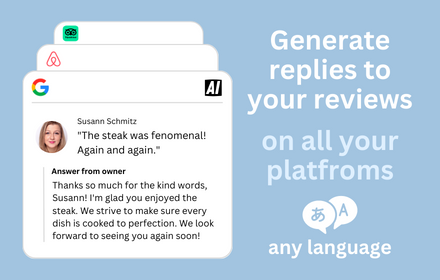
AI Review Reply Response Generator
Create AI Responses to Reviews right from your browser with ease.
1.0K
★ 5.0

AI Motivation Letter Generator for LinkedIn
Generate human-like cover letters from LinkedIn job postings. 1 free letter on install, then usage packs.
—

ChatGPT & Gemini Markdown Copy
Add Markdown copy button to ChatGPT and Gemini responses
545
★ 5.0
AI Text Translator
Translate with AI from OpenAI and Gemini: Fast, convenient, and supports many languages.
211
★ 4.0

AI Generate Invoice Chrome Extensions
Import Excel, generate product descriptions using Gemini AI Generate Invoice Chrome Extensions, and export updated Excel.
1

Hostaway AI Plugin
Generate personalized, professional replies to guest reviews in Hostaway with a single click using AI.
—

Side Panel for Gemini
Opens Gemini AI in Google Chrome's side panel
20.0K
★ 4.5
Data sourced from the Chrome Web Store · last verified Jun 10, 2026.