
SyncPlug
Monitor and control your Syncthing instance
As of June 2026, SyncPlug has 20 users in the Productivity category.
Usersup 100.0 percent+100.0%
20
20
Ratingno change0%
—
— reviews
Reviewsno change0%
—
Version
1.0
Manifest V3
History
8 snapshotsTracking since Apr 8, 2026.
View as table
| Date | Users | Rating | Reviews | Version |
|---|---|---|---|---|
| Apr 8, 2026 | 10 | — | — | 1.0 |
| Apr 19, 2026 | 9 | — | — | 1.0 |
| Apr 24, 2026 | 13 | — | — | 1.0 |
| May 8, 2026 | 13 | — | — | 1.0 |
| May 13, 2026 | 12 | — | — | 1.0 |
| May 19, 2026 | 18 | — | — | 1.0 |
| Jun 1, 2026 | 21 | — | — | 1.0 |
| Jun 7, 2026 | 22 | — | — | 1.0 |
| Now | 20 | — | — | 1.0 |
Permissions & access
- Permissions
- storagealarms
- Host access
- http://localhost/*
Screenshots


About
SyncPlug puts your Syncthing sync status in your Chrome toolbar so you never have to wonder if your files are up to date.

A colour-coded icon tells you everything at a glance:
- Green — all folders synced, all devices connected
- Yellow — syncing in progress, no errors
- Red — errors detected, failed items, or a device disconnected
- Blue (spinning) — actively transferring files

Click the icon for a quick status panel showing folder states, connected devices, and out-of-sync item counts. One click opens your Syncthing Web UI.

Connects to your local Syncthing instance via its REST API. All communication stays on localhost — no data is collected or transmitted externally.

Requires a running Syncthing instance and your API key (found in Syncthing settings under General).
Technical
- Version
- 1.0
- Manifest
- V3
- Size
- 599KiB
- Min Chrome
- 88
- Languages
- 1
- Featured
- No
Metadata
- ID
- cpamcglinckdbkjpccacdgekciimhmjn
- Developer ID
- udcae41d97b6924bec287ad99d97cca19
- Developer Email
- [email protected]
- Created
- Mar 5, 2026
- Last Updated (Store)
- Mar 5, 2026
- Last Scraped
- Jun 7, 2026
- Website
- —
- Support URL
- —
Similar extensions
Alternatives to SyncPlug, ranked by description similarity.

SOS Inventory Sync Indicators
Adds Sync indicators to SOS Items, Vendors, Customers, and Receipts.
94

EClip
EClip shared clipboard
—

Proxy Toggle simple
An extension for Chrome that allows you to enable and disable HTTP(S) proxy with one click
100
★ 5.0

Dashboard for Claude
Dashboard for Claude - Shows 5h/7d limits, system status and chat topics with auto-sync.
114
★ 5.0

Proxy Toggle: Simple System Proxy Switcher
Toggle system proxy and collect failed domains with modern UI
1.0K
★ 5.0
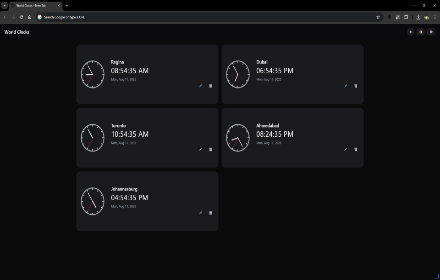
World Clocks Pro
Multi-timezone clocks with digital & analog views, themes, layout options, and customizable icons.
11

Developer Sync
Synchronize cookies status cross browsers and devices
2
★ 5.0

Mini Extension Organizer
Quickly view and manage all your installed Chrome extensions from a compact popup.
5
Data sourced from the Chrome Web Store · last verified Jun 7, 2026.