
Tab Folders
Shows a left-side tab list with per-tab screenshots stored persistently.
As of June 2026, Tab Folders has 6 users and a 5.00/5 rating from 1 reviews in the Functionality & UI category.
Usersdown 14.3 percent−14.3%
6
6
Ratingno change0%
5.00
1 reviews
Reviewsno change0%
1
Version
3.5.1
Manifest V3
History
8 snapshotsTracking since Apr 1, 2026.
View as table
| Date | Users | Rating | Reviews | Version |
|---|---|---|---|---|
| Apr 1, 2026 | 7 | 5.00 | 1 | 3.5.1 |
| Apr 8, 2026 | 6 | 5.00 | 1 | 3.5.1 |
| Apr 19, 2026 | 7 | 5.00 | 1 | 3.5.1 |
| Apr 29, 2026 | — | 5.00 | 1 | 3.5.1 |
| May 9, 2026 | 5 | 5.00 | 1 | 3.5.1 |
| May 17, 2026 | 8 | 5.00 | 1 | 3.5.1 |
| May 26, 2026 | — | 5.00 | 1 | 3.5.1 |
| Jun 4, 2026 | 7 | 5.00 | 1 | 3.5.1 |
| Now | 6 | 5.00 | 1 | 3.5.1 |
Permissions & access
- Permissions
- tabsstorageactiveTabunlimitedStorage
- Host access
- <all_urls>
Screenshots

About
If you have more than 10 tabs always open, this app is for you!

This extension is a tab organizer and a bookmark collection in one. It uses the most organic folder concept.

How to use:
Create folders, sub-folders, and store the shortcuts to your tabs in those. The shortcuts show the last screenshot of the page, so you can easily identify the page you need and select the already loaded tab.
If you close the tab later, the shortcut still remains in your folder, so you can easily reopen the pages. (bookmark function)

    Install the add-on, and it will be visible on the left at all times.
    Create folders and sub-folders as needed.
    Click on each of your tabs one by one, refresh the page to load the extension and drag and drop the shortcut into the desired folder.
    After all your shortcuts are moved,adjust the position inside the folder.
    Optional: Export the whole structure to a JSON file and keep this file in a safe place. You can import this on a new device or whenever you lose your settings.
Technical
- Version
- 3.5.1
- Manifest
- V3
- Size
- 47.42KiB
- Min Chrome
- 88
- Languages
- 1
- Featured
- No
Metadata
- ID
- cocmpdkgdhhjojmgjpiamkeaiielfeop
- Developer ID
- ud9d12b4b467fa98dca8f71428a5ea602
- Developer Email
- [email protected]
- Created
- Aug 28, 2025
- Last Updated (Store)
- Jan 17, 2026
- Last Scraped
- Jun 4, 2026
- Website
- —
- Support URL
- —
- Privacy Policy
- —
Similar extensions
Alternatives to Tab Folders, ranked by description similarity.

Favorite Tabs
Manage and switch to your favorite tabs easily.
65
★ 5.0

Tab Buddy – Open Tabs Next to Current
Opens new tab next to the current one
245
★ 3.0

Shortcuts In Newtab
Simple new tab with custom shortcuts
651
★ 4.5

Bookmark Manager - Windows File Explorer Style
A Windows 11-style bookmark manager extension with sidebar and tab support.
22
★ 5.0

Save my tabs!
Save all open tabs to a bookmark folder
287
★ 5.0
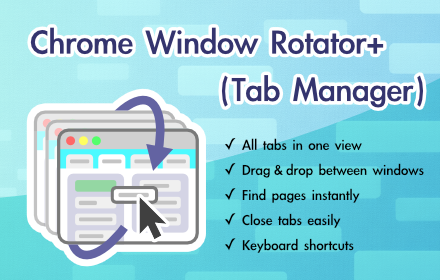
Chrome Window Rotator+ (Tab Manager)
View all tabs across windows. Find and access pages instantly. Organize with drag & drop.
108
★ 5.0

Bookmark+
Enhanced bookmark management with tags, advanced search, and folder organization
3

Daily Tab Manager
Organizes your tabs by day in a pinned tab
4
Data sourced from the Chrome Web Store · last verified Jun 4, 2026.