
Apple 10
Helps solve Fruit Box puzzles by suggesting valid rectangle selections
As of June 2026, Apple 10 has 11 users and a 5.00/5 rating from 1 reviews in the fun category.
Usersup 57.1 percent+57.1%
11
11
Ratingno change0%
5.00
1 reviews
Reviewsno change0%
1
Version
0.1.1
Manifest V3
History
6 snapshotsTracking since Apr 1, 2026.
View as table
| Date | Users | Rating | Reviews | Version |
|---|---|---|---|---|
| Apr 1, 2026 | 7 | 5.00 | 1 | 0.1.1 |
| Apr 22, 2026 | 8 | 5.00 | 1 | 0.1.1 |
| May 2, 2026 | 6 | 5.00 | 1 | 0.1.1 |
| May 10, 2026 | 10 | 5.00 | 1 | 0.1.1 |
| May 18, 2026 | 11 | 5.00 | 1 | 0.1.1 |
| Jun 5, 2026 | 10 | 5.00 | 1 | 0.1.1 |
| Now | 11 | 5.00 | 1 | 0.1.1 |
Permissions & access
- Permissions
- activeTabscriptingstorageoffscreen
- Host access
- *://en.gamesaien.com/*
Screenshots

About
Fruit Box 拼圖遊戲助手 - 自動識別遊戲畫面,建議最佳的矩形選擇(總和為 10)。

功能特色:
  • 自動識別棋盤 - 直接從遊戲畫面擷取
  • 兩種求解模式:
    - Quick(快速):隨機選擇,適合休閒玩家
    - Optimal(最佳):回溯演算法,找出清除最多格子的解法
  • 逐步導航,視覺化標示
  • 鍵盤快捷鍵,操作更有效率

快捷鍵:
  • Alt+F:開關面板
  • Alt+S:擷取並求解
  • Space:下一步
  • ←/→:切換步驟
  • P(按住):預覽全部步驟
  • R:重新擷取
  • 1-9:跳到指定步驟

使用方式:
  1. 開啟 en.gamesaien.com/game/fruit_box
  2. 按 Alt+F 開啟助手面板
  3. 開始遊戲後點擊「Capture Board」
  4. 按照標示的矩形框選即可

隱私:不收集任何資料,所有運算皆在本地瀏覽器完成。


Fruit Box Assistant - Automatically recognizes the game screen and suggests the best rectangle selection (total of 10).

Features:
  • Automatic board recognition - directly captured from the game screen
  • Two solution modes:
    - Quick: Random selection, suitable for casual players
    - Optimal: Backtracking algorithm to find the solution that clears the most squares
  • Step-by-step navigation with visual markers
  • Keyboard shortcuts for more efficient operation

Keyboard shortcuts:
  • Alt+F: Toggle panel
  • Alt+S: Capture and solve
  • Space: Next step
  • ←/→: Switch steps
  • P (hold): Preview all steps
  • R: Recapture
  • 1-9: Jump to the specified step

How to use:
  1. Open en.gamesaien.com/game/fruit_box
  2. Press Alt+F to open the assistant panel
  3. After starting the game, click "Capture Board"
  4. Select the indicated rectangles

Privacy: No data is collected; all calculations are performed in the local browser.
Technical
- Version
- 0.1.1
- Manifest
- V3
- Size
- 130KiB
- Min Chrome
- 88
- Languages
- 1
- Featured
- No
Metadata
- ID
- cobikdaoegdhkjlaengdfmjincnclgai
- Developer ID
- uafe0f250574746af4987b82c935cebbc
- Developer Email
- [email protected]
- Created
- Jan 1, 2026
- Last Updated (Store)
- Jan 3, 2026
- Last Scraped
- Jun 5, 2026
- Website
- —
- Support URL
- —
- Privacy Policy
- —
Similar extensions
Alternatives to Apple 10, ranked by description similarity.

Infinite Nonogram & Daily Puzzles
Master infinite Nonogram puzzles! Daily challenges, smart hints & dark mode. Pure logic, no guessing.
34

Tango Solver Extension
Solves the Tango board on LinkedIn Games.
4

Magic Squares
An easy-to-use and lite Magic Squares game
10
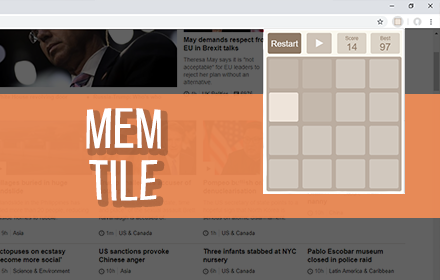
Mem Tile (Popup Game)
Memory Based Tile Sliding Game
6.0K
★ 4.8

Candy Super Lines - Html5 Game
Ready to take some candy? Get at least three candies in a line to earn points and level up.
243

Wordless Game
Master the Ultimate Word Puzzle Challenge - A fun and challenging word guessing game to test your vocabulary and deduction skills.
19
★ 5.0

PuzzleGenio - Daily Puzzles & Puzzle Maker
Play daily Sudoku & Word Search puzzles. Right-click any text or image to create custom puzzles instantly.
10

GoEN Sudoku Shortcuts
Play Sudoku.com online with keyboard shortcuts
3.0K
★ 4.8
Data sourced from the Chrome Web Store · last verified Jun 5, 2026.